
YaooOuQ - Minecraft Skins & Skin History
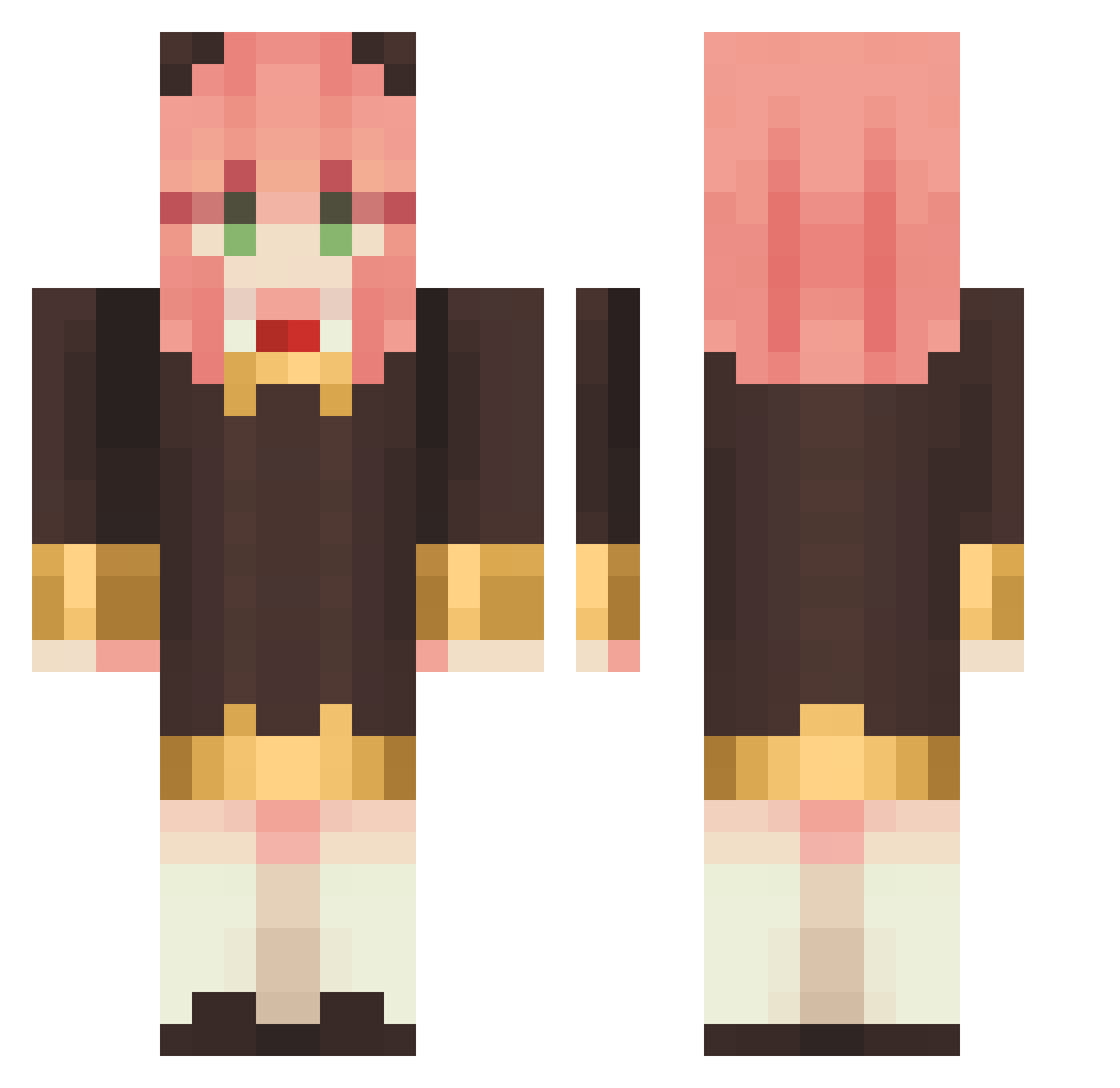
Current Minecraft skin of the player YaooOuQ, loaded from the official Mojang API. Rotate the 3D model with your mouse or finger, then download the skin as a PNG file and use it in Minecraft: Bedrock Edition or Java Edition for free. When YaooOuQ changes their skin, this page updates automatically and the old skin stays in the history below.
Other players with this skin (1145)
YaooOuQ was the 508th player we have seen with this skin, first spotted on 17.09.2026. The same skin was seen on these players. Open a nickname to see their current skin and skin history.
 gabrielziih xiaomantou0411 seawater214 HRKZN JAY0020 psmarina YusuChan3 _Nikoletta_ Mopmab XiaopaoX Eltrufas Riceball4life RoxyMigurdia0616 TrendyWindow239 luzanya RISIAN K1nghu HsuXin a_kay676 ripboris ZhangShengkai cholrang Binligg juicerbacon Himiko135 bellaariel XIAOTUOXIE Damata_ pil0713 pistolman111 hsf_0207 Adysaa AkariMo KC0718 Naukx CuteSquirrel Mitheque joaco_uwu Persephone127 Joe2599 Awtel Ssruthless Catastic07 Urizen42 CarInAGarage SRAKuro Allfreid LK777777 gc6h12o6 AnyaGod Crazy_Arms HisMajisty Remy1662 anyaandew chariri_n _anziie YO71112 EMON_0317 Sethpz Rfatter
More Anya Forger Minecraft skins
How to install the YaooOuQ skin
- Press the Download button above to save the skin as a PNG file.
- Minecraft: Bedrock Edition (PE): open the Dressing Room from the main menu (or tap your character → Edit Character), go to Classic Skins → Owned, press the + (new skin) button, choose the downloaded PNG and pick the Classic (Steve) model. Works on PC and mobile; consoles cannot import custom skins.
- Minecraft: Java Edition: open the Minecraft Launcher, go to the Skins tab, click New Skin, load the PNG, pick the Classic (Steve) model and press Save & Use. You can also upload it at minecraft.net → Profile → Change Skin.
The skin does not show up after import - what should I do?
Restart Minecraft and open the Dressing Room again - imported skins sometimes appear only after a restart. Also make sure you selected the imported skin and picked the Classic (Steve) model.
Which model should I choose, Classic or Slim?
This skin is designed for the Classic (Steve) model. If you pick the wrong model, the arms of the skin will look stretched or squeezed.
Is the skin of YaooOuQ free to download?
Yes. Press Download, save the PNG file and use it in Minecraft: Bedrock Edition or Java Edition - no payment or registration needed. The skin also works on multiplayer servers and Realms.
More skins
Looking for more? Go back to all Minecraft skins and check the top skins of the week, month and all time, or find any player's skin by nickname.