
Yaku666 - Minecraft Skins & Skin History
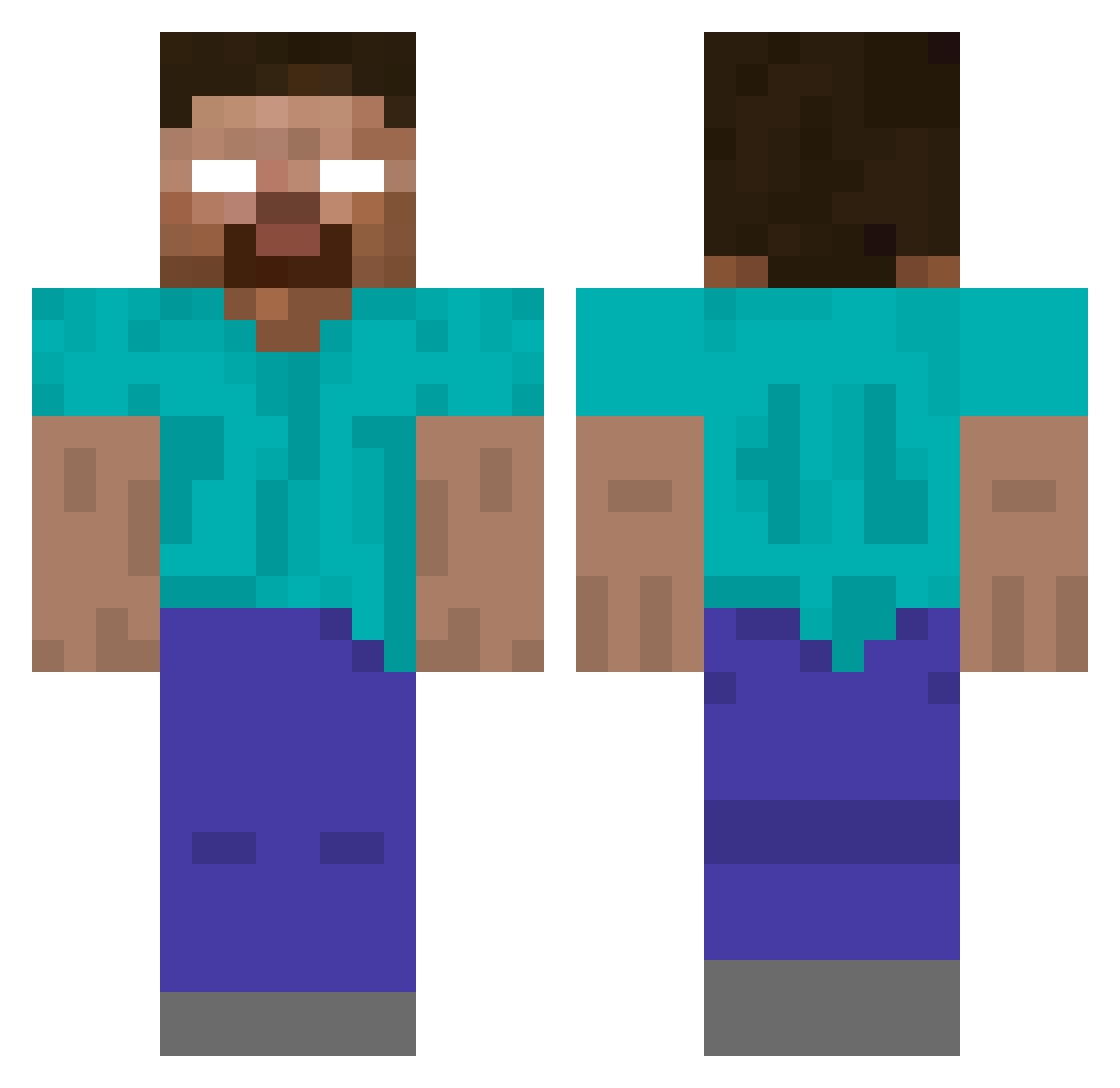
Current Minecraft skin of the player Yaku666, loaded from the official Mojang API. Rotate the 3D model with your mouse or finger, then download the skin as a PNG file and use it in Minecraft: Bedrock Edition or Java Edition for free. When Yaku666 changes their skin, this page updates automatically and the old skin stays in the history below.
Other players with this skin (108)
Yaku666 was the 65th player we have seen with this skin, first spotted on 05.10.2026. The same skin was seen on these players. Open a nickname to see their current skin and skin history.
 Derpcicle soubaixarenda TheDDiamond Bari_Saxy Xiao_gao_0601 id202 TikyVioladorUwU NascentS0ul SaltLike nostars poopystink azsrs TrashDaddii VariaD Divine321 dazt1an TeamCooki Kyuubi_ dav5826 O91O hslHSL66 Cosmic_Justice itz_Moro4Real RobotThor Vrzt awnz HolyWater1120 Evert icelly 1ZERO_GG LowkeyCharmss AxelNo_Alex rhqhdbob3 Notpez4 Senbushillo Gibeom_Choi Wajum YoSowy Xtlide headsh00ter Herobrinee999 SRUZZER tmedinaf Toppling ArikaSMP zDiego1 burakcg Zovcraft csd2 Coleslaw anthelmintic jiHosun1 LOLYOUBADNOCAP 4Yu TEMEKINO ghostguyy sorlysOG notmandarina GrimPlushy ferel
More Herobrine Minecraft skins
How to install the Yaku666 skin
- Press the Download button above to save the skin as a PNG file.
- Minecraft: Bedrock Edition (PE): open the Dressing Room from the main menu (or tap your character → Edit Character), go to Classic Skins → Owned, press the + (new skin) button, choose the downloaded PNG and pick the Classic (Steve) model. Works on PC and mobile; consoles cannot import custom skins.
- Minecraft: Java Edition: open the Minecraft Launcher, go to the Skins tab, click New Skin, load the PNG, pick the Classic (Steve) model and press Save & Use. You can also upload it at minecraft.net → Profile → Change Skin.
The skin does not show up after import - what should I do?
Restart Minecraft and open the Dressing Room again - imported skins sometimes appear only after a restart. Also make sure you selected the imported skin and picked the Classic (Steve) model.
Which model should I choose, Classic or Slim?
This skin is designed for the Classic (Steve) model. If you pick the wrong model, the arms of the skin will look stretched or squeezed.
Is the skin of Yaku666 free to download?
Yes. Press Download, save the PNG file and use it in Minecraft: Bedrock Edition or Java Edition - no payment or registration needed. The skin also works on multiplayer servers and Realms.
More skins
Looking for more? Go back to all Minecraft skins and check the top skins of the week, month and all time, or find any player's skin by nickname.