
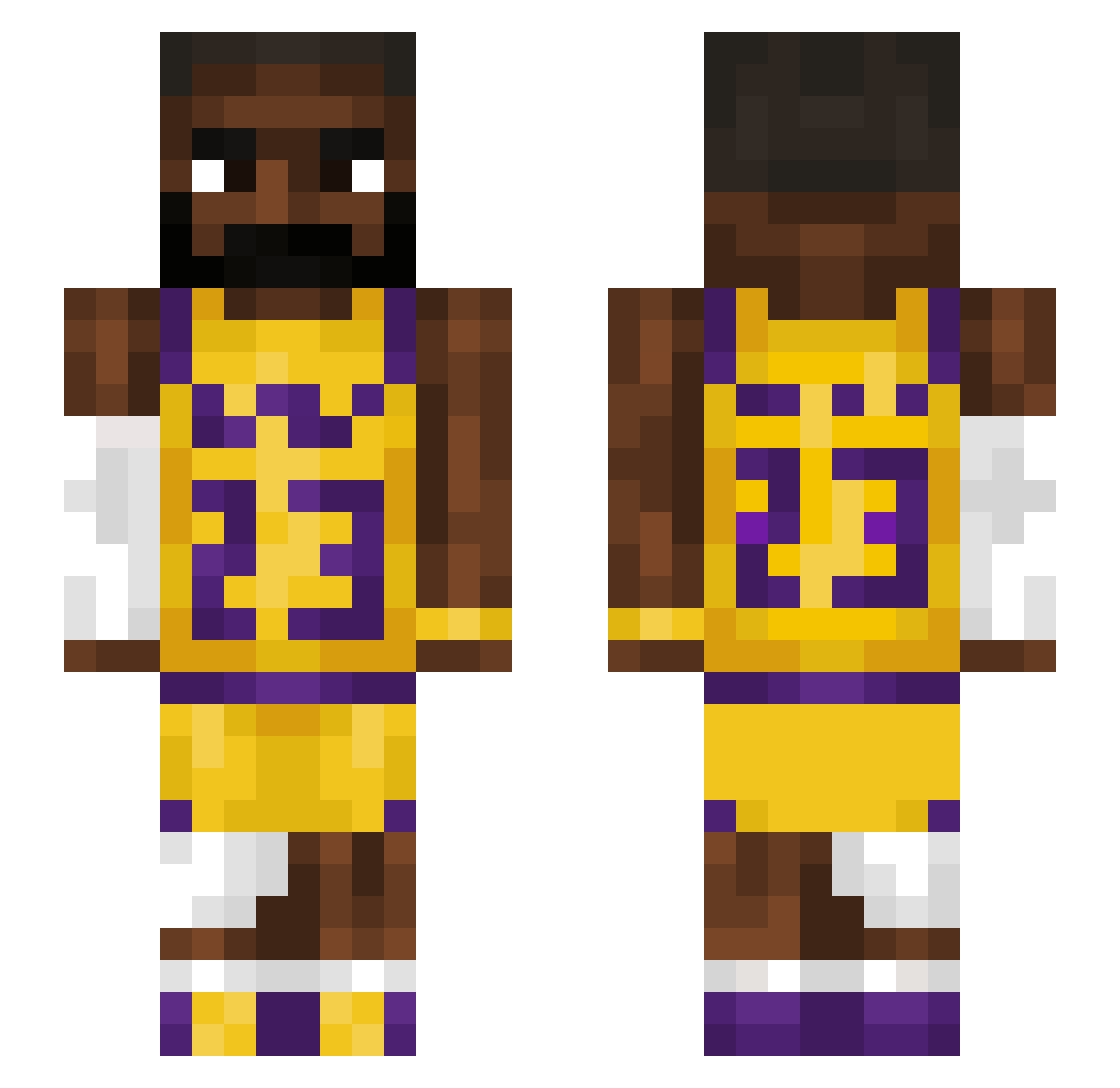
Current Minecraft skin of the player Yakk3m, loaded from the official Mojang API. Rotate the 3D model with your mouse or finger, then download the skin as a PNG file and use it in Minecraft: Bedrock Edition or Java Edition for free. When Yakk3m changes their skin, this page updates automatically and the old skin stays in the history below.
Other players with this skin (1127)
Yakk3m was the 720th player we have seen with this skin, first spotted on 19.09.2026. The same skin was seen on these players. Open a nickname to see their current skin and skin history.
 KINGSOSA22 Warrior_Siebe crispychris12 ZoinkBlox mateejko greenrage1 TigerSharkShaun Slaid00 Antoeknee74 Zingo120 Legy08 VoidTrapperz fallm0nek Chorch0 DHPx0 Jonas296i Cipherion Himmyb x385ms Woorii Crocodile222 Roxrock9 that3_BMW avacheffy chndlrrr Vanish0314 EaterOfPaint Casper14912 alsrb02 PuPuBoyy Toki1519 bjh1017 theGOAT32112 CadeGT TobiasGamer2014 ghostparker Maccaswak Mclovin4PF Turtlenoob1276 AMUGOOSE dreskii_ viciousbees nabbas xsad_cryptidx ILuvBronnyJames Mustashe Eylul0 andri4lolacs obiwan0234 Feliperys Bee_Juice Danny2217 ben4405 findher debonairSnail1 vesba oddball404 BigTom0417 Monkeymark01 tommyishim
More Lakers Minecraft skins
How to install the Yakk3m skin
- Press the Download button above to save the skin as a PNG file.
- Minecraft: Bedrock Edition (PE): open the Dressing Room from the main menu (or tap your character → Edit Character), go to Classic Skins → Owned, press the + (new skin) button, choose the downloaded PNG and pick the Slim (Alex) model. Works on PC and mobile; consoles cannot import custom skins.
- Minecraft: Java Edition: open the Minecraft Launcher, go to the Skins tab, click New Skin, load the PNG, pick the Slim (Alex) model and press Save & Use. You can also upload it at minecraft.net → Profile → Change Skin.
The skin does not show up after import - what should I do?
Restart Minecraft and open the Dressing Room again - imported skins sometimes appear only after a restart. Also make sure you selected the imported skin and picked the Slim (Alex) model.
Which model should I choose, Classic or Slim?
This skin is designed for the Slim (Alex) model. If you pick the wrong model, the arms of the skin will look stretched or squeezed.
Is the skin of Yakk3m free to download?
Yes. Press Download, save the PNG file and use it in Minecraft: Bedrock Edition or Java Edition - no payment or registration needed. The skin also works on multiplayer servers and Realms.
More skins
Looking for more? Go back to all Minecraft skins and check the top skins of the week, month and all time, or find any player's skin by nickname.