
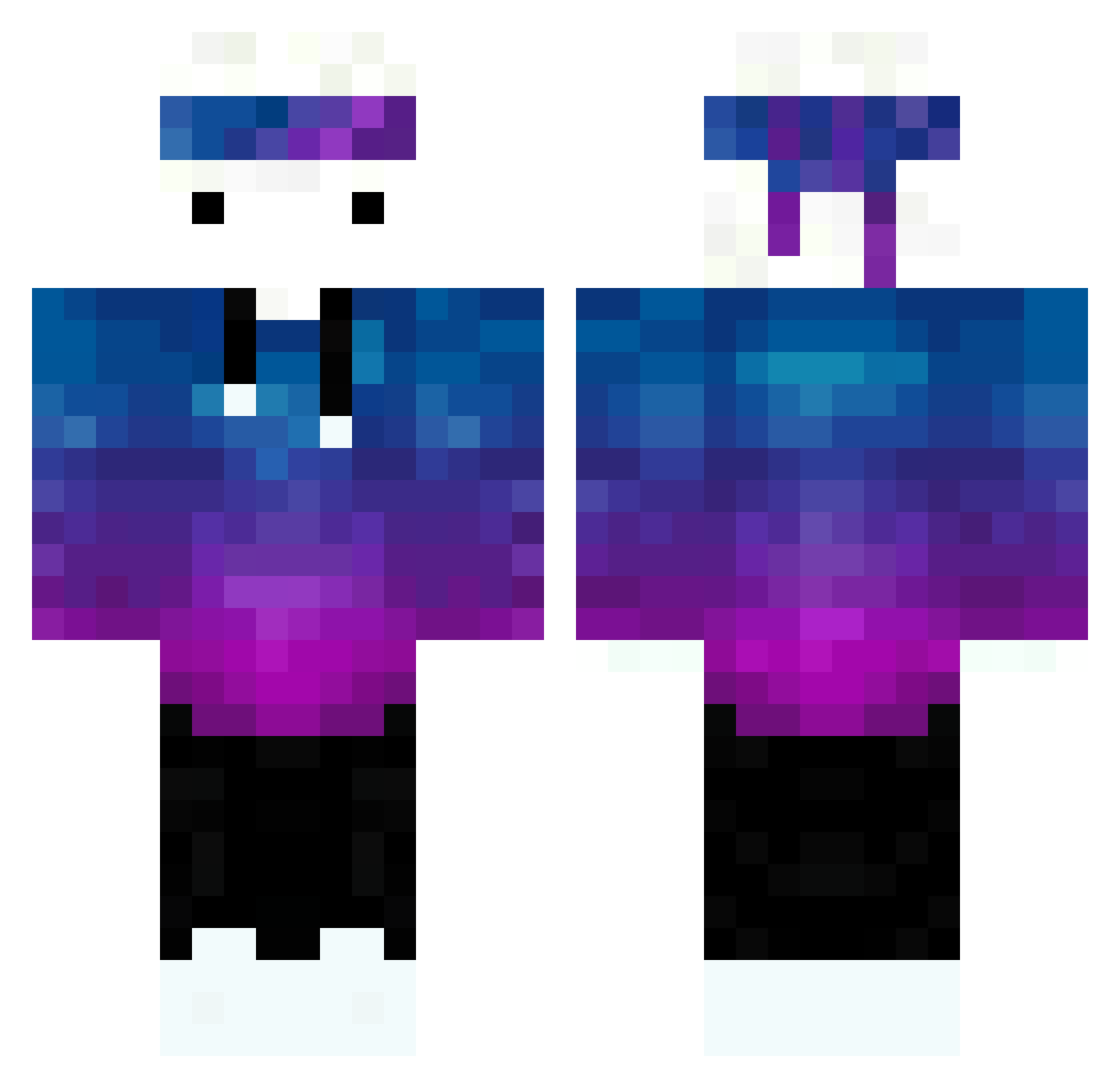
Current Minecraft skin of the player Yaguim, loaded from the official Mojang API. Rotate the 3D model with your mouse or finger, then download the skin as a PNG file and use it in Minecraft: Bedrock Edition or Java Edition for free. When Yaguim changes their skin, this page updates automatically and the old skin stays in the history below.
Other players with this skin (190)
Yaguim was the 54th player we have seen with this skin, first spotted on 17.08.2026. The same skin was seen on these players. Open a nickname to see their current skin and skin history.
 histori7 AA_0225 Saulo19vc rhgh87 ANMNYG RapBoy_27 trapatonie JestemBogiem777 asosyalbeyin Acesulfame toby0306 Azgar27 bluedragon915 Charles1705 Gatomiau1221 Qualtum MagicBull5 SusurratE_004 Alvacas8002 Taozero0 SaksocuPenguen Fearless4000 Haschleich 27JAS Kiki1365 NyxoyTR pacio_pacio PnJacKeT zD4rkz Tayoul Sismouss Pascare1 Almoga Koko_DND AwesomeSpaceDog CX96 The_Blackpork KellYX007 JPelcrackYT MRT_RoNiN DeepEzi WESHARS StavroNik zHoowFtw_ HurensohnJames jvbittencourt boliv1a nvrforest Xerou Cyro_p llbslnoob tyro_n SLK_Crez Fruty_xD FallenSheos zSameet_ Sodah Anaru797 Acelike1 Hilq
How to install the Yaguim skin
- Press the Download button above to save the skin as a PNG file.
- Minecraft: Bedrock Edition (PE): open the Dressing Room from the main menu (or tap your character → Edit Character), go to Classic Skins → Owned, press the + (new skin) button, choose the downloaded PNG and pick the Classic (Steve) model. Works on PC and mobile; consoles cannot import custom skins.
- Minecraft: Java Edition: open the Minecraft Launcher, go to the Skins tab, click New Skin, load the PNG, pick the Classic (Steve) model and press Save & Use. You can also upload it at minecraft.net → Profile → Change Skin.
The skin does not show up after import - what should I do?
Restart Minecraft and open the Dressing Room again - imported skins sometimes appear only after a restart. Also make sure you selected the imported skin and picked the Classic (Steve) model.
Which model should I choose, Classic or Slim?
This skin is designed for the Classic (Steve) model. If you pick the wrong model, the arms of the skin will look stretched or squeezed.
Is the skin of Yaguim free to download?
Yes. Press Download, save the PNG file and use it in Minecraft: Bedrock Edition or Java Edition - no payment or registration needed. The skin also works on multiplayer servers and Realms.
More skins
Looking for more? Go back to all Minecraft skins and check the top skins of the week, month and all time, or find any player's skin by nickname.