
YX222 - Minecraft Skins & Skin History
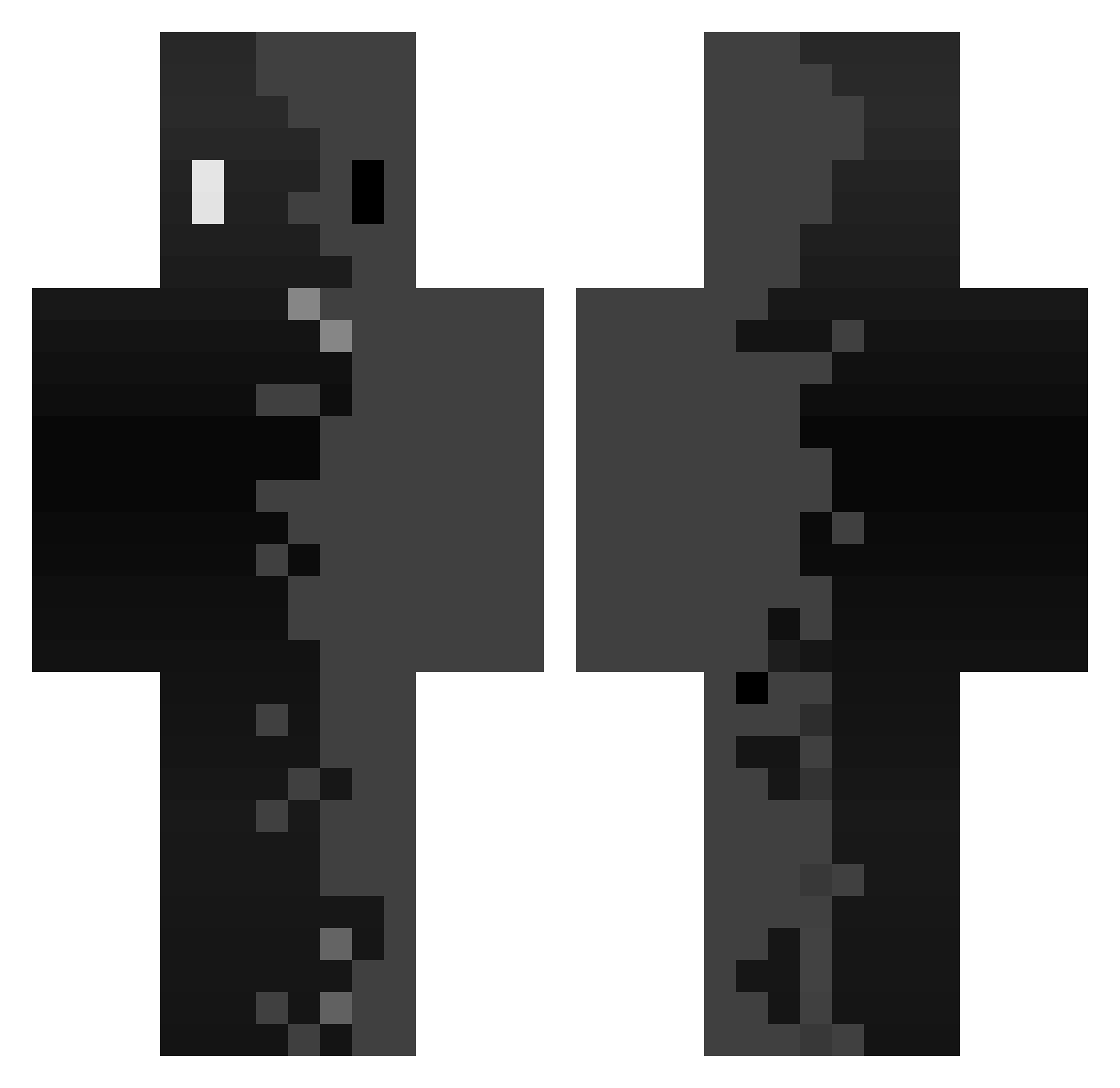
Current Minecraft skin of the player YX222, loaded from the official Mojang API. Rotate the 3D model with your mouse or finger, then download the skin as a PNG file and use it in Minecraft: Bedrock Edition or Java Edition for free. When YX222 changes their skin, this page updates automatically and the old skin stays in the history below.
Other players with this skin (342)
YX222 was the 152nd player we have seen with this skin, first spotted on 07.09.2026. The same skin was seen on these players. Open a nickname to see their current skin and skin history.
 arthur1234083 Tanish_Mhatre Philippe__ ArseniyCher CrazyCatWirzard
 Tabalo180 smashing_Great HarryHazmat123 Bemficazx BraianTheCoach anfibio1000 spade16 DiegoMcast Sebole Luukas2015 Amygdal Caelestis00 kairoxZy Qayx7 Kaisermmix juny79 Cubxfy_ DarkGh0st18 LemonSlayer0_0 Cr1tGod baldu11 GlitchGordon arthas124 chrsb WinterX1 fxlwk Trxpl1xz SnackPro Pekedani Mr_AnonEbess Endaytrer ugrys DerFo_ ENg41 Green_Beany AnnuarKhir22 TW_COW
 superseverin12 monakachoco slim_shady14 Skotos_ CrimsonTeeth YanYiLuo JourNuit monttyy_ Klixxy257 DoDolee_ longhun8564 04Risko Sz0gun3k8 caos66
 andregoku ALEX323jh XynoxXD_ wqkee
How to install the YX222 skin
- Press the Download button above to save the skin as a PNG file.
- Minecraft: Bedrock Edition (PE): open the Dressing Room from the main menu (or tap your character → Edit Character), go to Classic Skins → Owned, press the + (new skin) button, choose the downloaded PNG and pick the Classic (Steve) model. Works on PC and mobile; consoles cannot import custom skins.
- Minecraft: Java Edition: open the Minecraft Launcher, go to the Skins tab, click New Skin, load the PNG, pick the Classic (Steve) model and press Save & Use. You can also upload it at minecraft.net → Profile → Change Skin.
The skin does not show up after import - what should I do?
Restart Minecraft and open the Dressing Room again - imported skins sometimes appear only after a restart. Also make sure you selected the imported skin and picked the Classic (Steve) model.
Which model should I choose, Classic or Slim?
This skin is designed for the Classic (Steve) model. If you pick the wrong model, the arms of the skin will look stretched or squeezed.
Is the skin of YX222 free to download?
Yes. Press Download, save the PNG file and use it in Minecraft: Bedrock Edition or Java Edition - no payment or registration needed. The skin also works on multiplayer servers and Realms.
More skins
Looking for more? Go back to all Minecraft skins and check the top skins of the week, month and all time, or find any player's skin by nickname.