
YTKnaks - Minecraft Skins & Skin History
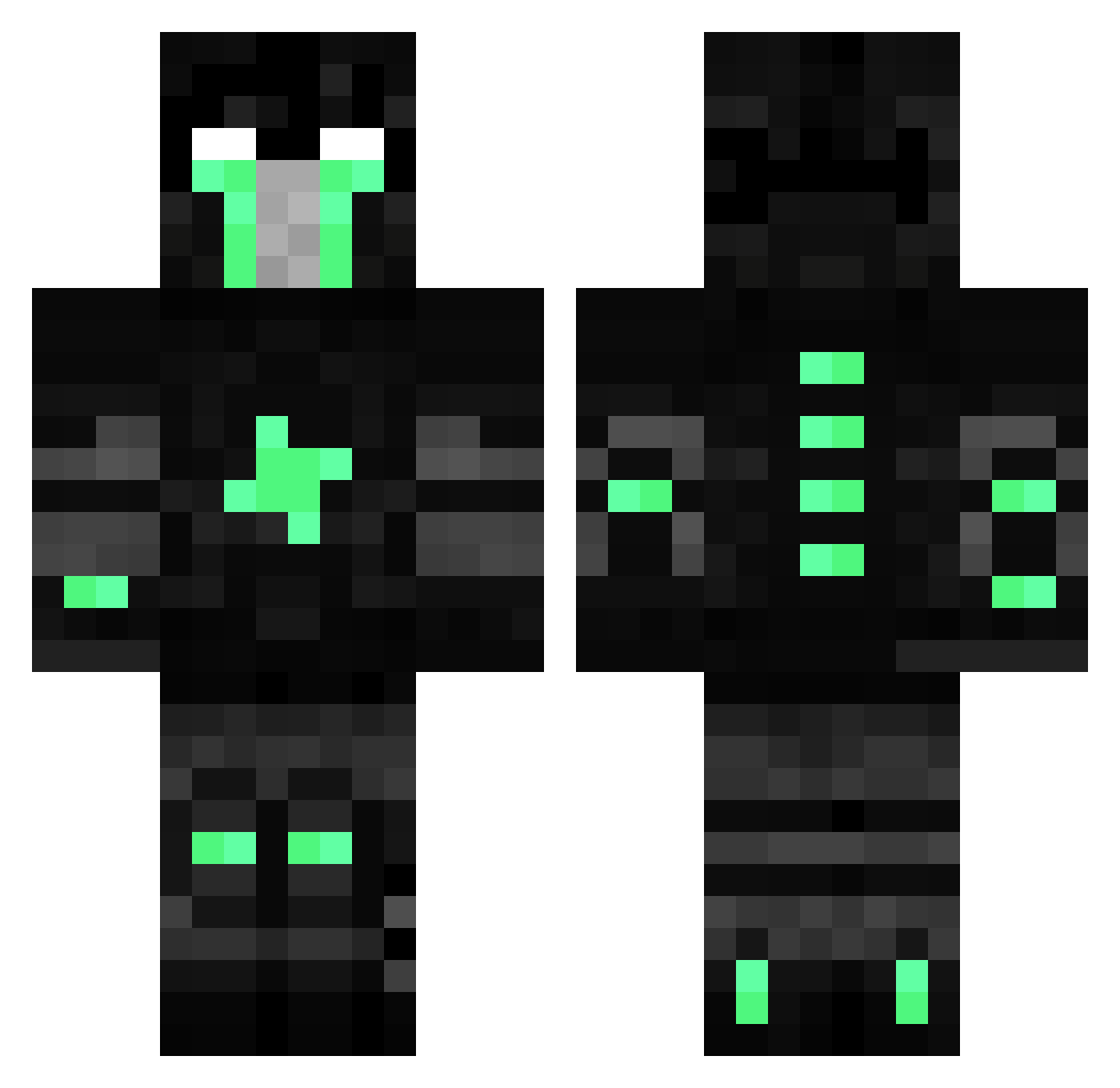
Current Minecraft skin of the player YTKnaks, loaded from the official Mojang API. Rotate the 3D model with your mouse or finger, then download the skin as a PNG file and use it in Minecraft: Bedrock Edition or Java Edition for free. When YTKnaks changes their skin, this page updates automatically and the old skin stays in the history below.
Other players with this skin (91)
YTKnaks was the 69th player we have seen with this skin, first spotted on 05.10.2026. The same skin was seen on these players. Open a nickname to see their current skin and skin history.
 The_Disney_Girl Silent_Leaf daitoy Rayer bestiraq KoristimVarke Hunk_Vg wohdek muhsinsss JAMASIrd Tryup JoseDLuis BelokoKing Incubus_C mrKraftt gabrie FailedSoul MrDeathman ang_adrian CazaPeruanos xEfeYilmazz EagleTrooper Majackal panzercommando19 zigzagtrees Exhalant Dimayyy TOCALO EnsoIsBack Insolenza pundichL GrayPK Bxku Lingatosaur Potfield puckgoingcrazy Theron Xerts troner14 Rogalit midgetMASSACRE7 iatscrack DNATEH HOWARD0417 BestCATALONIAN Sercapo naci3131 SkyDragons13 M5F90YAKALB micaelamilanesa nhlmonde EightKillWin LVfans froggoesnoot supernooberking Asturian_omg shantpackV2 Ragnar31 Quadrill1onaire Not_Omega
More Space Marine Minecraft skins
See all 316 Space Marine skins
How to install the YTKnaks skin
- Press the Download button above to save the skin as a PNG file.
- Minecraft: Bedrock Edition (PE): open the Dressing Room from the main menu (or tap your character → Edit Character), go to Classic Skins → Owned, press the + (new skin) button, choose the downloaded PNG and pick the Classic (Steve) model. Works on PC and mobile; consoles cannot import custom skins.
- Minecraft: Java Edition: open the Minecraft Launcher, go to the Skins tab, click New Skin, load the PNG, pick the Classic (Steve) model and press Save & Use. You can also upload it at minecraft.net → Profile → Change Skin.
The skin does not show up after import - what should I do?
Restart Minecraft and open the Dressing Room again - imported skins sometimes appear only after a restart. Also make sure you selected the imported skin and picked the Classic (Steve) model.
Which model should I choose, Classic or Slim?
This skin is designed for the Classic (Steve) model. If you pick the wrong model, the arms of the skin will look stretched or squeezed.
Is the skin of YTKnaks free to download?
Yes. Press Download, save the PNG file and use it in Minecraft: Bedrock Edition or Java Edition - no payment or registration needed. The skin also works on multiplayer servers and Realms.
More skins
Looking for more? Go back to all Minecraft skins and check the top skins of the week, month and all time, or find any player's skin by nickname.