
YIMIN666 - Minecraft Skins & Skin History
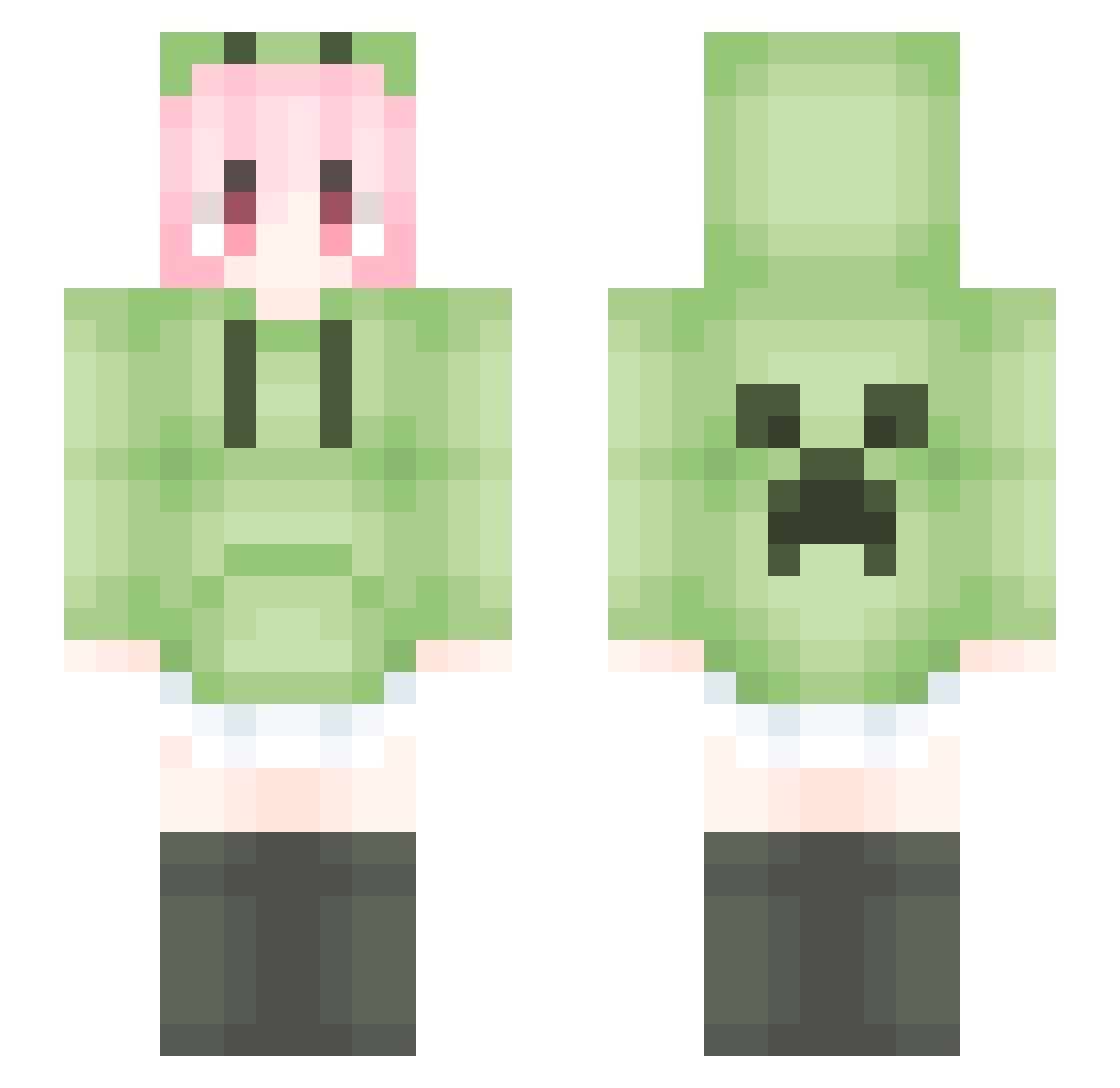
Current Minecraft skin of the player YIMIN666, loaded from the official Mojang API. Rotate the 3D model with your mouse or finger, then download the skin as a PNG file and use it in Minecraft: Bedrock Edition or Java Edition for free. When YIMIN666 changes their skin, this page updates automatically and the old skin stays in the history below.
Other players with this skin (1796)
YIMIN666 was the 277th player we have seen with this skin, first spotted on 11.08.2026. The same skin was seen on these players. Open a nickname to see their current skin and skin history.
 Wasonyuan LiquidBounceB52 Shiranui_jiyu Yayoi_YY GreatEntertainer dqh123 HiMiao_ potato0516 Hudaoo Xia_Ye_Qing_Feng opom_ luckyshen99 zhixin123 Ashe1145 WASDcv Sworderss ancman Wxong Tianweiwei LiquidBounceB39 M1oc Kirin235 CFCLR14 prtay GHGHGGGH Autoblock__ bzdwfw Lightoeity Zeztz129 hxhb QingNiHeADGaiNai
 MasterYu_XXC zaixtxx Hbd112 YangDinFei yuzhe912 zdpZX zlqc123 moonlight_color Sekyia vittect czy2023 sarweg
 sabe233 Java1224 xiai02 TyphoonTik0805 HUGO11234 nihunium
 Jiant_Ks magicif Zilliax_3000 JIZHIO Baby_Dove520 binta682 Ting_Nie ayangxy Onlinering Hurhin Fantasy_Drifting
More Anime Girl Minecraft skins
See all 13798 Anime Girl skins
How to install the YIMIN666 skin
- Press the Download button above to save the skin as a PNG file.
- Minecraft: Bedrock Edition (PE): open the Dressing Room from the main menu (or tap your character → Edit Character), go to Classic Skins → Owned, press the + (new skin) button, choose the downloaded PNG and pick the Slim (Alex) model. Works on PC and mobile; consoles cannot import custom skins.
- Minecraft: Java Edition: open the Minecraft Launcher, go to the Skins tab, click New Skin, load the PNG, pick the Slim (Alex) model and press Save & Use. You can also upload it at minecraft.net → Profile → Change Skin.
The skin does not show up after import - what should I do?
Restart Minecraft and open the Dressing Room again - imported skins sometimes appear only after a restart. Also make sure you selected the imported skin and picked the Slim (Alex) model.
Which model should I choose, Classic or Slim?
This skin is designed for the Slim (Alex) model. If you pick the wrong model, the arms of the skin will look stretched or squeezed.
Is the skin of YIMIN666 free to download?
Yes. Press Download, save the PNG file and use it in Minecraft: Bedrock Edition or Java Edition - no payment or registration needed. The skin also works on multiplayer servers and Realms.
More skins
Looking for more? Go back to all Minecraft skins and check the top skins of the week, month and all time, or find any player's skin by nickname.