
XximbigbotxX - Minecraft Skins & Skin History
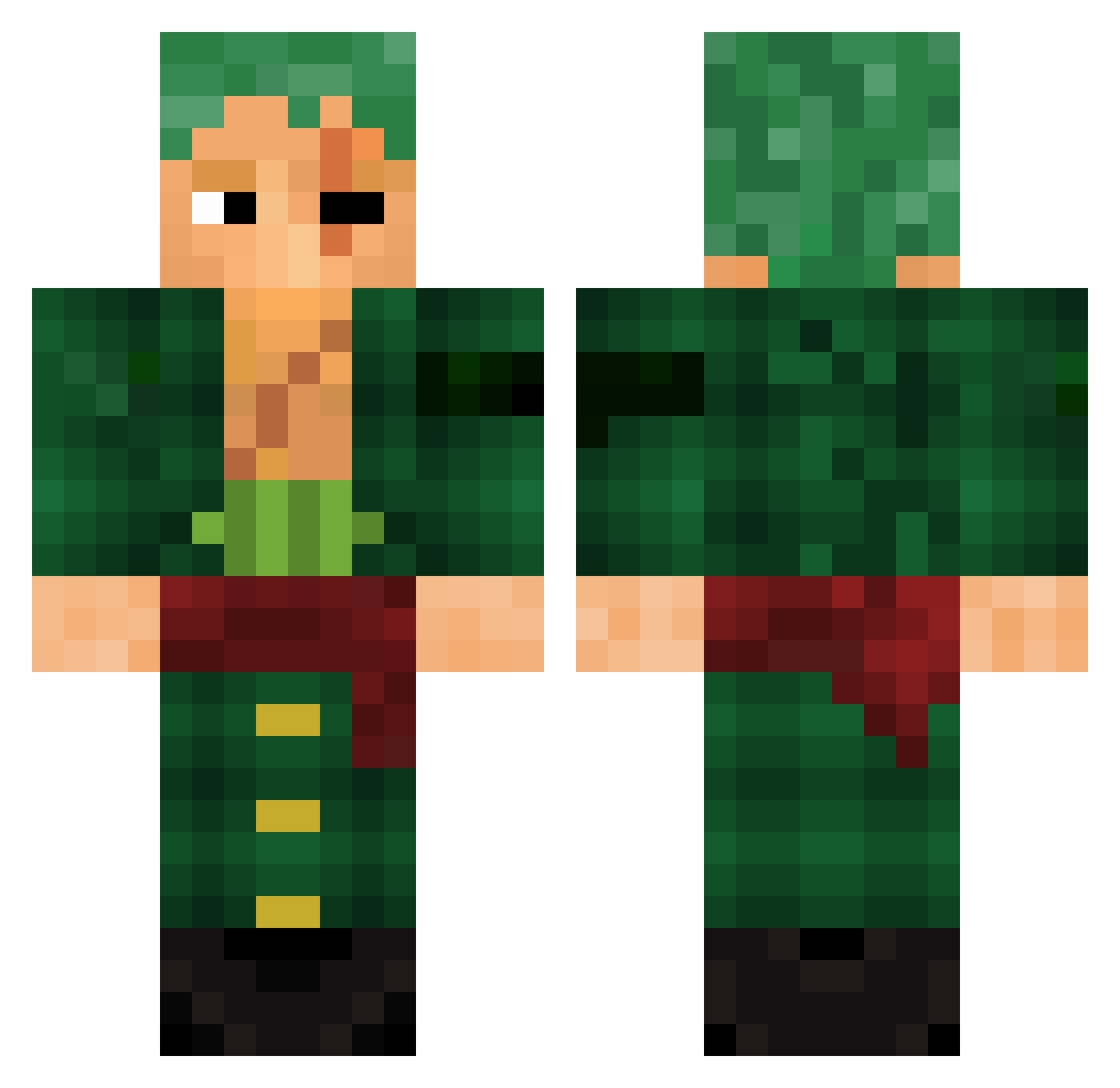
Current Minecraft skin of the player XximbigbotxX, loaded from the official Mojang API. Rotate the 3D model with your mouse or finger, then download the skin as a PNG file and use it in Minecraft: Bedrock Edition or Java Edition for free. When XximbigbotxX changes their skin, this page updates automatically and the old skin stays in the history below.
Other players with this skin (784)
XximbigbotxX was the 523rd player we have seen with this skin, first spotted on 26.09.2026. The same skin was seen on these players. Open a nickname to see their current skin and skin history.
 riggerisblack Vikash_04 zorosola1 RJ9898 strikerplays007 Dystre guilherme2060 DerXeso HaramakiNova Szyman_89 WolfheartedLord iceglyph pewpewmachien Kalu43 MangozJR crocoxa euDiiaS Crokmar tziakas Wormish umutsenyz rydawg164 Dryzz972 SilberJoshi UnrulySoda beefjordan Wlfgng26 Arrow_5566 MoElX03 Feniix35 GilTheCool ZoroMugiwara ChuckleNutss Tuffao77 phd_d00m XMIKEX13 ThiagoNogueira SeargentKade AspectZZZz Crizzz0 H3AD_SHOT180 ZuluZuli JusSomGuy dacqlt3 KWenzel cgfumante ByKonZ RyuLocky gaxous maxss18 Rocket_m Mr_pepitos fressatO Prince0fPersia_ IKMGULLIBLE m7md667 SloppyToppy73 Patman0505 JTm0neyy imAminor2006
More Roronoa Zoro Minecraft skins
See all 291 Roronoa Zoro skins
How to install the XximbigbotxX skin
- Press the Download button above to save the skin as a PNG file.
- Minecraft: Bedrock Edition (PE): open the Dressing Room from the main menu (or tap your character → Edit Character), go to Classic Skins → Owned, press the + (new skin) button, choose the downloaded PNG and pick the Classic (Steve) model. Works on PC and mobile; consoles cannot import custom skins.
- Minecraft: Java Edition: open the Minecraft Launcher, go to the Skins tab, click New Skin, load the PNG, pick the Classic (Steve) model and press Save & Use. You can also upload it at minecraft.net → Profile → Change Skin.
The skin does not show up after import - what should I do?
Restart Minecraft and open the Dressing Room again - imported skins sometimes appear only after a restart. Also make sure you selected the imported skin and picked the Classic (Steve) model.
Which model should I choose, Classic or Slim?
This skin is designed for the Classic (Steve) model. If you pick the wrong model, the arms of the skin will look stretched or squeezed.
Is the skin of XximbigbotxX free to download?
Yes. Press Download, save the PNG file and use it in Minecraft: Bedrock Edition or Java Edition - no payment or registration needed. The skin also works on multiplayer servers and Realms.
More skins
Looking for more? Go back to all Minecraft skins and check the top skins of the week, month and all time, or find any player's skin by nickname.