
Xx_MuchFreex_xX - Minecraft Skins & Skin History
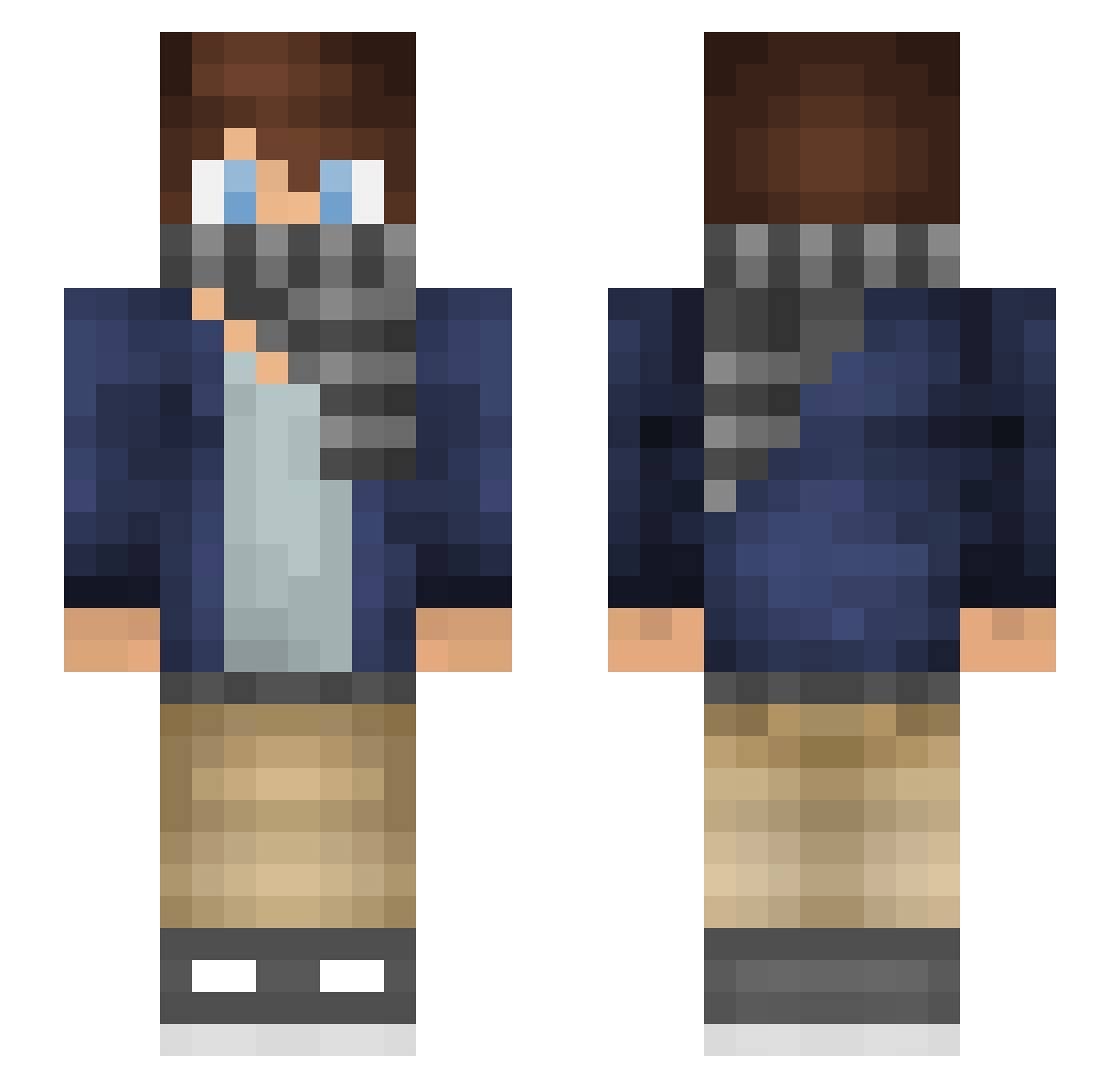
Current Minecraft skin of the player Xx_MuchFreex_xX, loaded from the official Mojang API. Rotate the 3D model with your mouse or finger, then download the skin as a PNG file and use it in Minecraft: Bedrock Edition or Java Edition for free. When Xx_MuchFreex_xX changes their skin, this page updates automatically and the old skin stays in the history below.
Other players with this skin (253)
Xx_MuchFreex_xX was the 21st player we have seen with this skin, first spotted on 07.08.2026. The same skin was seen on these players. Open a nickname to see their current skin and skin history.
 MyLifeAsKev Tobelob kibet lillesnurre HelixFofer ADepryPenguin Nico_CQ Chronodin79 TIMOEFY running_fish AboKhalil TheDIBFreak DoctorSmexy DiamondStory_ Swappart TheFinalBox TylerBogdan LBOcgn Roggstar Brokenpartyrocks Zorje IGotSupermanSwag ManuGamer15 assasin_dave Zenan Jeremaya01 goldbattlecraft Minemax3007 lamb10a BIGH180502 Zacman778 Kattila68 megarycry SuperCake02 sTn_ UnknownSoldier C4be tobiasnb2003 isak102 fillerman03 pixellp11 Zonners1000 Unique_Silver shadowwillow13 Lovingless puple51 K0GE Azzad_ xRenxox Section28 JDA64 Pxllish ZeroSkyDylan CVThomsen zztnb _KOGE_ Jamither AlluringWizard StuPot02 mense2004
How to install the Xx_MuchFreex_xX skin
- Press the Download button above to save the skin as a PNG file.
- Minecraft: Bedrock Edition (PE): open the Dressing Room from the main menu (or tap your character → Edit Character), go to Classic Skins → Owned, press the + (new skin) button, choose the downloaded PNG and pick the Slim (Alex) model. Works on PC and mobile; consoles cannot import custom skins.
- Minecraft: Java Edition: open the Minecraft Launcher, go to the Skins tab, click New Skin, load the PNG, pick the Slim (Alex) model and press Save & Use. You can also upload it at minecraft.net → Profile → Change Skin.
The skin does not show up after import - what should I do?
Restart Minecraft and open the Dressing Room again - imported skins sometimes appear only after a restart. Also make sure you selected the imported skin and picked the Slim (Alex) model.
Which model should I choose, Classic or Slim?
This skin is designed for the Slim (Alex) model. If you pick the wrong model, the arms of the skin will look stretched or squeezed.
Is the skin of Xx_MuchFreex_xX free to download?
Yes. Press Download, save the PNG file and use it in Minecraft: Bedrock Edition or Java Edition - no payment or registration needed. The skin also works on multiplayer servers and Realms.
More skins
Looking for more? Go back to all Minecraft skins and check the top skins of the week, month and all time, or find any player's skin by nickname.