
XxXGingaNinjaXxX - Minecraft Skins & Skin History
Current Minecraft skin of the player XxXGingaNinjaXxX, loaded from the official Mojang API. Rotate the 3D model with your mouse or finger, then download the skin as a PNG file and use it in Minecraft: Bedrock Edition or Java Edition for free. When XxXGingaNinjaXxX changes their skin, this page updates automatically and the old skin stays in the history below.
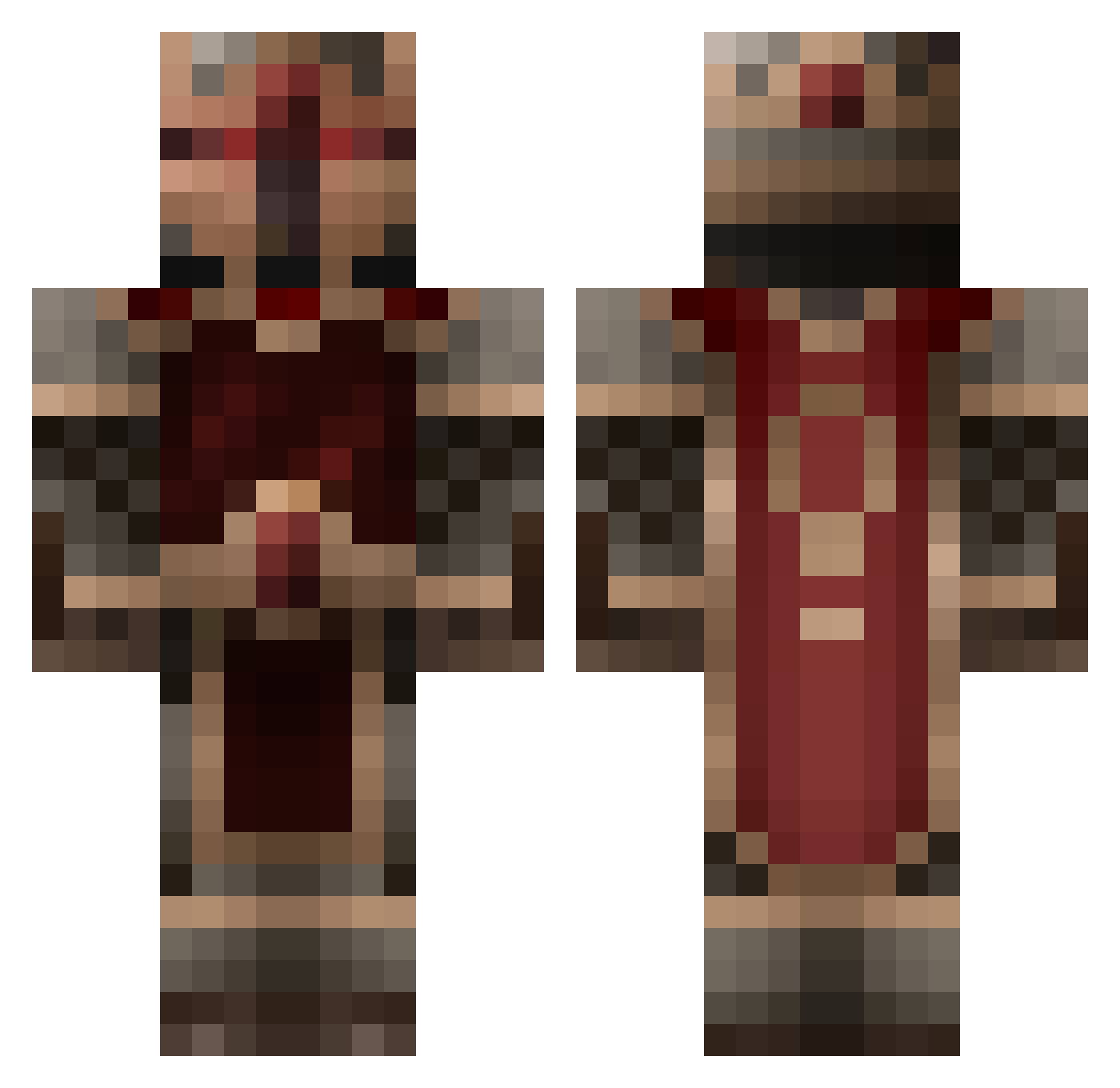
Other players with this skin (855)
XxXGingaNinjaXxX was the 49th player we have seen with this skin, first spotted on 01.08.2026. The same skin was seen on these players. Open a nickname to see their current skin and skin history.
 Explorer_JD EykoFox Travelingman TheWorman sammoh DarkoKova9 KitttyOnSteroids Marttynka Blade12345 Harkos ninjapanda41 ItzKelvin LegalEliminator3 Burstshot Cosimo_M Thrandurne Butters9004 highlandkiller12 R3W3Y jordan2495 AmadeusRomanov EvilSquid72 Killar111 DragonDuStyx _Vecolty_ pantswizzz suzuyan131 Hexclaw nativelog1337 DolphinStrikerXX chandler63 Masterchief423 Stelladrinker 400cj kotayoda2015 OddBallOut Joriel yourdecay NetherWulf_TTV TheRabidFox jasper_destiny michaelgabe RedSnowGlobe Splix1809 Xmorphin Jharakn Minimedk reilsw leremorqueur Jonadude Monkey_UK KingslayerOG Lidrazz Alekrons Skullview Bimdan eldose98 JensRozzz Bobby_the_beeee Hydrolized
More Knight Minecraft skins
How to install the XxXGingaNinjaXxX skin
- Press the Download button above to save the skin as a PNG file.
- Minecraft: Bedrock Edition (PE): open the Dressing Room from the main menu (or tap your character → Edit Character), go to Classic Skins → Owned, press the + (new skin) button, choose the downloaded PNG and pick the Classic (Steve) model. Works on PC and mobile; consoles cannot import custom skins.
- Minecraft: Java Edition: open the Minecraft Launcher, go to the Skins tab, click New Skin, load the PNG, pick the Classic (Steve) model and press Save & Use. You can also upload it at minecraft.net → Profile → Change Skin.
The skin does not show up after import - what should I do?
Restart Minecraft and open the Dressing Room again - imported skins sometimes appear only after a restart. Also make sure you selected the imported skin and picked the Classic (Steve) model.
Which model should I choose, Classic or Slim?
This skin is designed for the Classic (Steve) model. If you pick the wrong model, the arms of the skin will look stretched or squeezed.
Is the skin of XxXGingaNinjaXxX free to download?
Yes. Press Download, save the PNG file and use it in Minecraft: Bedrock Edition or Java Edition - no payment or registration needed. The skin also works on multiplayer servers and Realms.
More skins
Looking for more? Go back to all Minecraft skins and check the top skins of the week, month and all time, or find any player's skin by nickname.