
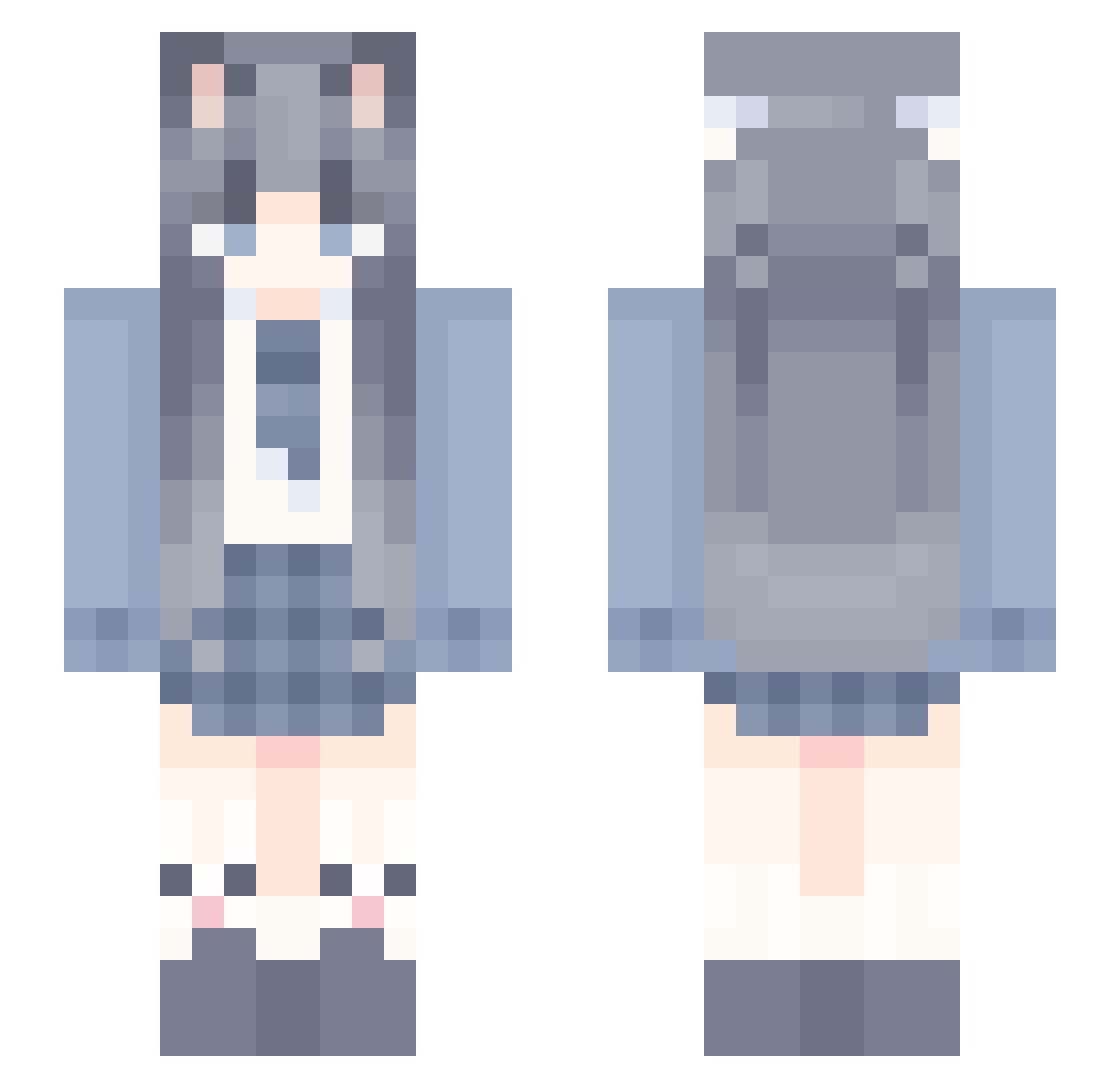
Current Minecraft skin of the player Xiao_feng05, loaded from the official Mojang API. Rotate the 3D model with your mouse or finger, then download the skin as a PNG file and use it in Minecraft: Bedrock Edition or Java Edition for free. When Xiao_feng05 changes their skin, this page updates automatically and the old skin stays in the history below.
Other players with this skin (917)
Xiao_feng05 was the 872nd player we have seen with this skin, first spotted on 12.10.2026. The same skin was seen on these players. Open a nickname to see their current skin and skin history.
 you_koo mumu978 Mumus_ selbis RandomIzKoolz feng_qing_ying weaio Micowo zhouweibin WymingW ShiYang_ the_south_pole NICE_COMMUNIST AiLly1 xiaolanlan_ wielixnumberone haimeng404 ErIi_SaKur DoorbellLicker junxue GreatTreess Aoll_Dece Astra970 Thore1231 tzi_8eLBV_09_06 luoye7787 wangfeng520 SuiYii chuan3368 Elysialsakura jekerking69 GW_GURA MinVvvv_ satyr_11 Sakura_71 Zxinxin feng136 Gangnnnn Genius0111 Porridge_S SouthPower ITwhite ZhangJiali Dieley SlimNight mehlbrot1 yhdxdgt ethereal1632 DBB012 Cassandragray xiao_li666 chentian4 xinwei4haihai Xiao_Tao666 futaba988 Kaslana__ CharaParody MvxIL Nefelibata113 Potato0700
More School Uniform Minecraft skins
See all 5732 School Uniform skins
How to install the Xiao_feng05 skin
- Press the Download button above to save the skin as a PNG file.
- Minecraft: Bedrock Edition (PE): open the Dressing Room from the main menu (or tap your character → Edit Character), go to Classic Skins → Owned, press the + (new skin) button, choose the downloaded PNG and pick the Slim (Alex) model. Works on PC and mobile; consoles cannot import custom skins.
- Minecraft: Java Edition: open the Minecraft Launcher, go to the Skins tab, click New Skin, load the PNG, pick the Slim (Alex) model and press Save & Use. You can also upload it at minecraft.net → Profile → Change Skin.
The skin does not show up after import - what should I do?
Restart Minecraft and open the Dressing Room again - imported skins sometimes appear only after a restart. Also make sure you selected the imported skin and picked the Slim (Alex) model.
Which model should I choose, Classic or Slim?
This skin is designed for the Slim (Alex) model. If you pick the wrong model, the arms of the skin will look stretched or squeezed.
Is the skin of Xiao_feng05 free to download?
Yes. Press Download, save the PNG file and use it in Minecraft: Bedrock Edition or Java Edition - no payment or registration needed. The skin also works on multiplayer servers and Realms.
More skins
Looking for more? Go back to all Minecraft skins and check the top skins of the week, month and all time, or find any player's skin by nickname.