
Xevar_ - Minecraft Skins & Skin History
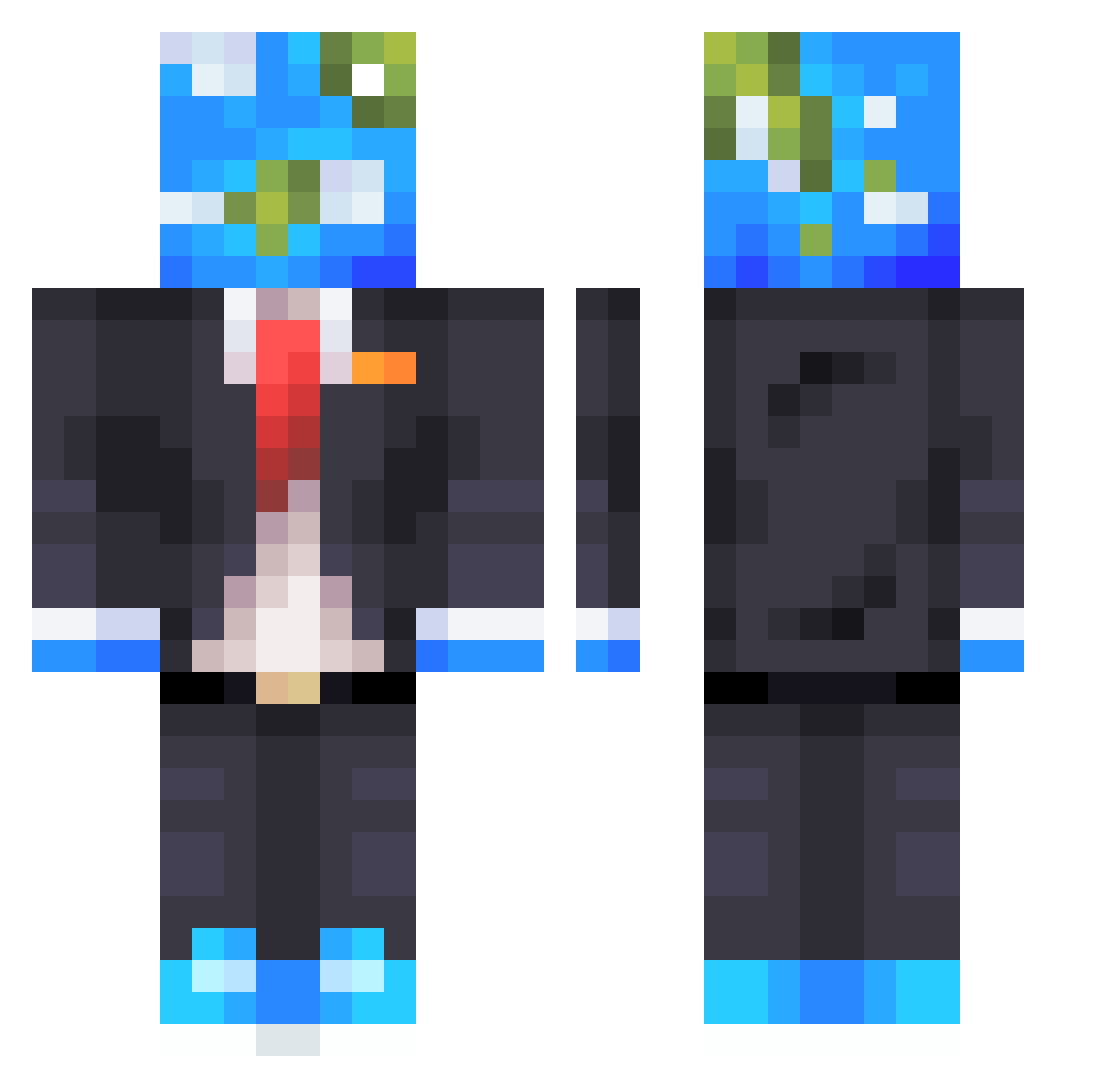
Current Minecraft skin of the player Xevar_, loaded from the official Mojang API. Rotate the 3D model with your mouse or finger, then download the skin as a PNG file and use it in Minecraft: Bedrock Edition or Java Edition for free. When Xevar_ changes their skin, this page updates automatically and the old skin stays in the history below.
Other players with this skin (691)
Xevar_ was the 650th player we have seen with this skin, first spotted on 10.11.2026. The same skin was seen on these players. Open a nickname to see their current skin and skin history.
 Blaz3Jaykel22 MeerHRen23 GlobalEarth_ Farukhas ciciopasticio30 Happyday100 SheaButter2014 BredStac dcraft086825 HomoFlow Dokeyw_ 4sset Elxor85 grumpywool BlackVladik Puglnd Zaviation Buffy2TIMES rikaniel Kiii_wiii Worldcraft_2024 MooMooAwesome JustNamPlz Maxi88King papa7442 Hypnos312 Daybreak SheetHappens JGamingTV NatGeoMag Zinxs68 logarithm1021 _Palmaaa Wasabi0719 CuzEinsTOTO TheSoulrester linsto13 RengokeGK RomanoDuN00b lilBuch Stryder2655 YusEr_18 battdd ismimemircan comradeiscool M4d4l1nnnn ET_Greeper iMorgz HALU08_ joj_ LevelledUp Midgetmxnn LioLeo999__ Maitlda kandasbauyr mk80mk85 RS_King07 TrueThatKidIan 2542549020152555 dreamy_haze
More Earth Head Minecraft skins
How to install the Xevar_ skin
- Press the Download button above to save the skin as a PNG file.
- Minecraft: Bedrock Edition (PE): open the Dressing Room from the main menu (or tap your character → Edit Character), go to Classic Skins → Owned, press the + (new skin) button, choose the downloaded PNG and pick the Classic (Steve) model. Works on PC and mobile; consoles cannot import custom skins.
- Minecraft: Java Edition: open the Minecraft Launcher, go to the Skins tab, click New Skin, load the PNG, pick the Classic (Steve) model and press Save & Use. You can also upload it at minecraft.net → Profile → Change Skin.
The skin does not show up after import - what should I do?
Restart Minecraft and open the Dressing Room again - imported skins sometimes appear only after a restart. Also make sure you selected the imported skin and picked the Classic (Steve) model.
Which model should I choose, Classic or Slim?
This skin is designed for the Classic (Steve) model. If you pick the wrong model, the arms of the skin will look stretched or squeezed.
Is the skin of Xevar_ free to download?
Yes. Press Download, save the PNG file and use it in Minecraft: Bedrock Edition or Java Edition - no payment or registration needed. The skin also works on multiplayer servers and Realms.
More skins
Looking for more? Go back to all Minecraft skins and check the top skins of the week, month and all time, or find any player's skin by nickname.