
XX_Guenther_XX - Minecraft Skins & Skin History
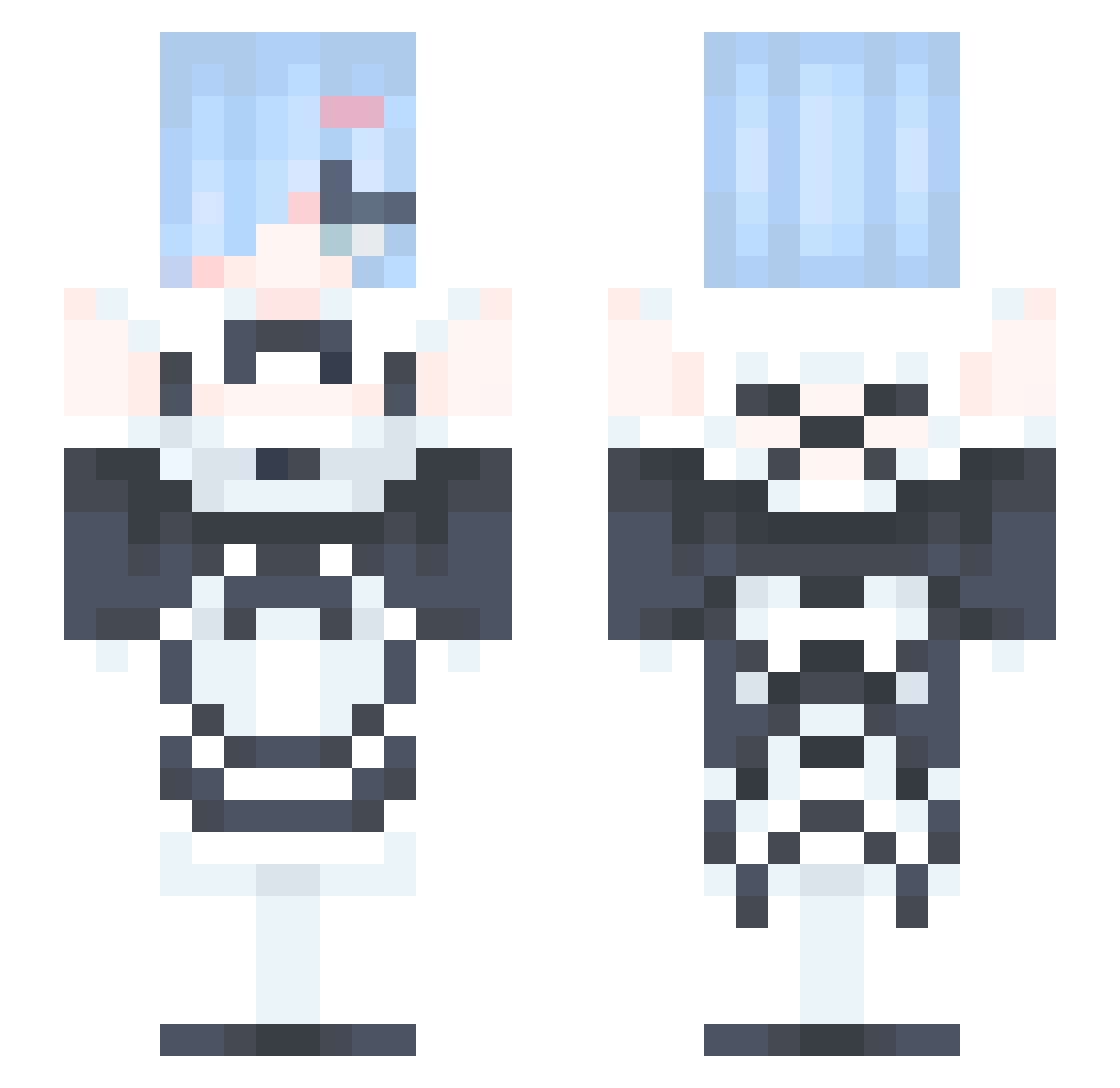
Current Minecraft skin of the player XX_Guenther_XX, loaded from the official Mojang API. Rotate the 3D model with your mouse or finger, then download the skin as a PNG file and use it in Minecraft: Bedrock Edition or Java Edition for free. When XX_Guenther_XX changes their skin, this page updates automatically and the old skin stays in the history below.
Other players with this skin (377)
XX_Guenther_XX was the 193rd player we have seen with this skin, first spotted on 22.09.2026. The same skin was seen on these players. Open a nickname to see their current skin and skin history.
 12qweasd N4rTis Tactual SOHGGG xihuanyuanxu bluehawk21 monariza2929 Qiuliang666 LilWeebs Hagi_Hagi Electromagnon yanonline Elysian11 Meliniii dx3906_z xirglx Freena1202 ZRen277353 vma2003 suede22 Olaf359 owo_66 terumaxxing karadeniz52 yampi21 Oscar_Glz moontrbl3 amarazs Reni2029 Bass811212 PieGuy0417 kakeru1109 HUN97 A_A_Cold daeheeking Run_The_JewelZ2 katokatokatokato itserikson13 Ryanchaoboy _Kroto szclm takuchan0602 minnnerk _PINKRABBIT_ sabily Laesx Sleepysheep6 HermitSF YYQGG Yuzu___ remuchan UnSilverSpoon Rem_Re_Zero_ WeBon_ Zyzcojason Ojolucy kouus HoW_LIng albedoTH hakumai_115
More Rem Minecraft skins
How to install the XX_Guenther_XX skin
- Press the Download button above to save the skin as a PNG file.
- Minecraft: Bedrock Edition (PE): open the Dressing Room from the main menu (or tap your character → Edit Character), go to Classic Skins → Owned, press the + (new skin) button, choose the downloaded PNG and pick the Slim (Alex) model. Works on PC and mobile; consoles cannot import custom skins.
- Minecraft: Java Edition: open the Minecraft Launcher, go to the Skins tab, click New Skin, load the PNG, pick the Slim (Alex) model and press Save & Use. You can also upload it at minecraft.net → Profile → Change Skin.
The skin does not show up after import - what should I do?
Restart Minecraft and open the Dressing Room again - imported skins sometimes appear only after a restart. Also make sure you selected the imported skin and picked the Slim (Alex) model.
Which model should I choose, Classic or Slim?
This skin is designed for the Slim (Alex) model. If you pick the wrong model, the arms of the skin will look stretched or squeezed.
Is the skin of XX_Guenther_XX free to download?
Yes. Press Download, save the PNG file and use it in Minecraft: Bedrock Edition or Java Edition - no payment or registration needed. The skin also works on multiplayer servers and Realms.
More skins
Looking for more? Go back to all Minecraft skins and check the top skins of the week, month and all time, or find any player's skin by nickname.