
XLingXi_ - Minecraft Skins & Skin History
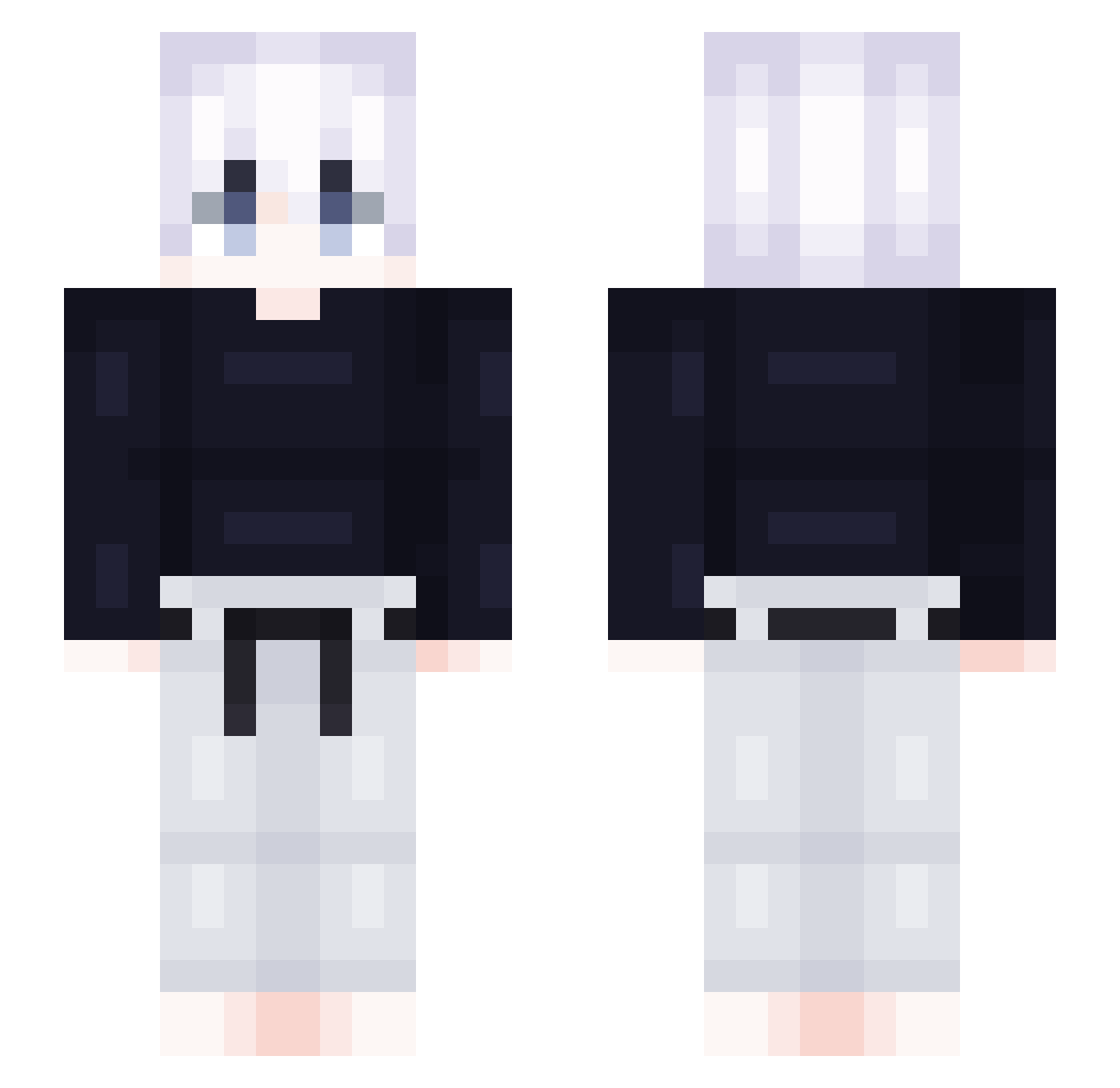
Current Minecraft skin of the player XLingXi_, loaded from the official Mojang API. Rotate the 3D model with your mouse or finger, then download the skin as a PNG file and use it in Minecraft: Bedrock Edition or Java Edition for free. When XLingXi_ changes their skin, this page updates automatically and the old skin stays in the history below.
Other players with this skin (418)
XLingXi_ was the 290th player we have seen with this skin, first spotted on 07.10.2026. The same skin was seen on these players. Open a nickname to see their current skin and skin history.
 morf_i ElaineTH lsh1112 Brzya ccchun7 enrihh shiina444 FrankyyRH Joecky Kevino_811 kuron15 Reamzon 1cimchi suzun1204 jejudo777 i7rby Lopez1603 junsnake94 ffirsty PrimHyper yun2531 man_pp Bayuke Prodio Xegothasgot tomstone1234 Firemeerkat1 Ha_tz Legend_H SliverGem Falconsglory koutya9 zwumpie Kaitom1 JackL0ve dokumenty MeyerOlanduil woghks_0616 darkness5703 monta___ Panda_Xm AstrayC4 liubibai Russell_Vol Luka1F xiangouo007 ratloser NumNum730 Brxkzn 4wful FantasiaFool ASSASSIN627 Otrac_ Thounderr Miyukikzya trajadissimo Archeone 7hitbox_nn oneone1015 saesanki
More Judo Minecraft skins
How to install the XLingXi_ skin
- Press the Download button above to save the skin as a PNG file.
- Minecraft: Bedrock Edition (PE): open the Dressing Room from the main menu (or tap your character → Edit Character), go to Classic Skins → Owned, press the + (new skin) button, choose the downloaded PNG and pick the Slim (Alex) model. Works on PC and mobile; consoles cannot import custom skins.
- Minecraft: Java Edition: open the Minecraft Launcher, go to the Skins tab, click New Skin, load the PNG, pick the Slim (Alex) model and press Save & Use. You can also upload it at minecraft.net → Profile → Change Skin.
The skin does not show up after import - what should I do?
Restart Minecraft and open the Dressing Room again - imported skins sometimes appear only after a restart. Also make sure you selected the imported skin and picked the Slim (Alex) model.
Which model should I choose, Classic or Slim?
This skin is designed for the Slim (Alex) model. If you pick the wrong model, the arms of the skin will look stretched or squeezed.
Is the skin of XLingXi_ free to download?
Yes. Press Download, save the PNG file and use it in Minecraft: Bedrock Edition or Java Edition - no payment or registration needed. The skin also works on multiplayer servers and Realms.
More skins
Looking for more? Go back to all Minecraft skins and check the top skins of the week, month and all time, or find any player's skin by nickname.