
XERLEAX - Minecraft Skins & Skin History
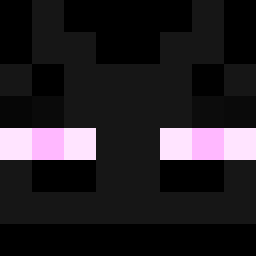
Current Minecraft skin of the player XERLEAX, loaded from the official Mojang API. Rotate the 3D model with your mouse or finger, then download the skin as a PNG file and use it in Minecraft: Bedrock Edition or Java Edition for free. When XERLEAX changes their skin, this page updates automatically and the old skin stays in the history below.

Other players with this skin (14317)
XERLEAX was the 4840th player we have seen with this skin, first spotted on 03.09.2026. The same skin was seen on these players. Open a nickname to see their current skin and skin history.
 Masteryx ehfdkTaos02 BranLux Calebito10 Steel_X Viksust3ri Poopluv4444 LAPLAX MerryLaura spokosroko bruno_ctro DreyZ7 Yourboi0708 adacoo Niki0607 balls_3 MateuszLabson
 YhGriff CoolMaster69____ TobyElDios uber__mensch JoHosic PandaRobot42 LIaAmaB0y BeispielZum Mr_LAGZ ACasualPancake puppyisdog25 WILLY_JUICE ERICO777 snvwi bxkr
 holdennola gxac inefficiently KronkuLive Swepterr ToomiMC Scympys lssow helphelphelp2512 Sulfonyl beatbox4 ThreadRipper230 kraken2006 Spaceman006 ThreeInchPride flayoch kittenfichen MrEez DEMONKILLER HereComesWyatt omriscool HAYDEN029
 BreadObama MavTheChicken7 batman81209 _xLuki 777More777 Xane1213
How to install the XERLEAX skin
- Press the Download button above to save the skin as a PNG file.
- Minecraft: Bedrock Edition (PE): open the Dressing Room from the main menu (or tap your character → Edit Character), go to Classic Skins → Owned, press the + (new skin) button, choose the downloaded PNG and pick the Classic (Steve) model. Works on PC and mobile; consoles cannot import custom skins.
- Minecraft: Java Edition: open the Minecraft Launcher, go to the Skins tab, click New Skin, load the PNG, pick the Classic (Steve) model and press Save & Use. You can also upload it at minecraft.net → Profile → Change Skin.
The skin does not show up after import - what should I do?
Restart Minecraft and open the Dressing Room again - imported skins sometimes appear only after a restart. Also make sure you selected the imported skin and picked the Classic (Steve) model.
Which model should I choose, Classic or Slim?
This skin is designed for the Classic (Steve) model. If you pick the wrong model, the arms of the skin will look stretched or squeezed.
Is the skin of XERLEAX free to download?
Yes. Press Download, save the PNG file and use it in Minecraft: Bedrock Edition or Java Edition - no payment or registration needed. The skin also works on multiplayer servers and Realms.
More skins
Looking for more? Go back to all Minecraft skins and check the top skins of the week, month and all time, or find any player's skin by nickname.