
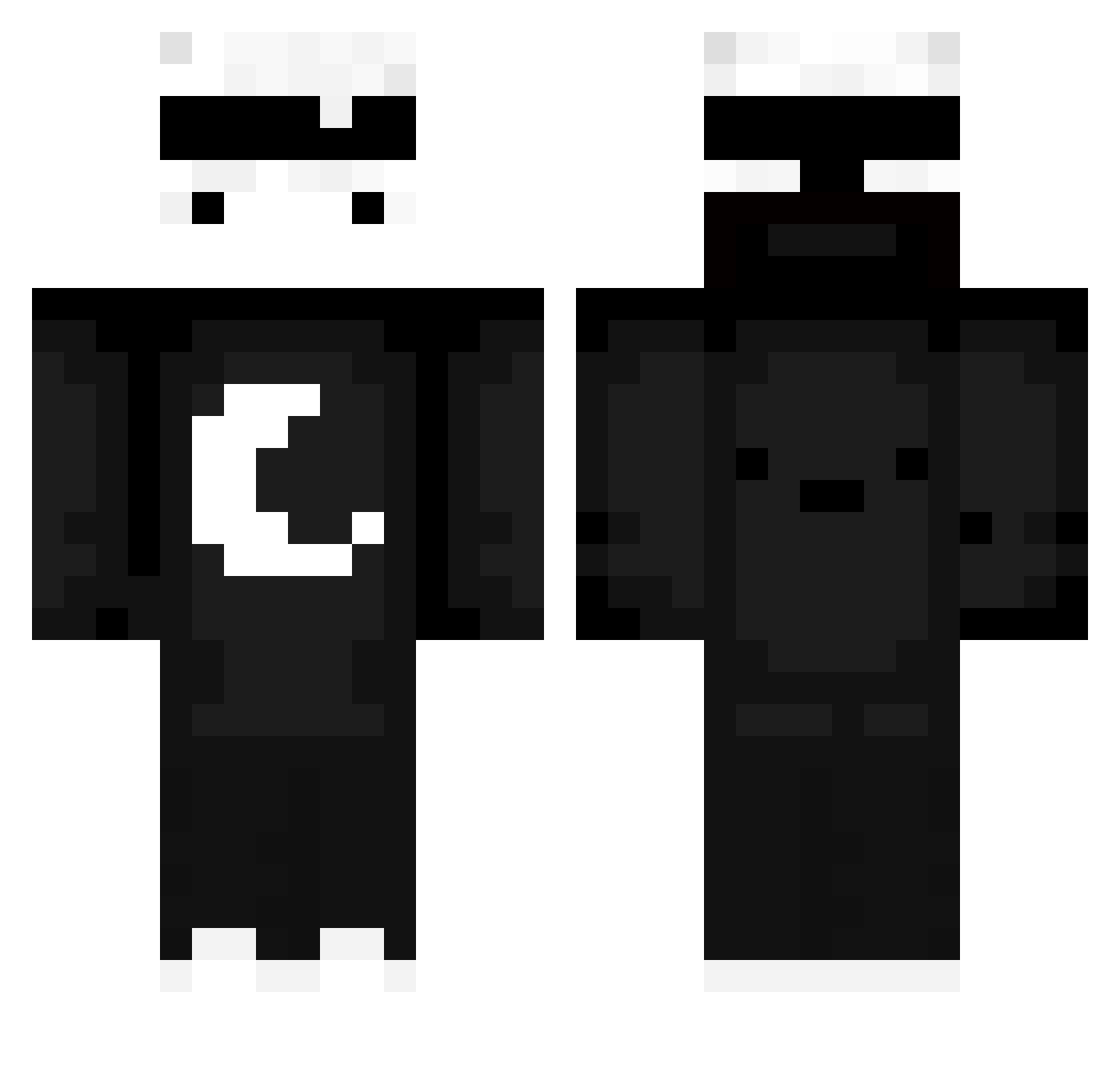
Current Minecraft skin of the player Wrentan, loaded from the official Mojang API. Rotate the 3D model with your mouse or finger, then download the skin as a PNG file and use it in Minecraft: Bedrock Edition or Java Edition for free. When Wrentan changes their skin, this page updates automatically and the old skin stays in the history below.
Other players with this skin (534)
Wrentan was the 472nd player we have seen with this skin, first spotted on 09.10.2026. The same skin was seen on these players. Open a nickname to see their current skin and skin history.
 Vemnity MC_GUYV JGAMER_123 Toadstool9511 BanWry talitabi Vector_4 qTemu liumz GZLEMAIL alesoldier AsiyaKung KimBazquie12 LOLduBOT Neutral_RL Mrlazuli1 RightFootCreepup TheFhoeniXs mickam45 Fo3Mi Jamiep15 watermelonsalt Boumiix TIWSONLOL MrXRevener Matik76 The_Multii_Fruty X2X_BOWSER zaitai Palucc_Suwanmad DaSaoBi66 _ggoonn_ MatteoBus P4R3A tzi_YFvhb_07_11 springcube2024 ynvidiah Prestonplayfan8 Dragonflyreborn TheRealHio nianjaa Raa_Ick zhihe6666 LamiYT Agusss14zz sausage_spartan melona22 kamikaze222 cx3u TTV_Cyke BibiTheBot Nohrie SETseven BenYen829 Smusyash Pjanek_00 iHellsing EfeBahat yNexz_ DARK_LOARDGAMER
More Moon Minecraft skins
How to install the Wrentan skin
- Press the Download button above to save the skin as a PNG file.
- Minecraft: Bedrock Edition (PE): open the Dressing Room from the main menu (or tap your character → Edit Character), go to Classic Skins → Owned, press the + (new skin) button, choose the downloaded PNG and pick the Classic (Steve) model. Works on PC and mobile; consoles cannot import custom skins.
- Minecraft: Java Edition: open the Minecraft Launcher, go to the Skins tab, click New Skin, load the PNG, pick the Classic (Steve) model and press Save & Use. You can also upload it at minecraft.net → Profile → Change Skin.
The skin does not show up after import - what should I do?
Restart Minecraft and open the Dressing Room again - imported skins sometimes appear only after a restart. Also make sure you selected the imported skin and picked the Classic (Steve) model.
Which model should I choose, Classic or Slim?
This skin is designed for the Classic (Steve) model. If you pick the wrong model, the arms of the skin will look stretched or squeezed.
Is the skin of Wrentan free to download?
Yes. Press Download, save the PNG file and use it in Minecraft: Bedrock Edition or Java Edition - no payment or registration needed. The skin also works on multiplayer servers and Realms.
More skins
Looking for more? Go back to all Minecraft skins and check the top skins of the week, month and all time, or find any player's skin by nickname.