
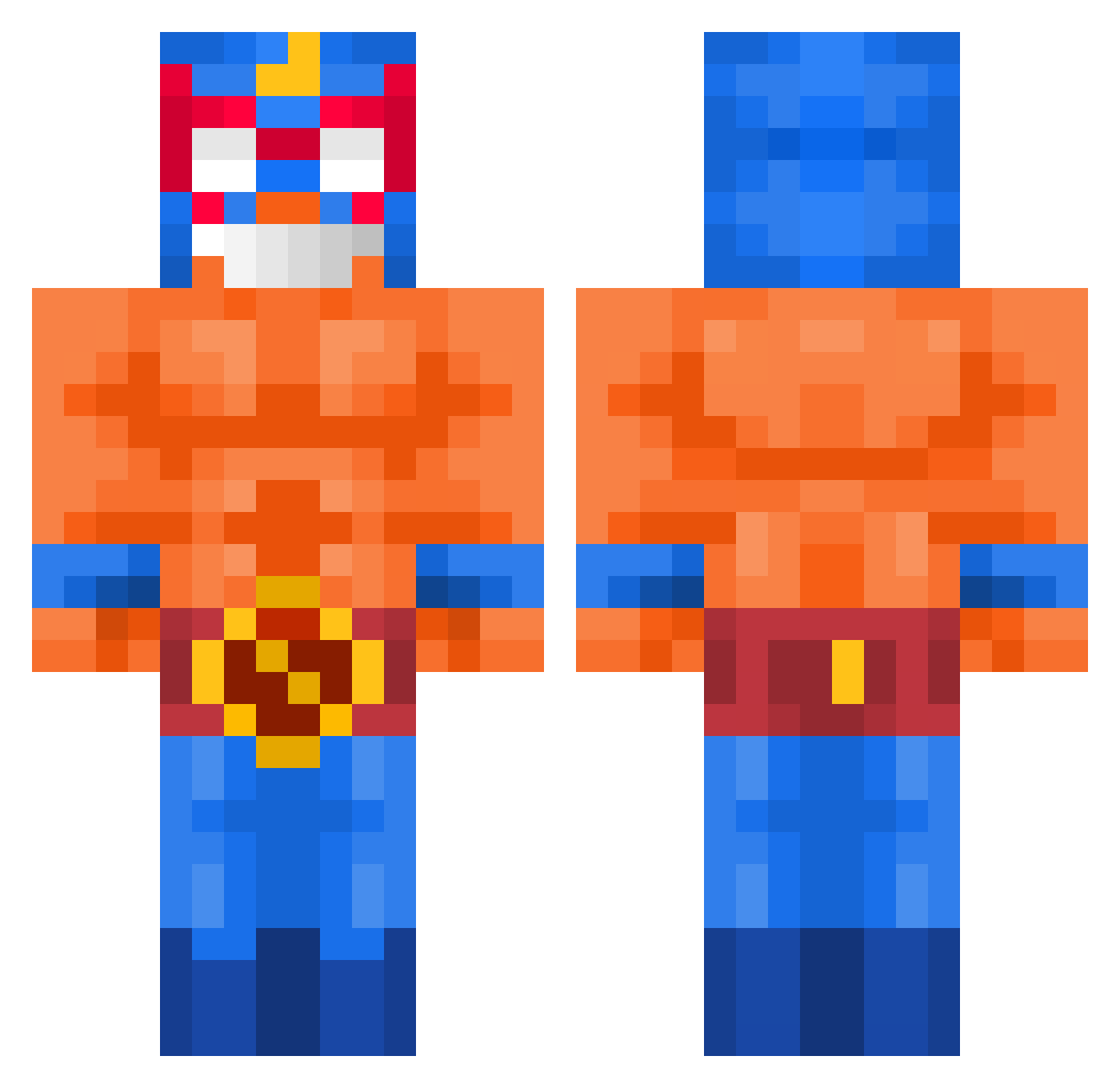
Current Minecraft skin of the player WostidReis, loaded from the official Mojang API. Rotate the 3D model with your mouse or finger, then download the skin as a PNG file and use it in Minecraft: Bedrock Edition or Java Edition for free. When WostidReis changes their skin, this page updates automatically and the old skin stays in the history below.
Other players with this skin (426)
WostidReis was the 221st player we have seen with this skin, first spotted on 06.09.2026. The same skin was seen on these players. Open a nickname to see their current skin and skin history.
 Romuluxs BurgersRandom Santi1205 JJuni5252 kuro194 Cichello reyzox95 pingwin2650 Mani_Boy_691 Alex20NTS Pota_G hubert2252 xKurisen SamuPck CatWar44 Dantux180YT Pommespanzer07 Risenking03 El_oW HerErOskar lysolek069 ElementalArash Smechnuts jsqwrl pkqz flonxx N3unundsechzig Pauliepants123 c_brook_23 Cata303 Chilli_premium F_ault 1010a2 schoolchild1 feigorrr Ursu_david dondozempic DacaMC CHAN_0228 FarmarJara baesuyong Punks909 BarBouille33 layloww_ deivid1801 Lucioo30 SmurfyUSA Kiwzx juanessmile xeptt pinkbud Felep5976 ELLLLLpRiMo ErdemAltiok Blitz_opa DS_drollkill mali3a_ Blekuk Slinkyqt Blg_DD
More El Primo Minecraft skins
How to install the WostidReis skin
- Press the Download button above to save the skin as a PNG file.
- Minecraft: Bedrock Edition (PE): open the Dressing Room from the main menu (or tap your character → Edit Character), go to Classic Skins → Owned, press the + (new skin) button, choose the downloaded PNG and pick the Classic (Steve) model. Works on PC and mobile; consoles cannot import custom skins.
- Minecraft: Java Edition: open the Minecraft Launcher, go to the Skins tab, click New Skin, load the PNG, pick the Classic (Steve) model and press Save & Use. You can also upload it at minecraft.net → Profile → Change Skin.
The skin does not show up after import - what should I do?
Restart Minecraft and open the Dressing Room again - imported skins sometimes appear only after a restart. Also make sure you selected the imported skin and picked the Classic (Steve) model.
Which model should I choose, Classic or Slim?
This skin is designed for the Classic (Steve) model. If you pick the wrong model, the arms of the skin will look stretched or squeezed.
Is the skin of WostidReis free to download?
Yes. Press Download, save the PNG file and use it in Minecraft: Bedrock Edition or Java Edition - no payment or registration needed. The skin also works on multiplayer servers and Realms.
More skins
Looking for more? Go back to all Minecraft skins and check the top skins of the week, month and all time, or find any player's skin by nickname.