
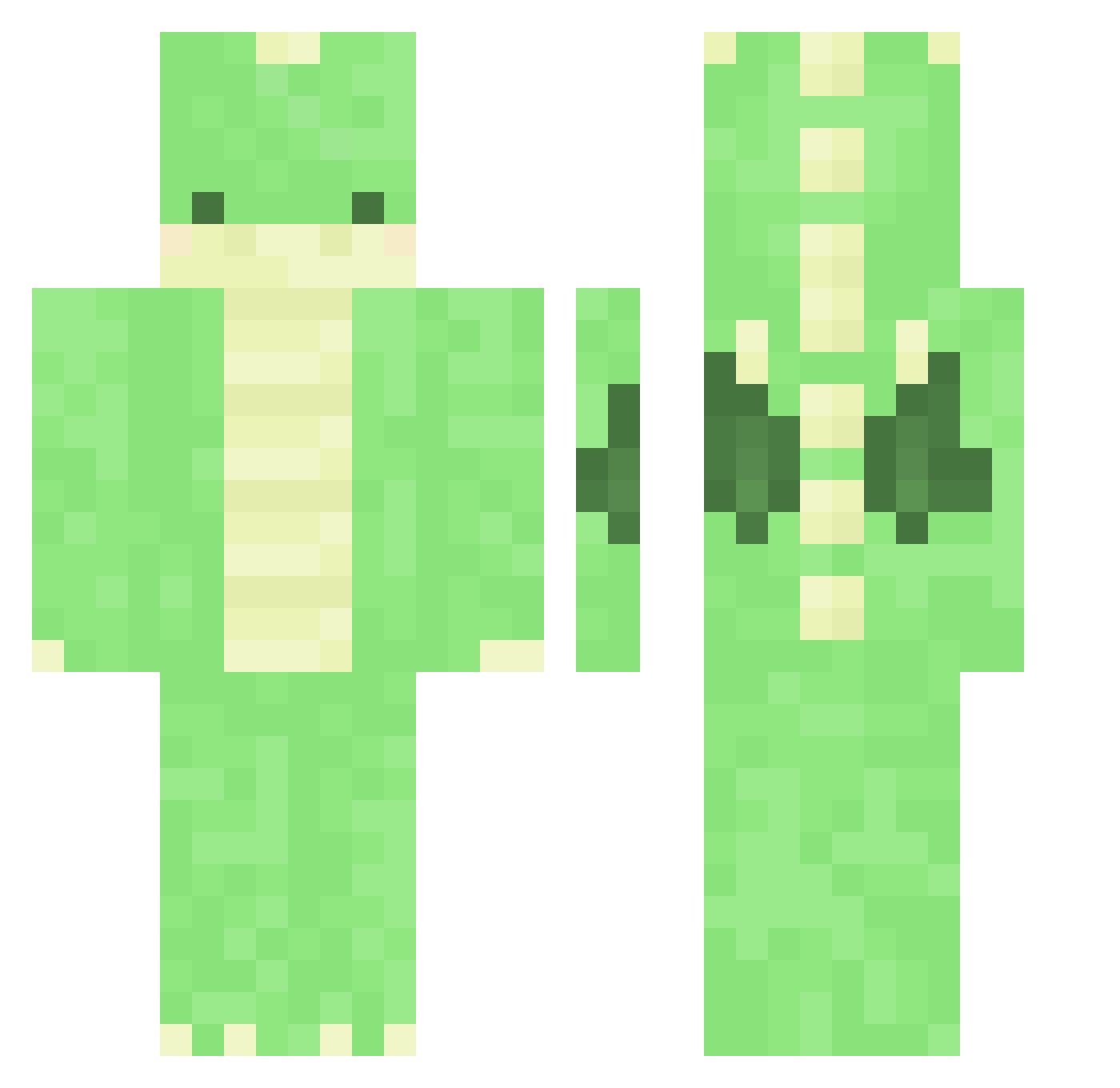
Current Minecraft skin of the player Wolfangblade_, loaded from the official Mojang API. Rotate the 3D model with your mouse or finger, then download the skin as a PNG file and use it in Minecraft: Bedrock Edition or Java Edition for free. When Wolfangblade_ changes their skin, this page updates automatically and the old skin stays in the history below.
Other players with this skin (290)
Wolfangblade_ was the 155th player we have seen with this skin, first spotted on 09.09.2026. The same skin was seen on these players. Open a nickname to see their current skin and skin history.
 Aquiverrrr WanGyu1 pichanzzamin1226 Gupumai Maxime12318 Jspence97 St1ks uwuusama Kessandra dance_with_River Soil__boy Livelynat123 vmfn040404 kaygroen2001 Martinezz8664 MaDdEe_ ewojy dinonuggett FoolInASuit Helcore iwaDeath Thuwuban Sasnx Xpm87 maeeflowers DDINGDOXNG coronawithnolime M1rrox ANDR0ID5 TheBrendo Thabbing fransito900 Lilymugi _Okkoi_ hammyung WonderErmine790 ad_3n aine_h NiaDalis Henrydafish PolarGom22 Sora_Kingdom89 Taintpunch nerdycat3000 wobwob204779790 BoredSQD voxaun DabDru takarara qwaszx_ realPlatax MyNamelsWayne asiankoolaidman IconicNooodle Bbang_Ju nabula8 AlbaAspen DONG20070114 _abbyrose EMMSHAW
More Dinosaur Minecraft skins
How to install the Wolfangblade_ skin
- Press the Download button above to save the skin as a PNG file.
- Minecraft: Bedrock Edition (PE): open the Dressing Room from the main menu (or tap your character → Edit Character), go to Classic Skins → Owned, press the + (new skin) button, choose the downloaded PNG and pick the Classic (Steve) model. Works on PC and mobile; consoles cannot import custom skins.
- Minecraft: Java Edition: open the Minecraft Launcher, go to the Skins tab, click New Skin, load the PNG, pick the Classic (Steve) model and press Save & Use. You can also upload it at minecraft.net → Profile → Change Skin.
The skin does not show up after import - what should I do?
Restart Minecraft and open the Dressing Room again - imported skins sometimes appear only after a restart. Also make sure you selected the imported skin and picked the Classic (Steve) model.
Which model should I choose, Classic or Slim?
This skin is designed for the Classic (Steve) model. If you pick the wrong model, the arms of the skin will look stretched or squeezed.
Is the skin of Wolfangblade_ free to download?
Yes. Press Download, save the PNG file and use it in Minecraft: Bedrock Edition or Java Edition - no payment or registration needed. The skin also works on multiplayer servers and Realms.
More skins
Looking for more? Go back to all Minecraft skins and check the top skins of the week, month and all time, or find any player's skin by nickname.