
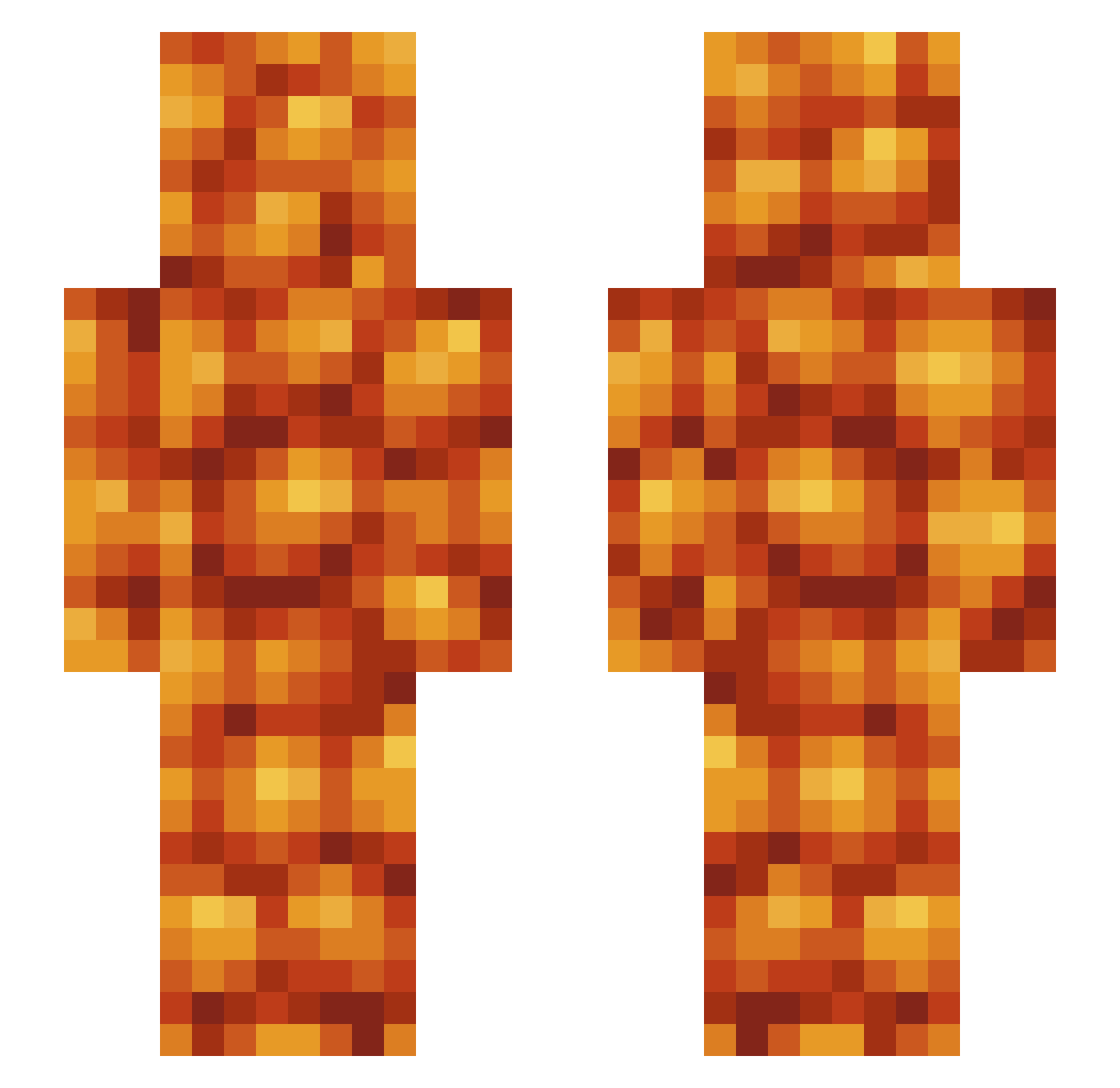
Current Minecraft skin of the player WolfRanger_116, loaded from the official Mojang API. Rotate the 3D model with your mouse or finger, then download the skin as a PNG file and use it in Minecraft: Bedrock Edition or Java Edition for free. When WolfRanger_116 changes their skin, this page updates automatically and the old skin stays in the history below.
Other players with this skin (426)
WolfRanger_116 was the 142nd player we have seen with this skin, first spotted on 22.08.2026. The same skin was seen on these players. Open a nickname to see their current skin and skin history.
 elteeq Killer_MaxMiles microterf FawnCobra Jbns002 AppleJuice52 Hargero jj136wain x_XBEANSX_x Redundantr AngusRiggatoni Ploomple Codatose Djeibee FranksWeen Langerhans_ SLAVE4DADDY CallmeKayos PotatoViking CornMang rockpop123 DIE_MF_DIE beansindacan SunBoxDog lunarpearls ShadowPilot6 NickTheWeird Octopapasito useless_dog Keeweeone DUDONG_ Treeef GoatInAHat XPBean
 Misharkian mrltd Pr0minecraftBird ronaldthemonald NattoBeanRice Chewbis DBknockout vahinkoja MHF_Beans ricardomilo101 SomeGinger26 akuu20 Logaxsmash _HeinzBakedBeans v1ck3rs34 theout1awtorn BIG_BEANN danineal 900nutboys GarryNeval Kjohnston10 ThogAlmighty RandomTemptation Lkaeee tator_tot_34 Arli_A
More Baked Beans Minecraft skins
How to install the WolfRanger_116 skin
- Press the Download button above to save the skin as a PNG file.
- Minecraft: Bedrock Edition (PE): open the Dressing Room from the main menu (or tap your character → Edit Character), go to Classic Skins → Owned, press the + (new skin) button, choose the downloaded PNG and pick the Slim (Alex) model. Works on PC and mobile; consoles cannot import custom skins.
- Minecraft: Java Edition: open the Minecraft Launcher, go to the Skins tab, click New Skin, load the PNG, pick the Slim (Alex) model and press Save & Use. You can also upload it at minecraft.net → Profile → Change Skin.
The skin does not show up after import - what should I do?
Restart Minecraft and open the Dressing Room again - imported skins sometimes appear only after a restart. Also make sure you selected the imported skin and picked the Slim (Alex) model.
Which model should I choose, Classic or Slim?
This skin is designed for the Slim (Alex) model. If you pick the wrong model, the arms of the skin will look stretched or squeezed.
Is the skin of WolfRanger_116 free to download?
Yes. Press Download, save the PNG file and use it in Minecraft: Bedrock Edition or Java Edition - no payment or registration needed. The skin also works on multiplayer servers and Realms.
More skins
Looking for more? Go back to all Minecraft skins and check the top skins of the week, month and all time, or find any player's skin by nickname.