
Wiecher69 - Minecraft Skins & Skin History
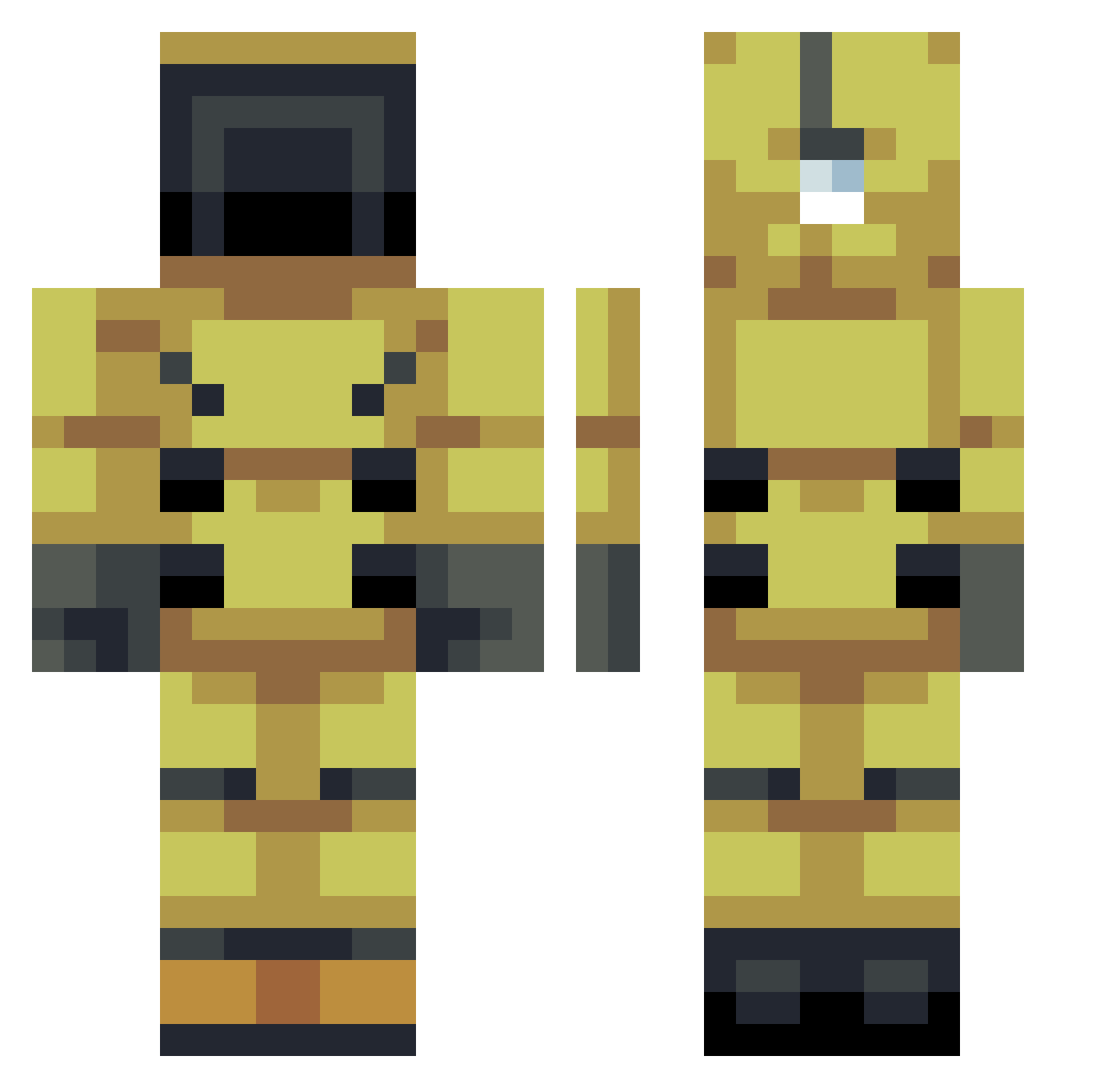
Current Minecraft skin of the player Wiecher69, loaded from the official Mojang API. Rotate the 3D model with your mouse or finger, then download the skin as a PNG file and use it in Minecraft: Bedrock Edition or Java Edition for free. When Wiecher69 changes their skin, this page updates automatically and the old skin stays in the history below.
Other players with this skin (79)
Wiecher69 was the 32nd player we have seen with this skin, first spotted on 01.09.2026. The same skin was seen on these players. Open a nickname to see their current skin and skin history.
 HappieHobo stxxvhxk Grzegrzul HarrisonDVB Ascarer pipeman2008 ChickenLover_13 rafaelperezm20 CaptainDoge78 _Tajo_ ghostdragon_0 Leonidax0 Andzyytv MAMBA_lpt pomelkaoe yralx Jack__Zackox Raz0r819 linkers2013 Rokumi CRS_2278 FRYINGLES NightWolf67 Dark_Path6 Gatolate karcer98 vrikaneel silasgro
 SpiderRanger12 _Tony1234 seanjimin
 GuixMx10 LuisCrak0 GenosMain Y33ter OtherPrime Ljep19
 _lowky Robosti Probleme69 kfc_xx jTomas_45 FlorinTD Dimmy_Jean Dagasus XxSmokinDartZxX Blocke738
 eduardol14ghfd8 ivoprofeno akifull666 Soulmaster225 Luminoor 122140 QuadAcid QuesoGamer1231 Hep3 JaffaYT VoxelAcademy11
 Ccronaa SamZin12
More Scientist Minecraft skins
How to install the Wiecher69 skin
- Press the Download button above to save the skin as a PNG file.
- Minecraft: Bedrock Edition (PE): open the Dressing Room from the main menu (or tap your character → Edit Character), go to Classic Skins → Owned, press the + (new skin) button, choose the downloaded PNG and pick the Classic (Steve) model. Works on PC and mobile; consoles cannot import custom skins.
- Minecraft: Java Edition: open the Minecraft Launcher, go to the Skins tab, click New Skin, load the PNG, pick the Classic (Steve) model and press Save & Use. You can also upload it at minecraft.net → Profile → Change Skin.
The skin does not show up after import - what should I do?
Restart Minecraft and open the Dressing Room again - imported skins sometimes appear only after a restart. Also make sure you selected the imported skin and picked the Classic (Steve) model.
Which model should I choose, Classic or Slim?
This skin is designed for the Classic (Steve) model. If you pick the wrong model, the arms of the skin will look stretched or squeezed.
Is the skin of Wiecher69 free to download?
Yes. Press Download, save the PNG file and use it in Minecraft: Bedrock Edition or Java Edition - no payment or registration needed. The skin also works on multiplayer servers and Realms.
More skins
Looking for more? Go back to all Minecraft skins and check the top skins of the week, month and all time, or find any player's skin by nickname.