
Whoisava_ - Minecraft Skins & Skin History
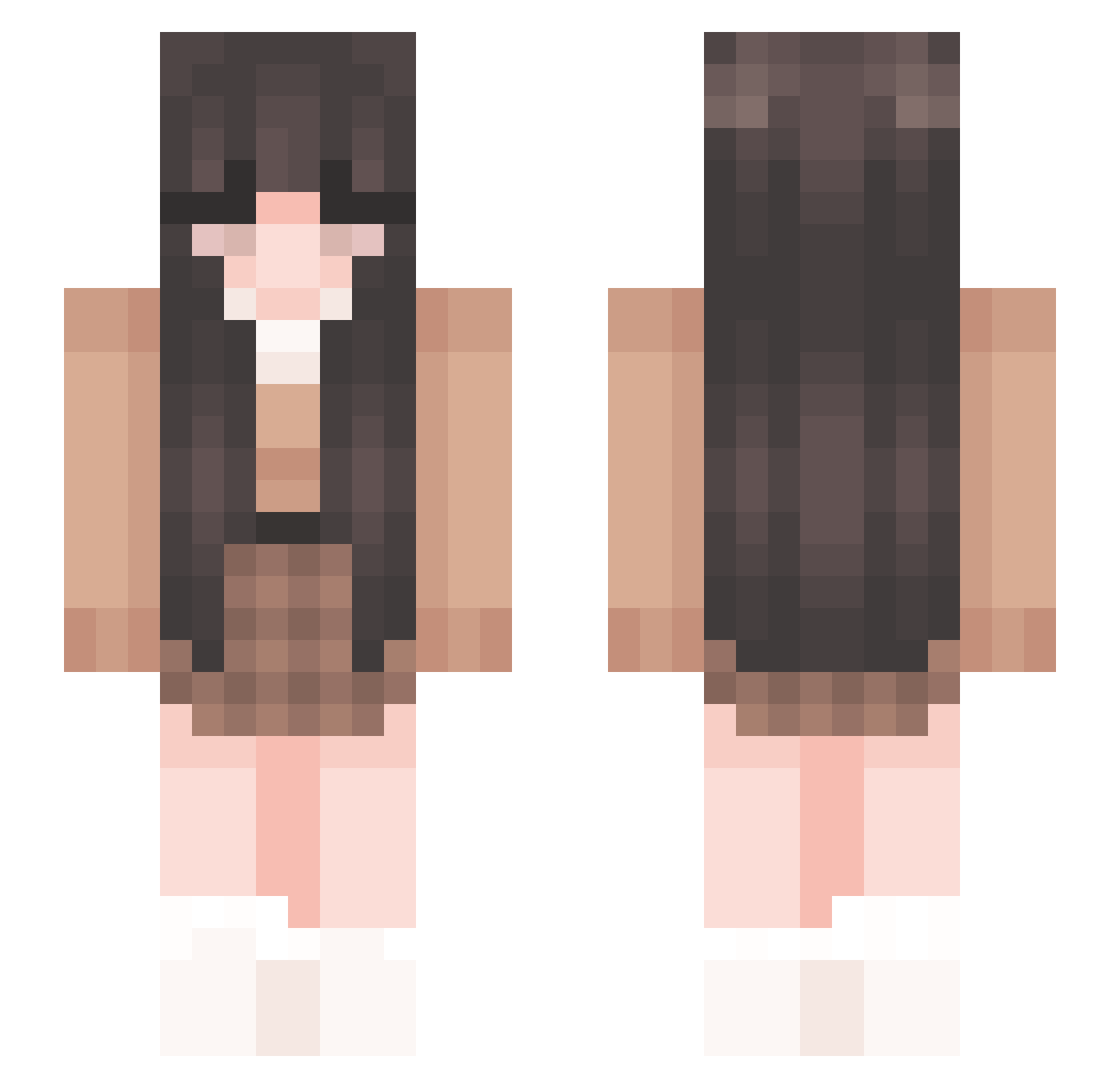
Current Minecraft skin of the player Whoisava_, loaded from the official Mojang API. Rotate the 3D model with your mouse or finger, then download the skin as a PNG file and use it in Minecraft: Bedrock Edition or Java Edition for free. When Whoisava_ changes their skin, this page updates automatically and the old skin stays in the history below.
Other players with this skin (288)
Whoisava_ was the 136th player we have seen with this skin, first spotted on 24.09.2026. The same skin was seen on these players. Open a nickname to see their current skin and skin history.
 lovebianchi sxpasuu sedgdzsde 4de1e goudy00 Mx1s13 saramontiel TheClementine mama_mid SidTheSquid9505 DANYERIN MayaZhiv08 qtCoin Rosaliem076 Nutella206464 T_Flop 02kiki20 paralyzedsnake CajunShrimp hajimeskisses iamchicken789 videokamess ssehra nathaliatorquato Carej leah0525 totallynotvicx miloticmarzi peachikid TRP7313 kyar4 ButterRae c_wooni Tally_ Soundless HJKingg lilnugget101524 _gorilla_glue_ ayoitsmoon diorr85 Dalliah Scottyman Addimayy PilgrimRules leticiaxz TheDawnsLight giajones Singleness monkey_d_piet Tyson7896 Notlilss Yuna0824 Kenosha09 misosos diamndite Woofy_Gaming rbunni krescxnt marie3444 Blackishibo
More Cozy Minecraft skins
How to install the Whoisava_ skin
- Press the Download button above to save the skin as a PNG file.
- Minecraft: Bedrock Edition (PE): open the Dressing Room from the main menu (or tap your character → Edit Character), go to Classic Skins → Owned, press the + (new skin) button, choose the downloaded PNG and pick the Slim (Alex) model. Works on PC and mobile; consoles cannot import custom skins.
- Minecraft: Java Edition: open the Minecraft Launcher, go to the Skins tab, click New Skin, load the PNG, pick the Slim (Alex) model and press Save & Use. You can also upload it at minecraft.net → Profile → Change Skin.
The skin does not show up after import - what should I do?
Restart Minecraft and open the Dressing Room again - imported skins sometimes appear only after a restart. Also make sure you selected the imported skin and picked the Slim (Alex) model.
Which model should I choose, Classic or Slim?
This skin is designed for the Slim (Alex) model. If you pick the wrong model, the arms of the skin will look stretched or squeezed.
Is the skin of Whoisava_ free to download?
Yes. Press Download, save the PNG file and use it in Minecraft: Bedrock Edition or Java Edition - no payment or registration needed. The skin also works on multiplayer servers and Realms.
More skins
Looking for more? Go back to all Minecraft skins and check the top skins of the week, month and all time, or find any player's skin by nickname.