
Whitemop - Minecraft Skins & Skin History
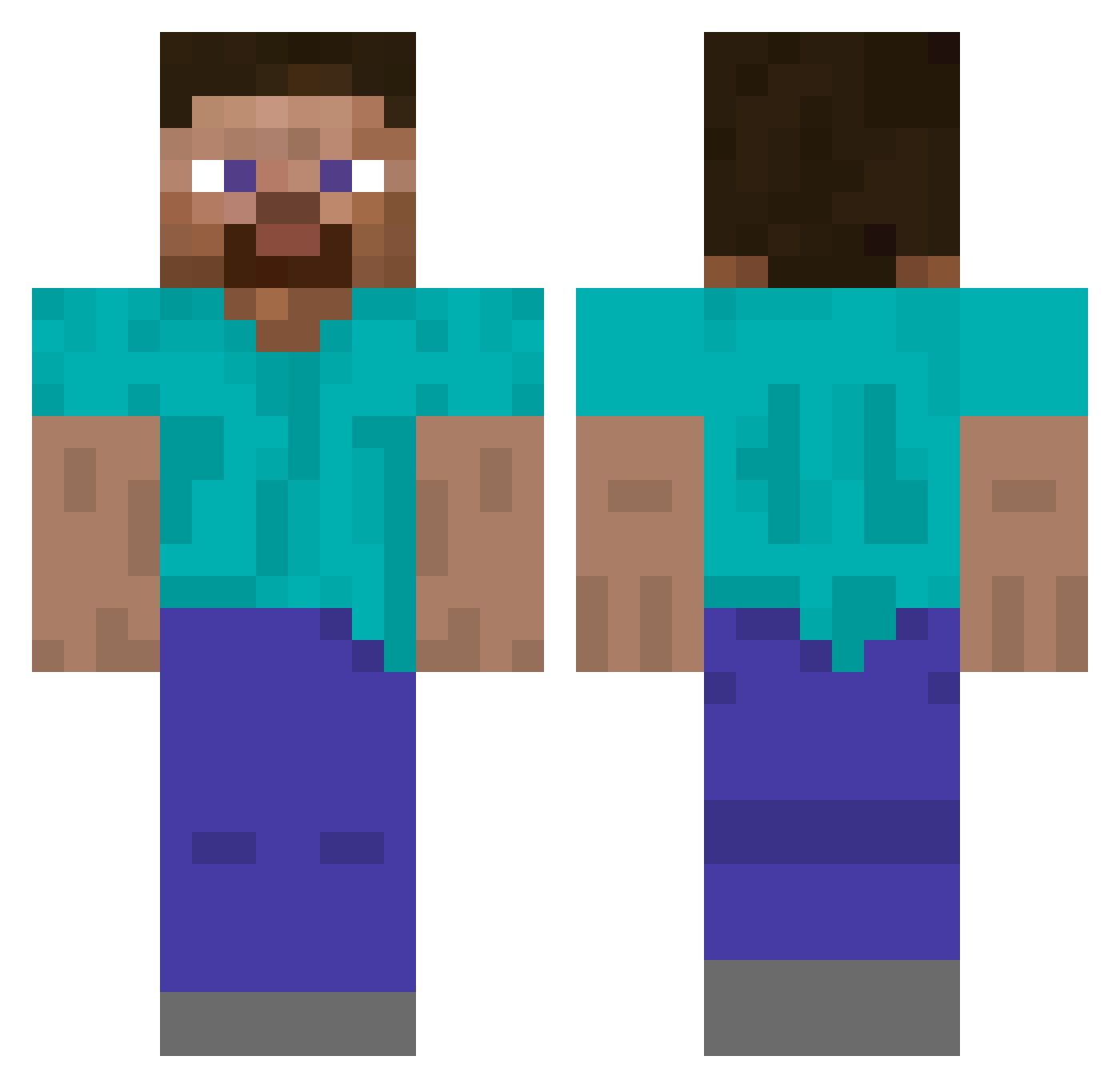
Current Minecraft skin of the player Whitemop, loaded from the official Mojang API. Rotate the 3D model with your mouse or finger, then download the skin as a PNG file and use it in Minecraft: Bedrock Edition or Java Edition for free. When Whitemop changes their skin, this page updates automatically and the old skin stays in the history below.
Other players with this skin (522)
Whitemop was the 164th player we have seen with this skin, first spotted on 30.08.2026. The same skin was seen on these players. Open a nickname to see their current skin and skin history.
 Drew1895 TheMiners123 zyggis tanukired Goon_Master40 Icenyx DutchNightmare3 Andryuhan chocolop _Gridy_ Johtajaeetu BPFMaverick Amongus0000 Naryyy perk39 ChickenFeet2034 MGSV VALKADYN AlessioBum zozi5150 OdImage Swenek ashelby17 GreenBullet22 Becon032 thecheesetheif quadstipation olivierdu13 Acoptic SteveBigB00b720p kkjjww rambow55 supermanismad SecretMineDE_2 FBISecurityAgent luxuriouschest JoacoL sam_pink spinojoya Achoo____ benmc71 StormyKookaburra ImR4 HopperMan17 JohnDeere9rxF sPaceVenture Braided kei0320 Ethan250 RhodofoExtreme export956 Stephen_1967 Lajam_ devsanders Blockman_535 profkdr ZimSam Babas_Burgers Vrasayana schmyrus
How to install the Whitemop skin
- Press the Download button above to save the skin as a PNG file.
- Minecraft: Bedrock Edition (PE): open the Dressing Room from the main menu (or tap your character → Edit Character), go to Classic Skins → Owned, press the + (new skin) button, choose the downloaded PNG and pick the Classic (Steve) model. Works on PC and mobile; consoles cannot import custom skins.
- Minecraft: Java Edition: open the Minecraft Launcher, go to the Skins tab, click New Skin, load the PNG, pick the Classic (Steve) model and press Save & Use. You can also upload it at minecraft.net → Profile → Change Skin.
The skin does not show up after import - what should I do?
Restart Minecraft and open the Dressing Room again - imported skins sometimes appear only after a restart. Also make sure you selected the imported skin and picked the Classic (Steve) model.
Which model should I choose, Classic or Slim?
This skin is designed for the Classic (Steve) model. If you pick the wrong model, the arms of the skin will look stretched or squeezed.
Is the skin of Whitemop free to download?
Yes. Press Download, save the PNG file and use it in Minecraft: Bedrock Edition or Java Edition - no payment or registration needed. The skin also works on multiplayer servers and Realms.
More skins
Looking for more? Go back to all Minecraft skins and check the top skins of the week, month and all time, or find any player's skin by nickname.