
WhiskeyRomeo05 - Minecraft Skins & Skin History
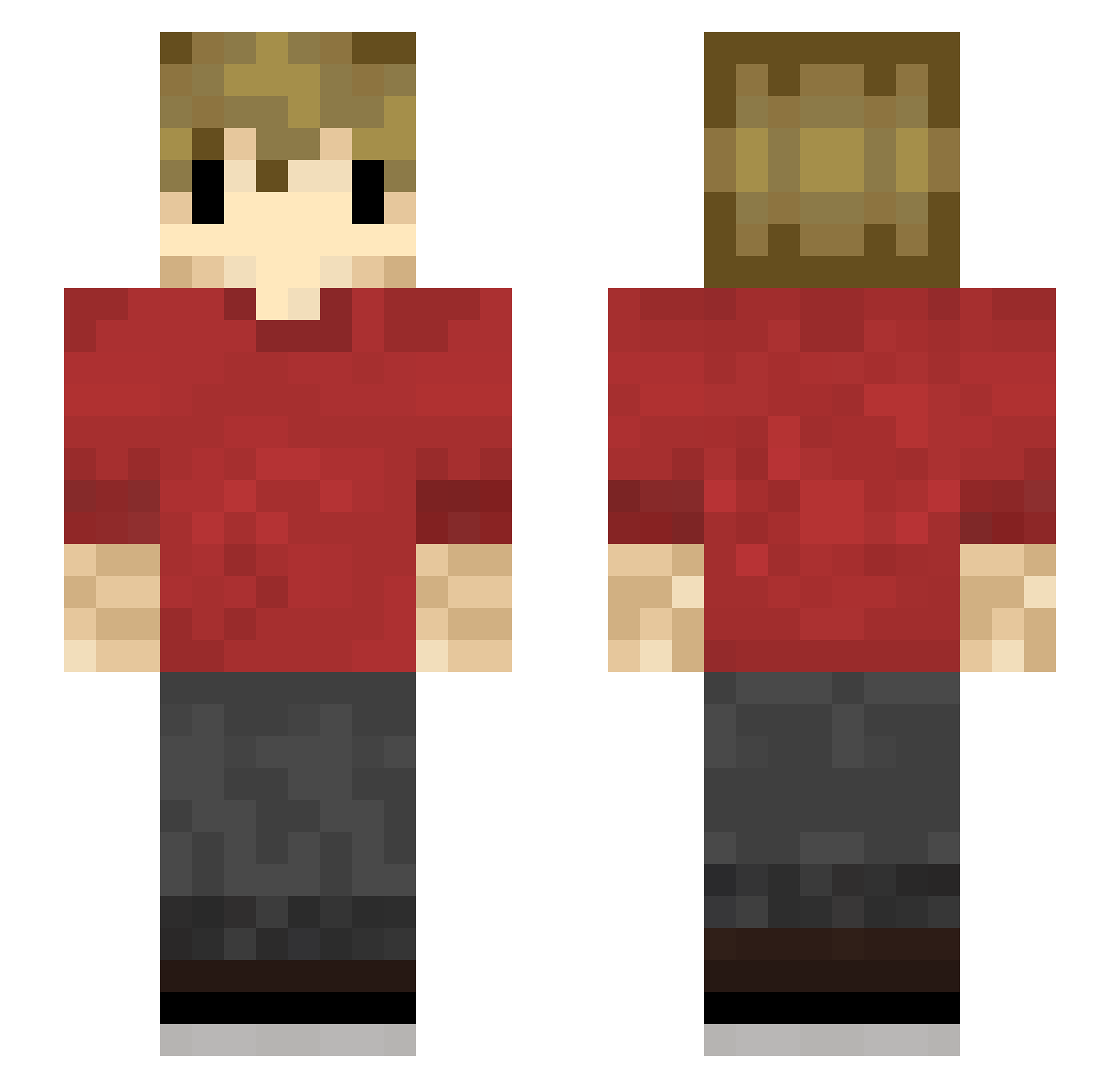
Current Minecraft skin of the player WhiskeyRomeo05, loaded from the official Mojang API. Rotate the 3D model with your mouse or finger, then download the skin as a PNG file and use it in Minecraft: Bedrock Edition or Java Edition for free. When WhiskeyRomeo05 changes their skin, this page updates automatically and the old skin stays in the history below.
Other players with this skin (196)
WhiskeyRomeo05 was the 24th player we have seen with this skin, first spotted on 03.08.2026. The same skin was seen on these players. Open a nickname to see their current skin and skin history.
 Indominus2035 NotKossi Suebamoar HazzardBoy Pepperat13 deymosss EvilKoenig Burf901 SeattleSeal GreenAcorn88 Kennethblach OOHHBABY
 Potatomasaurus LIMBO655321
 solisdagoat Xekaryo KalTra RalphFlows pokeyjungle
 Supermantha4444 HealthyLettuce OregonBlockHead Ph1LzA__
 UnicornNat714 Anarchy369 LegendsND justmoplaying1 NoodleSauce_ MrWizzard0 chomer0503 Zaccq R1L3Y3860 Cquli j33pownr GlamShad3125 BratniaDusza EfrainOutpost Chuchu1232 CraftyOwl1 HighBreeze
 Pandominator99 MessyOrb Hazzo573 HonY7 daniel9058 Griann Randomperson433 mofq44 Crabappleguy HyperLloyd Ranga4211 wontyouknow black_light75 NPCGrian Tickerion ace_five_ VERTOXOR insidewarrior XxjackxX486 Evboyiscool
More Grian Minecraft skins
How to install the WhiskeyRomeo05 skin
- Press the Download button above to save the skin as a PNG file.
- Minecraft: Bedrock Edition (PE): open the Dressing Room from the main menu (or tap your character → Edit Character), go to Classic Skins → Owned, press the + (new skin) button, choose the downloaded PNG and pick the Slim (Alex) model. Works on PC and mobile; consoles cannot import custom skins.
- Minecraft: Java Edition: open the Minecraft Launcher, go to the Skins tab, click New Skin, load the PNG, pick the Slim (Alex) model and press Save & Use. You can also upload it at minecraft.net → Profile → Change Skin.
The skin does not show up after import - what should I do?
Restart Minecraft and open the Dressing Room again - imported skins sometimes appear only after a restart. Also make sure you selected the imported skin and picked the Slim (Alex) model.
Which model should I choose, Classic or Slim?
This skin is designed for the Slim (Alex) model. If you pick the wrong model, the arms of the skin will look stretched or squeezed.
Is the skin of WhiskeyRomeo05 free to download?
Yes. Press Download, save the PNG file and use it in Minecraft: Bedrock Edition or Java Edition - no payment or registration needed. The skin also works on multiplayer servers and Realms.
More skins
Looking for more? Go back to all Minecraft skins and check the top skins of the week, month and all time, or find any player's skin by nickname.