
WheresMyDooooog - Minecraft Skins & Skin History
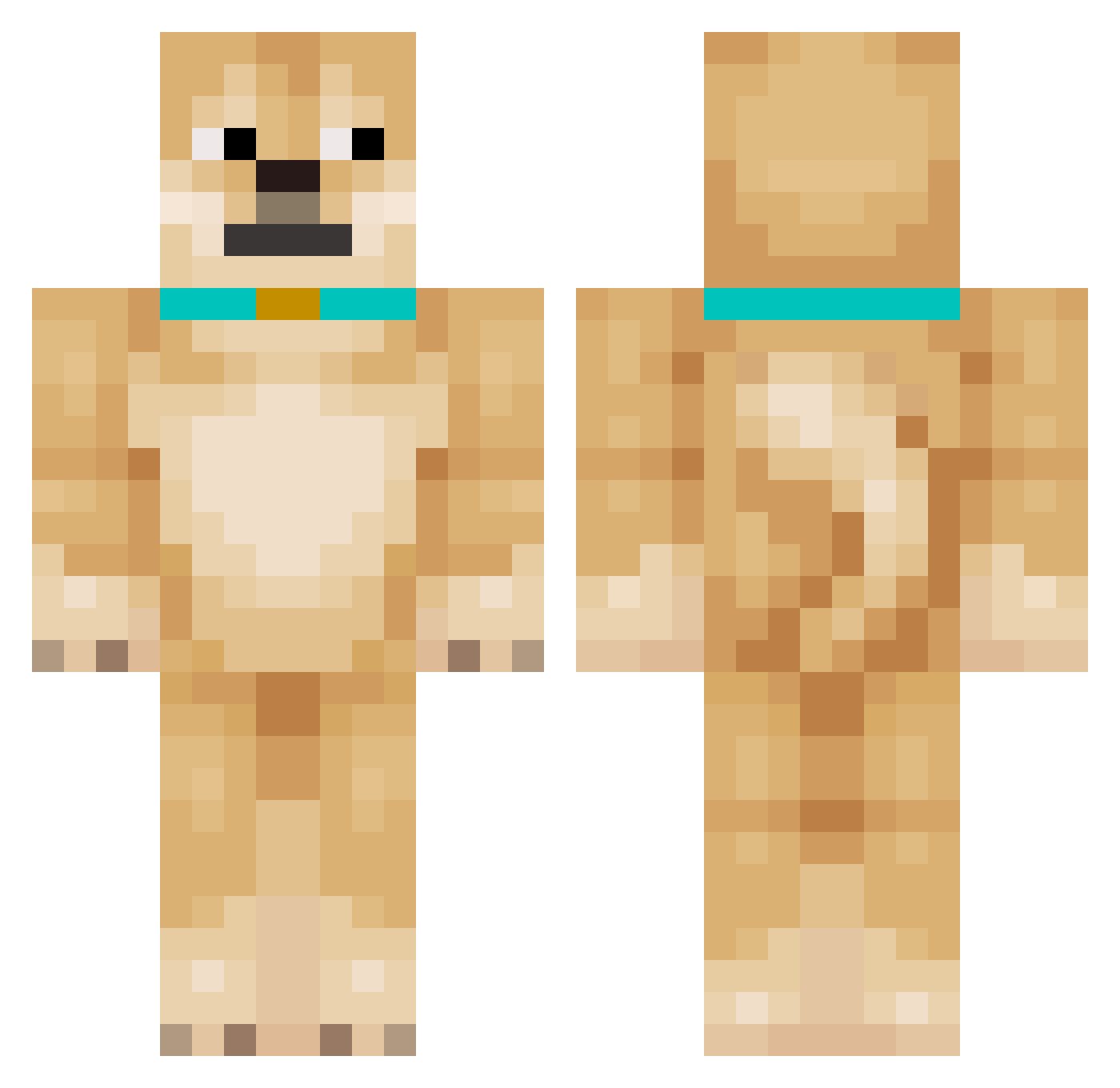
Current Minecraft skin of the player WheresMyDooooog, loaded from the official Mojang API. Rotate the 3D model with your mouse or finger, then download the skin as a PNG file and use it in Minecraft: Bedrock Edition or Java Edition for free. When WheresMyDooooog changes their skin, this page updates automatically and the old skin stays in the history below.
Other players with this skin (206)
WheresMyDooooog was the 178th player we have seen with this skin, first spotted on 03.11.2026. The same skin was seen on these players. Open a nickname to see their current skin and skin history.
 BrotherKenzu Jimbobot23 gubercat meng_pao Pigardo _Dogenator_ Flecstarr pepsi12123 NiceCarrot99 Sir_Capachino Big_Dog2006 JellyOG MonkeHeadBoi NOSDAMEON Jin_ddang hansebassie leemofa SkittlesLuvsNOah pawel33322 Werdsaf Xander772380 ThePesez adiquexe finniscoolll CrossCut0911 999Tempest Kiss_pvhxPC _xo08_ TheMacron bemil13 ImNotBotting123 Divsac Litassa Antarchy4evr steffbr Smilker231 KitzL ItsPerrito jellybeanking21 URFavAunt ReduceBot_ yato12x TeaselDog Evergames79 whany_ _kjS_9 Ferdlosrios Pappakerapa B07I ZEE_SNIPER nybx seunghyeonkim23 VincentWang04 TaeMqneyy Ephsis kahfk Akiyo0809 tldnxoddl Ttvcris51 RoamingWaffl
More Shiba Inu Minecraft skins
How to install the WheresMyDooooog skin
- Press the Download button above to save the skin as a PNG file.
- Minecraft: Bedrock Edition (PE): open the Dressing Room from the main menu (or tap your character → Edit Character), go to Classic Skins → Owned, press the + (new skin) button, choose the downloaded PNG and pick the Classic (Steve) model. Works on PC and mobile; consoles cannot import custom skins.
- Minecraft: Java Edition: open the Minecraft Launcher, go to the Skins tab, click New Skin, load the PNG, pick the Classic (Steve) model and press Save & Use. You can also upload it at minecraft.net → Profile → Change Skin.
The skin does not show up after import - what should I do?
Restart Minecraft and open the Dressing Room again - imported skins sometimes appear only after a restart. Also make sure you selected the imported skin and picked the Classic (Steve) model.
Which model should I choose, Classic or Slim?
This skin is designed for the Classic (Steve) model. If you pick the wrong model, the arms of the skin will look stretched or squeezed.
Is the skin of WheresMyDooooog free to download?
Yes. Press Download, save the PNG file and use it in Minecraft: Bedrock Edition or Java Edition - no payment or registration needed. The skin also works on multiplayer servers and Realms.
More skins
Looking for more? Go back to all Minecraft skins and check the top skins of the week, month and all time, or find any player's skin by nickname.