
Whaylez - Minecraft Skins & Skin History
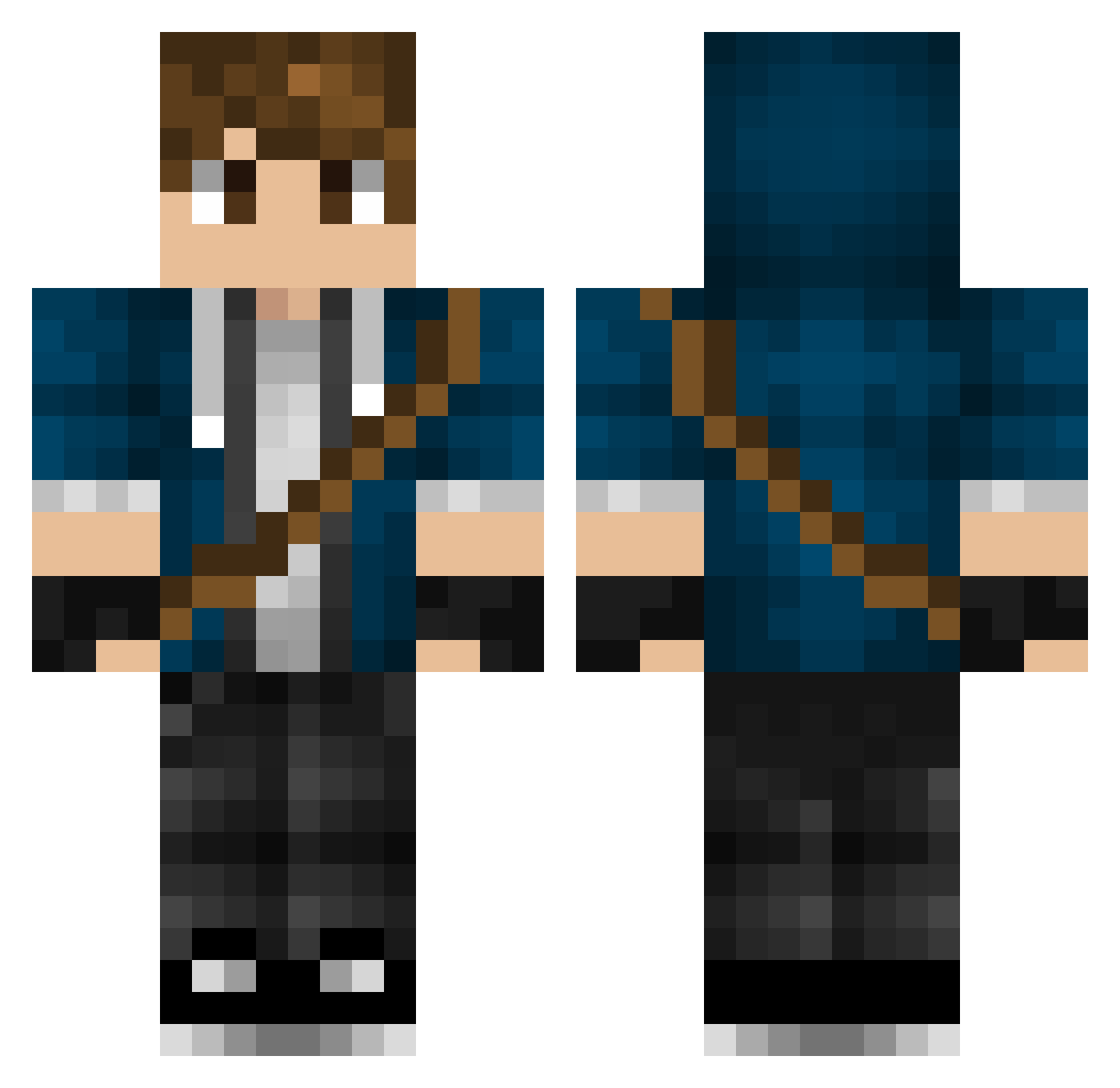
Current Minecraft skin of the player Whaylez, loaded from the official Mojang API. Rotate the 3D model with your mouse or finger, then download the skin as a PNG file and use it in Minecraft: Bedrock Edition or Java Edition for free. When Whaylez changes their skin, this page updates automatically and the old skin stays in the history below.
Other players with this skin (317)
Whaylez was the 149th player we have seen with this skin, first spotted on 18.09.2026. The same skin was seen on these players. Open a nickname to see their current skin and skin history.
 LaCidiana JJoker23 KaptenAjax bricky09 CenkSen Callem_ justryan20 NojDalc Bluhme Jamme03 MaxAlt2 PP0317 Mellebananen Strangebag ellibird starby99999 RealLucien ItsElster lil_hamp69 Felix532 Rufox98 HopesGotCoal BogliTV xBoomKingx suzuka_0520 William_Gliemann NephEvo Flime idkdude Sidealex1011 Hartemane SilverFang1994 JMilbou oddy_nuff TheBonsePoops Benjaminthegreat Dane_03 bng2422 prewlox Tonnyyyy Winner443 smokey_endermen PPloxo Hayden_CR7 jacob2too MINICOKE2 Julianistic pascallinos APippster EndermanEye DeltaFish Zeds1392 twinters101 Cedlabal UnspokenSolace Kingkong20 rickyjoe1996 Raptorman981 kDavidK Derpeta
More Messenger Bag Minecraft skins
See all 535 Messenger Bag skins
How to install the Whaylez skin
- Press the Download button above to save the skin as a PNG file.
- Minecraft: Bedrock Edition (PE): open the Dressing Room from the main menu (or tap your character → Edit Character), go to Classic Skins → Owned, press the + (new skin) button, choose the downloaded PNG and pick the Classic (Steve) model. Works on PC and mobile; consoles cannot import custom skins.
- Minecraft: Java Edition: open the Minecraft Launcher, go to the Skins tab, click New Skin, load the PNG, pick the Classic (Steve) model and press Save & Use. You can also upload it at minecraft.net → Profile → Change Skin.
The skin does not show up after import - what should I do?
Restart Minecraft and open the Dressing Room again - imported skins sometimes appear only after a restart. Also make sure you selected the imported skin and picked the Classic (Steve) model.
Which model should I choose, Classic or Slim?
This skin is designed for the Classic (Steve) model. If you pick the wrong model, the arms of the skin will look stretched or squeezed.
Is the skin of Whaylez free to download?
Yes. Press Download, save the PNG file and use it in Minecraft: Bedrock Edition or Java Edition - no payment or registration needed. The skin also works on multiplayer servers and Realms.
More skins
Looking for more? Go back to all Minecraft skins and check the top skins of the week, month and all time, or find any player's skin by nickname.