
Kingkong20 - Minecraft Skins & Skin History
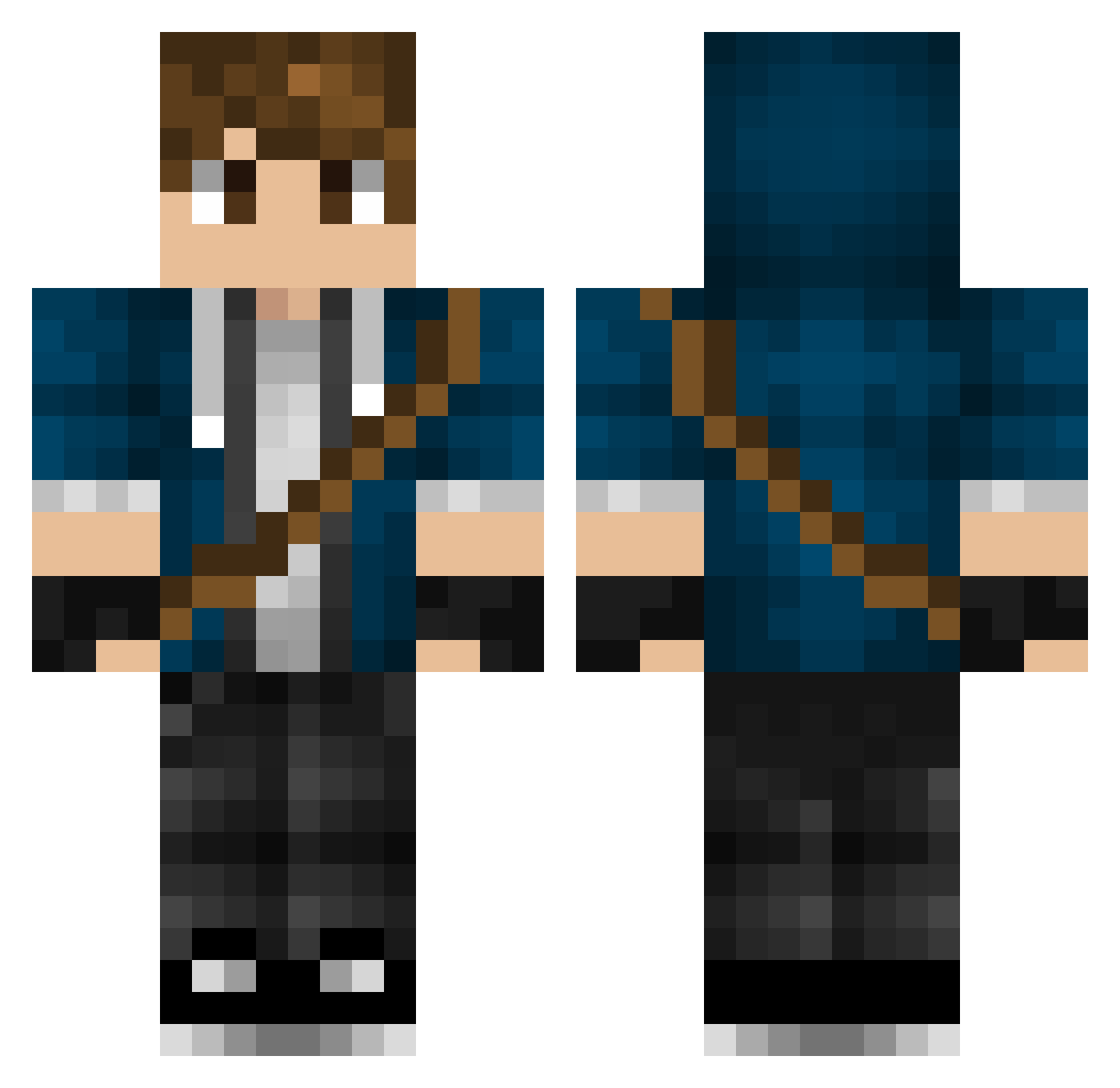
Current Minecraft skin of the player Kingkong20, loaded from the official Mojang API. Rotate the 3D model with your mouse or finger, then download the skin as a PNG file and use it in Minecraft: Bedrock Edition or Java Edition for free. When Kingkong20 changes their skin, this page updates automatically and the old skin stays in the history below.
Other players with this skin (317)
Kingkong20 was the 128th player we have seen with this skin, first spotted on 09.09.2026. The same skin was seen on these players. Open a nickname to see their current skin and skin history.
 Cedlabal kDavidK Derpeta sonic37733 CreatorLC PrincessRaph EndermanEye Julianistic PPloxo smokey_endermen prewlox bng2422 OblivionSmurf Benjaminthegreat TheBonsePoops SilentStorm20 tmoney_id Sidealex1011 idkdude Flime suzuka_0520 TrixterFX demigodofwar6790 Felix532 Frozen_B Airlocker RealLucien Nyvin Truestar178 Strangebag Bounceunited PP0317 Slazduburis Bluhme Ozzy5245 CenkSen KaptenAjax GarrettCarrot95 Whaylez dragonassassin07 Rubenrikk TheGamingCow7 LaCidiana JJoker23 Einsikaldi10 bricky09 battIeX Thibaut99 Callem_ justryan20 Kurpee zeNder4k NojDalc Jamme03 __Jackar00c__ MaxAlt2 Mellebananen jackflash1218 LegendFloris LandoW_wolf
More Messenger Bag Minecraft skins
See all 535 Messenger Bag skins
How to install the Kingkong20 skin
- Press the Download button above to save the skin as a PNG file.
- Minecraft: Bedrock Edition (PE): open the Dressing Room from the main menu (or tap your character → Edit Character), go to Classic Skins → Owned, press the + (new skin) button, choose the downloaded PNG and pick the Classic (Steve) model. Works on PC and mobile; consoles cannot import custom skins.
- Minecraft: Java Edition: open the Minecraft Launcher, go to the Skins tab, click New Skin, load the PNG, pick the Classic (Steve) model and press Save & Use. You can also upload it at minecraft.net → Profile → Change Skin.
The skin does not show up after import - what should I do?
Restart Minecraft and open the Dressing Room again - imported skins sometimes appear only after a restart. Also make sure you selected the imported skin and picked the Classic (Steve) model.
Which model should I choose, Classic or Slim?
This skin is designed for the Classic (Steve) model. If you pick the wrong model, the arms of the skin will look stretched or squeezed.
Is the skin of Kingkong20 free to download?
Yes. Press Download, save the PNG file and use it in Minecraft: Bedrock Edition or Java Edition - no payment or registration needed. The skin also works on multiplayer servers and Realms.
More skins
Looking for more? Go back to all Minecraft skins and check the top skins of the week, month and all time, or find any player's skin by nickname.