
WhatThePhoque_ - Minecraft Skins & Skin History
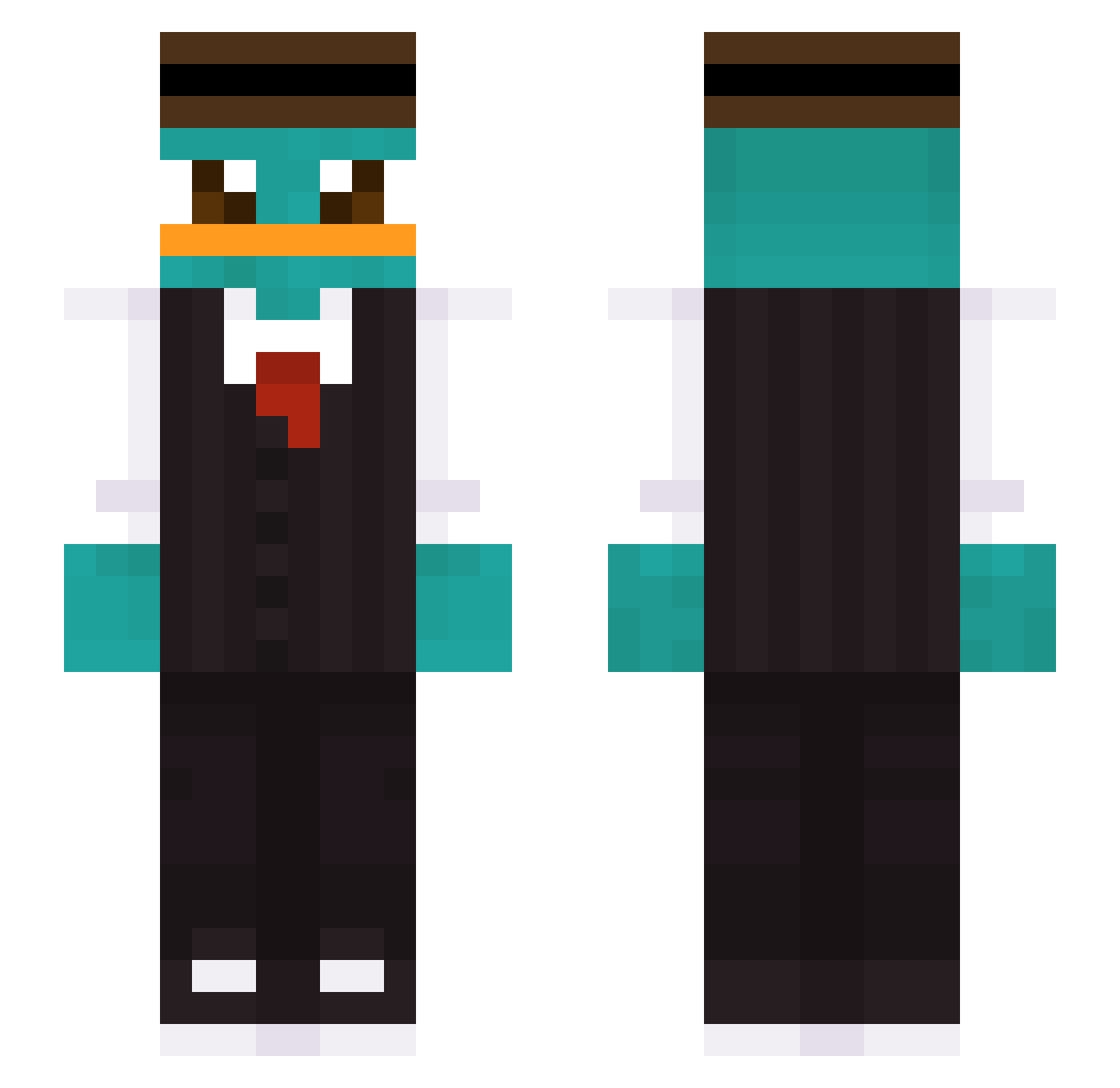
Current Minecraft skin of the player WhatThePhoque_, loaded from the official Mojang API. Rotate the 3D model with your mouse or finger, then download the skin as a PNG file and use it in Minecraft: Bedrock Edition or Java Edition for free. When WhatThePhoque_ changes their skin, this page updates automatically and the old skin stays in the history below.
Other players with this skin (347)
WhatThePhoque_ was the 306th player we have seen with this skin, first spotted on 13.10.2026. The same skin was seen on these players. Open a nickname to see their current skin and skin history.
 JNewts mudangbee Benjyone offensivy _MaGmaSky_ naslu dibee099 Voyage4You reorganised Luistanxk Pimpin600 MooderNn IAmJoeyYouKnow SWANNA04 ROBERTSEKIC kk19484 easy_nekit blaise31 _bigzy Beguizz usersnamesrawr atombs kokos222 DiamondCoco SammyWars11 Ranflita31 Criper246 Jovka12 LuisAHJ bob3030 P3RRY_PLATYPUS WhatThePhoque Elsham1r Discordances Rost1227 GhstSN Katzenhaifisch zxVodka Fu210Gura patientZ3R0_ tdsga SANTYY18 Bolt2115 Pipich4n TagglTiggl_ sleezy45 PIKETEMAN Kira1907 JPSM0310 Lantnero6969 YOLOSEBO CommanderCell husky77555 jotitaLAS KaUeYuRi Waschlxppxn Nekovex EvaG03 sander_rk Vruecken
More Platypus Minecraft skins
How to install the WhatThePhoque_ skin
- Press the Download button above to save the skin as a PNG file.
- Minecraft: Bedrock Edition (PE): open the Dressing Room from the main menu (or tap your character → Edit Character), go to Classic Skins → Owned, press the + (new skin) button, choose the downloaded PNG and pick the Slim (Alex) model. Works on PC and mobile; consoles cannot import custom skins.
- Minecraft: Java Edition: open the Minecraft Launcher, go to the Skins tab, click New Skin, load the PNG, pick the Slim (Alex) model and press Save & Use. You can also upload it at minecraft.net → Profile → Change Skin.
The skin does not show up after import - what should I do?
Restart Minecraft and open the Dressing Room again - imported skins sometimes appear only after a restart. Also make sure you selected the imported skin and picked the Slim (Alex) model.
Which model should I choose, Classic or Slim?
This skin is designed for the Slim (Alex) model. If you pick the wrong model, the arms of the skin will look stretched or squeezed.
Is the skin of WhatThePhoque_ free to download?
Yes. Press Download, save the PNG file and use it in Minecraft: Bedrock Edition or Java Edition - no payment or registration needed. The skin also works on multiplayer servers and Realms.
More skins
Looking for more? Go back to all Minecraft skins and check the top skins of the week, month and all time, or find any player's skin by nickname.