
Werths - Minecraft Skins & Skin History
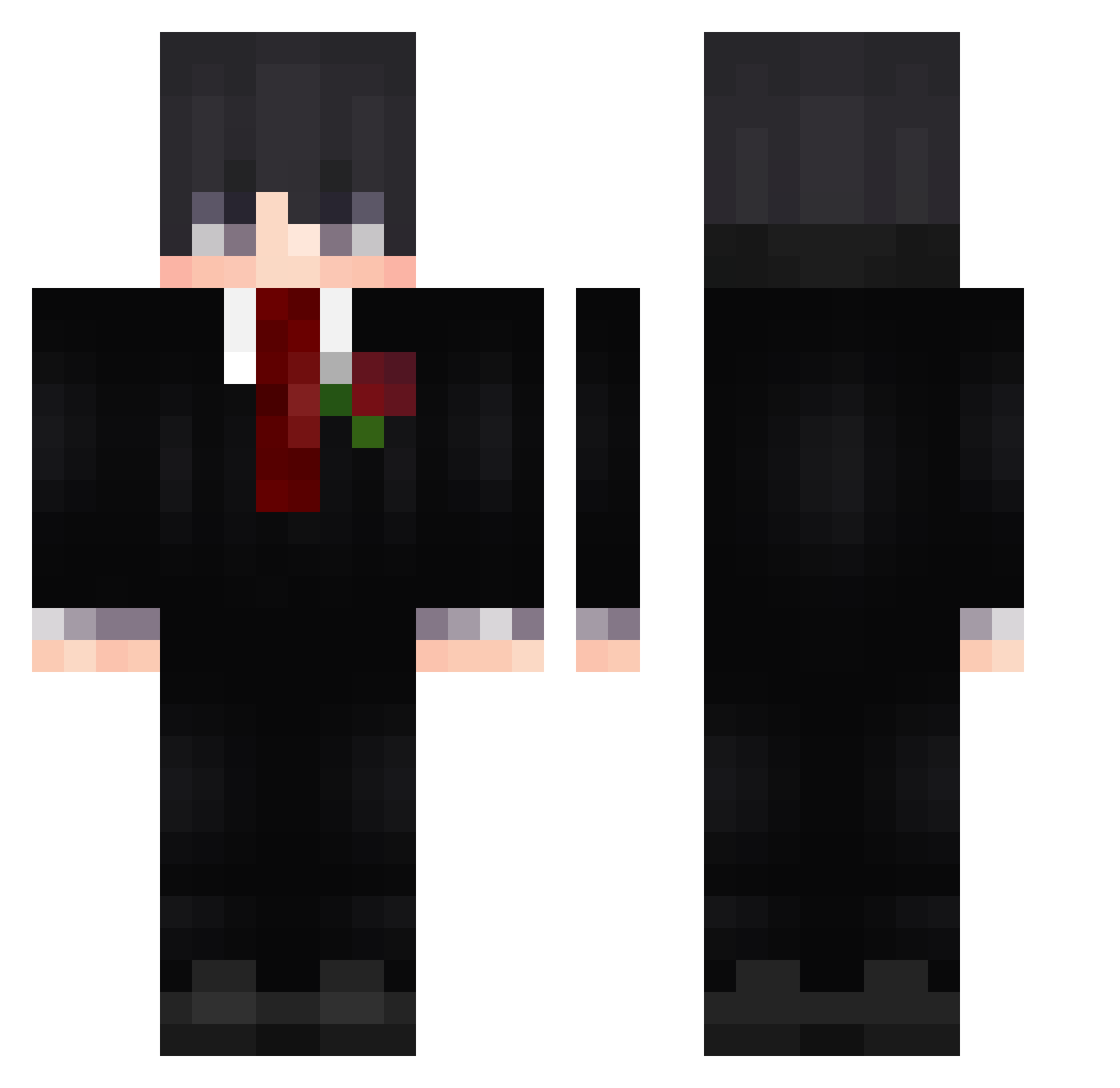
Current Minecraft skin of the player Werths, loaded from the official Mojang API. Rotate the 3D model with your mouse or finger, then download the skin as a PNG file and use it in Minecraft: Bedrock Edition or Java Edition for free. When Werths changes their skin, this page updates automatically and the old skin stays in the history below.
Other players with this skin (597)
Werths was the 400th player we have seen with this skin, first spotted on 03.10.2026. The same skin was seen on these players. Open a nickname to see their current skin and skin history.
 SipFox r1casy CGuan Yassine_95 _karan01 Zainiiii shiinwuu Tiantzz _System_09 ZeSunshine1 kevinho220 SillySamon577 t1nkoff SimplySoccer90 bz_78XDE_10_26 oskiskugs K0LIGT Adib87900 nalim2222 kennx_ MIC12138 patrykosss_08 Gustav0_02004 lycos333 ratrifa LukasL08 rrvenki ZXAXK_ iReqqu ChoppiNouuu Kamishiro21 Om3n_exe LakshXD1 TheMarcos0800 munasi69 Zerion88 KryzeX_X La1f Davidino29 Braynot06 Smokeew ZeinDragon Shayrix Zl_ScOrE Peramos12 capi434 s3_k vuxlie Odete Mrki48 Psycho_0o0 DeekuHehe RamirezHD QIS713 WhosYourDaddyyyy GUGGUkilla88 Dogzz_hearth Misiaczek_ BlackSad975 Vital_Yt
More Rose Minecraft skins
How to install the Werths skin
- Press the Download button above to save the skin as a PNG file.
- Minecraft: Bedrock Edition (PE): open the Dressing Room from the main menu (or tap your character → Edit Character), go to Classic Skins → Owned, press the + (new skin) button, choose the downloaded PNG and pick the Classic (Steve) model. Works on PC and mobile; consoles cannot import custom skins.
- Minecraft: Java Edition: open the Minecraft Launcher, go to the Skins tab, click New Skin, load the PNG, pick the Classic (Steve) model and press Save & Use. You can also upload it at minecraft.net → Profile → Change Skin.
The skin does not show up after import - what should I do?
Restart Minecraft and open the Dressing Room again - imported skins sometimes appear only after a restart. Also make sure you selected the imported skin and picked the Classic (Steve) model.
Which model should I choose, Classic or Slim?
This skin is designed for the Classic (Steve) model. If you pick the wrong model, the arms of the skin will look stretched or squeezed.
Is the skin of Werths free to download?
Yes. Press Download, save the PNG file and use it in Minecraft: Bedrock Edition or Java Edition - no payment or registration needed. The skin also works on multiplayer servers and Realms.
More skins
Looking for more? Go back to all Minecraft skins and check the top skins of the week, month and all time, or find any player's skin by nickname.