
Weissbier1999 - Minecraft Skins & Skin History
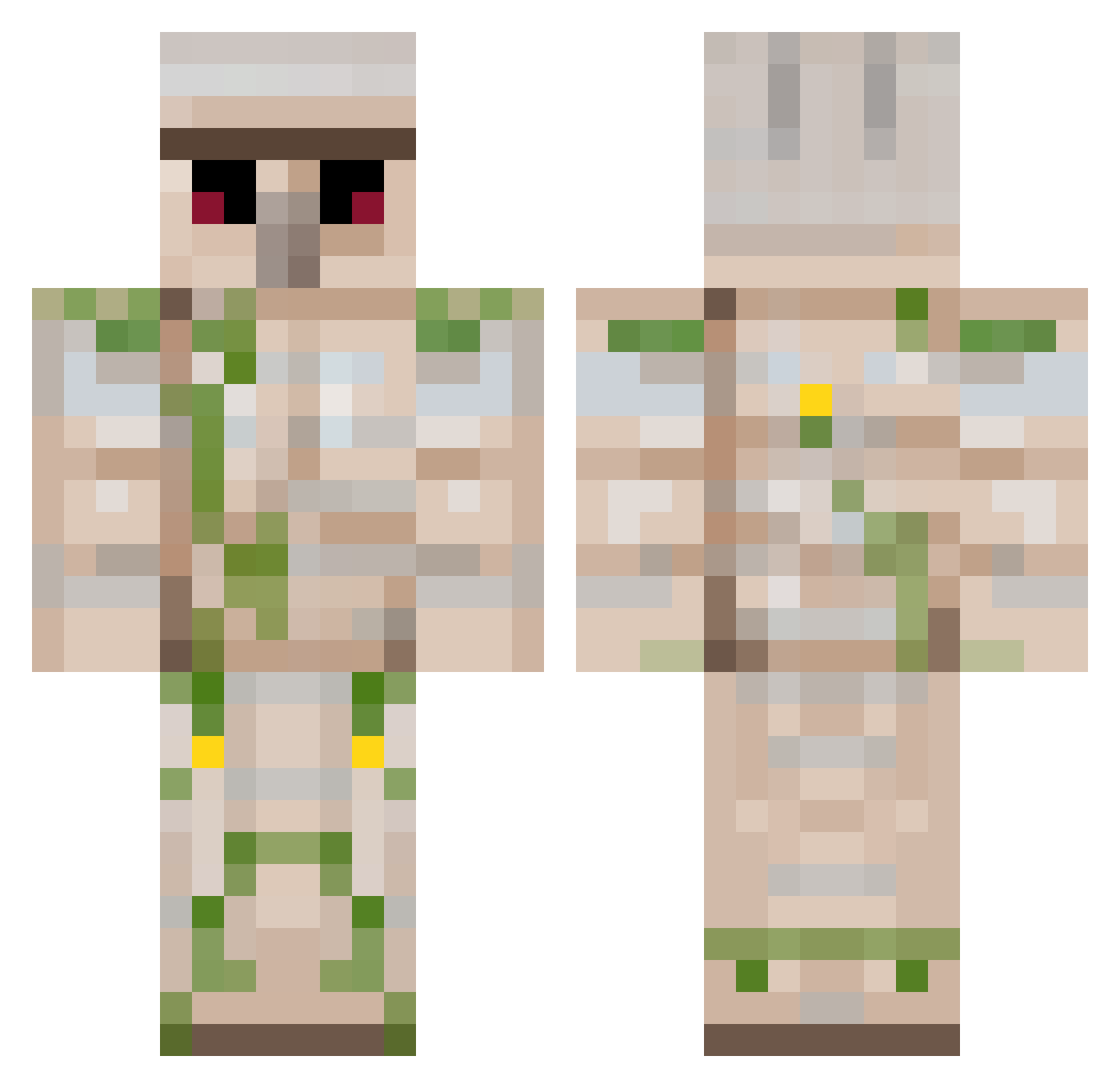
Current Minecraft skin of the player Weissbier1999, loaded from the official Mojang API. Rotate the 3D model with your mouse or finger, then download the skin as a PNG file and use it in Minecraft: Bedrock Edition or Java Edition for free. When Weissbier1999 changes their skin, this page updates automatically and the old skin stays in the history below.
Other players with this skin (222)
Weissbier1999 was the 170th player we have seen with this skin, first spotted on 14.10.2026. The same skin was seen on these players. Open a nickname to see their current skin and skin history.
 MEAT_LOVER69 Kranksrawrxz ql0v0lp Jindog Bobby6739 ArtisticLeaf googlemansam glschull jack_sodi TheDilios yunachin Shad6789 TheRuKey Jayman3041 Jimmytastisch sullivanjbh Kennardinbound TMD_Wesseltjuuhh Steve12011 PotatoNurfyBot OBEANY2012 LPjaAP tough1010 teamusa83 mark_robson equalto MCpim123 Captain__Sneaky SpawnClaim TehFayth xXPong_LenisXx Thrille BiggRobbHD sports102 xXWhiteDevilXx Exumas 21XxCrAzYKiDxX NA433N 64Block jakeyy09 someledgend ArcticFox120 yallstaythere lcblanchard Robot8A Amidror Little_Elephants antonjohansson72 Hellotoyou871 DiamondFart52 thesnace pakote DragonMaistir TheBigBen1220 dryet TheWestTzang Greninja_6 mfm9 PILFERCATE Huminamah
More Iron Golem Minecraft skins
How to install the Weissbier1999 skin
- Press the Download button above to save the skin as a PNG file.
- Minecraft: Bedrock Edition (PE): open the Dressing Room from the main menu (or tap your character → Edit Character), go to Classic Skins → Owned, press the + (new skin) button, choose the downloaded PNG and pick the Classic (Steve) model. Works on PC and mobile; consoles cannot import custom skins.
- Minecraft: Java Edition: open the Minecraft Launcher, go to the Skins tab, click New Skin, load the PNG, pick the Classic (Steve) model and press Save & Use. You can also upload it at minecraft.net → Profile → Change Skin.
The skin does not show up after import - what should I do?
Restart Minecraft and open the Dressing Room again - imported skins sometimes appear only after a restart. Also make sure you selected the imported skin and picked the Classic (Steve) model.
Which model should I choose, Classic or Slim?
This skin is designed for the Classic (Steve) model. If you pick the wrong model, the arms of the skin will look stretched or squeezed.
Is the skin of Weissbier1999 free to download?
Yes. Press Download, save the PNG file and use it in Minecraft: Bedrock Edition or Java Edition - no payment or registration needed. The skin also works on multiplayer servers and Realms.
More skins
Looking for more? Go back to all Minecraft skins and check the top skins of the week, month and all time, or find any player's skin by nickname.