
WeeTiger724135 - Minecraft Skins & Skin History
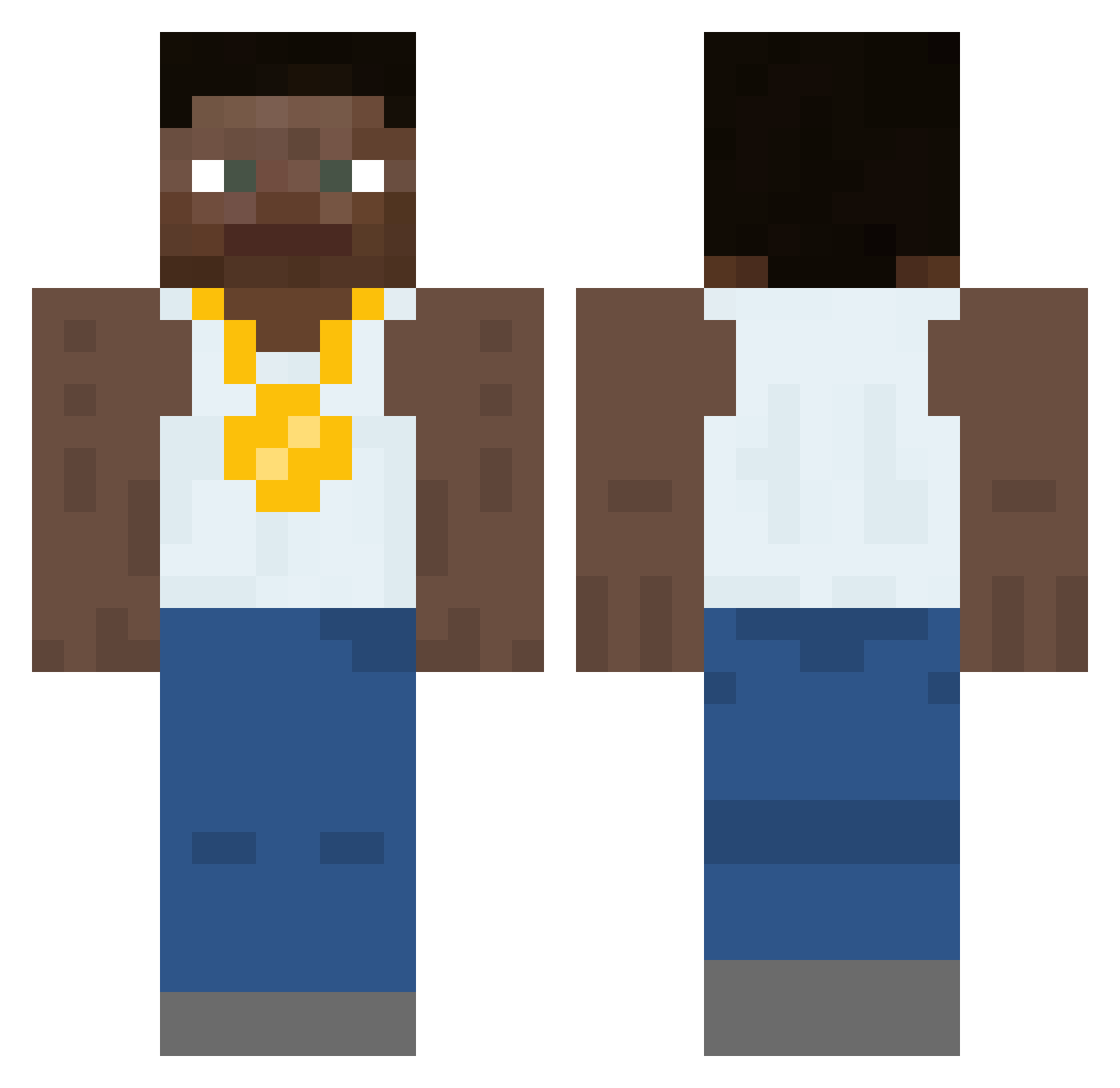
Current Minecraft skin of the player WeeTiger724135, loaded from the official Mojang API. Rotate the 3D model with your mouse or finger, then download the skin as a PNG file and use it in Minecraft: Bedrock Edition or Java Edition for free. When WeeTiger724135 changes their skin, this page updates automatically and the old skin stays in the history below.
Other players with this skin (453)
WeeTiger724135 was the 398th player we have seen with this skin, first spotted on 21.10.2026. The same skin was seen on these players. Open a nickname to see their current skin and skin history.
 UnyP4nda JohnyDvic jvyaa DerpyDigital Drewasty ElvishTurtle49 majorpain73 PearlExploiter JahBama MetallSumpf4598 Nnock czajsonq _ImTyrone Chodyblody MonkeyHueHue Jamal_Tyrone EL_Mapache612 glxnar bigGuse InactiveNoob Diaper Jayylon ___kebab DrRino Daitex j0biwan MrMinecrafting smalldrop LeFlamingKitten tom4sz3q chkn_nugger okochaa Ylemx pugmas steamedhams0 ProThanos Rick_Whitechan unneededweasel contradictoryIm monsolis_ dylanlpa Pezetinho Bananenfriedhof ZTass Steverbeaver01 srsairbag Maddox5622 mailbox29 lol79 rooobbert lavndr John_F_Kennedy32 howdyelijah misuses Ykcabbage catalog98 richminion12 _Johnny_Sins_ PeterGriffinSama brite_bomber123
More Gold Chain Minecraft skins
How to install the WeeTiger724135 skin
- Press the Download button above to save the skin as a PNG file.
- Minecraft: Bedrock Edition (PE): open the Dressing Room from the main menu (or tap your character → Edit Character), go to Classic Skins → Owned, press the + (new skin) button, choose the downloaded PNG and pick the Classic (Steve) model. Works on PC and mobile; consoles cannot import custom skins.
- Minecraft: Java Edition: open the Minecraft Launcher, go to the Skins tab, click New Skin, load the PNG, pick the Classic (Steve) model and press Save & Use. You can also upload it at minecraft.net → Profile → Change Skin.
The skin does not show up after import - what should I do?
Restart Minecraft and open the Dressing Room again - imported skins sometimes appear only after a restart. Also make sure you selected the imported skin and picked the Classic (Steve) model.
Which model should I choose, Classic or Slim?
This skin is designed for the Classic (Steve) model. If you pick the wrong model, the arms of the skin will look stretched or squeezed.
Is the skin of WeeTiger724135 free to download?
Yes. Press Download, save the PNG file and use it in Minecraft: Bedrock Edition or Java Edition - no payment or registration needed. The skin also works on multiplayer servers and Realms.
More skins
Looking for more? Go back to all Minecraft skins and check the top skins of the week, month and all time, or find any player's skin by nickname.