
WeWeee_ - Minecraft Skins & Skin History
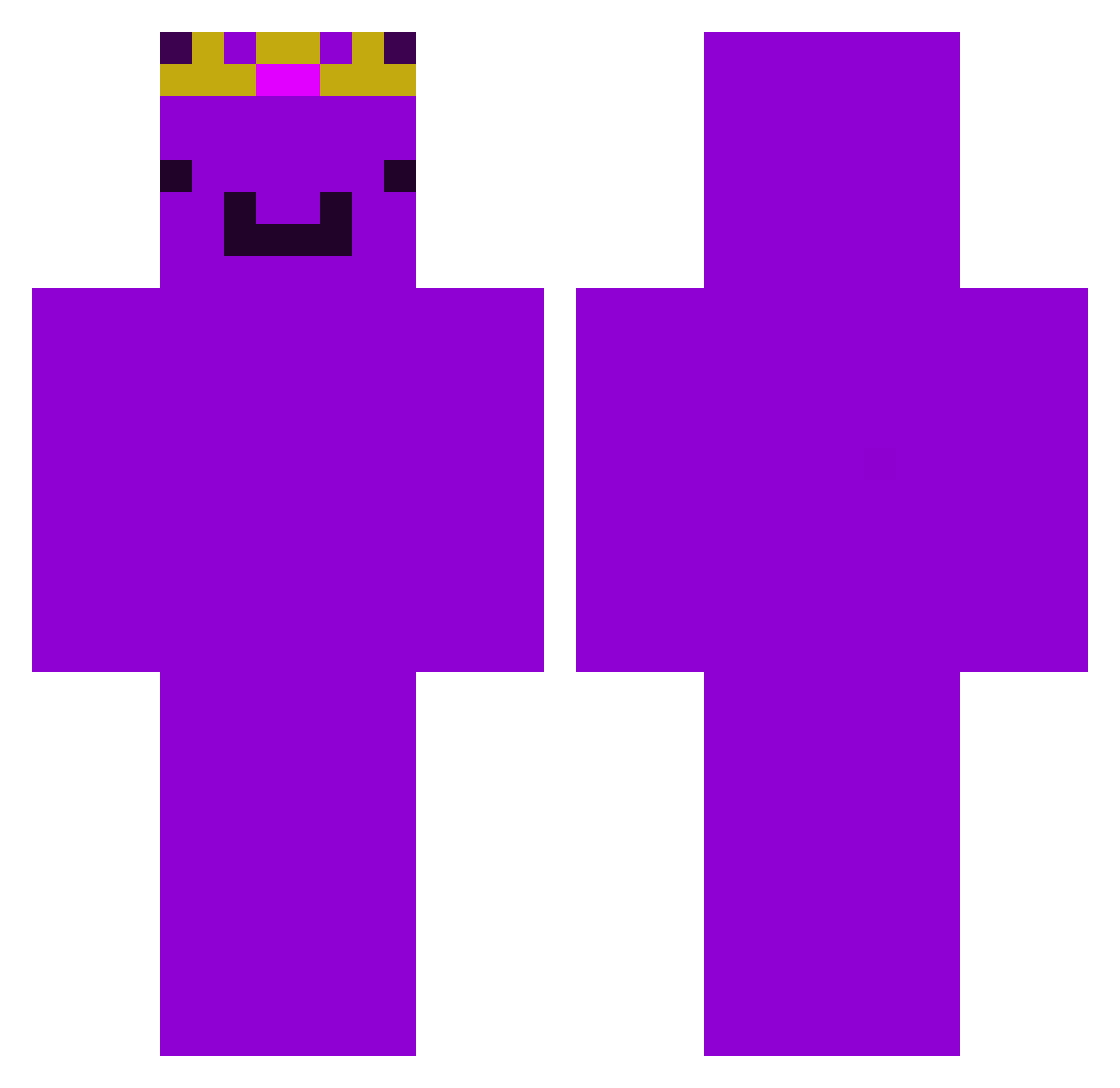
Current Minecraft skin of the player WeWeee_, loaded from the official Mojang API. Rotate the 3D model with your mouse or finger, then download the skin as a PNG file and use it in Minecraft: Bedrock Edition or Java Edition for free. When WeWeee_ changes their skin, this page updates automatically and the old skin stays in the history below.
Other players with this skin (532)
WeWeee_ was the 500th player we have seen with this skin, first spotted on 14.11.2026. The same skin was seen on these players. Open a nickname to see their current skin and skin history.
 Sliversurfer GroxMCC sincos7 Kingerdem57344 MrKipachu LameloBryant Ribbinator MingYun02 Lucasso09_Papera FizzWRLD SNAQUES Chickenjockey158 thepencil_27 MythicalMallard LowkAnFelix Leopvs DitisdeDKshow ValtryakBlaze mikejsmike lubiepingwinki crystalweed CR7patrick567 horica2000 Diamond__Fox InnateKiki x200mason Guustavo8 overcalls DJDilba theobaldthebird0 BlizzardArc1333 sweps__ gson7 waugusta SirPhate Kobe_Cobain relaxingRelaxo LarsAbiii witeko71 piercemortal TomikTrolik Optic_vr Stanched eoghkd RabbidMC ZeciaczK ItsLee95 KotekSmoczek Not_Krishuu TReverie poptrop LordSam26 irugiii KaiakX2 HyperAlarm puurity Noah4444 Mili_012 WagoonDragoon H1nes
More Crown Minecraft skins
How to install the WeWeee_ skin
- Press the Download button above to save the skin as a PNG file.
- Minecraft: Bedrock Edition (PE): open the Dressing Room from the main menu (or tap your character → Edit Character), go to Classic Skins → Owned, press the + (new skin) button, choose the downloaded PNG and pick the Classic (Steve) model. Works on PC and mobile; consoles cannot import custom skins.
- Minecraft: Java Edition: open the Minecraft Launcher, go to the Skins tab, click New Skin, load the PNG, pick the Classic (Steve) model and press Save & Use. You can also upload it at minecraft.net → Profile → Change Skin.
The skin does not show up after import - what should I do?
Restart Minecraft and open the Dressing Room again - imported skins sometimes appear only after a restart. Also make sure you selected the imported skin and picked the Classic (Steve) model.
Which model should I choose, Classic or Slim?
This skin is designed for the Classic (Steve) model. If you pick the wrong model, the arms of the skin will look stretched or squeezed.
Is the skin of WeWeee_ free to download?
Yes. Press Download, save the PNG file and use it in Minecraft: Bedrock Edition or Java Edition - no payment or registration needed. The skin also works on multiplayer servers and Realms.
More skins
Looking for more? Go back to all Minecraft skins and check the top skins of the week, month and all time, or find any player's skin by nickname.