
Wbms - Minecraft Skins & Skin History
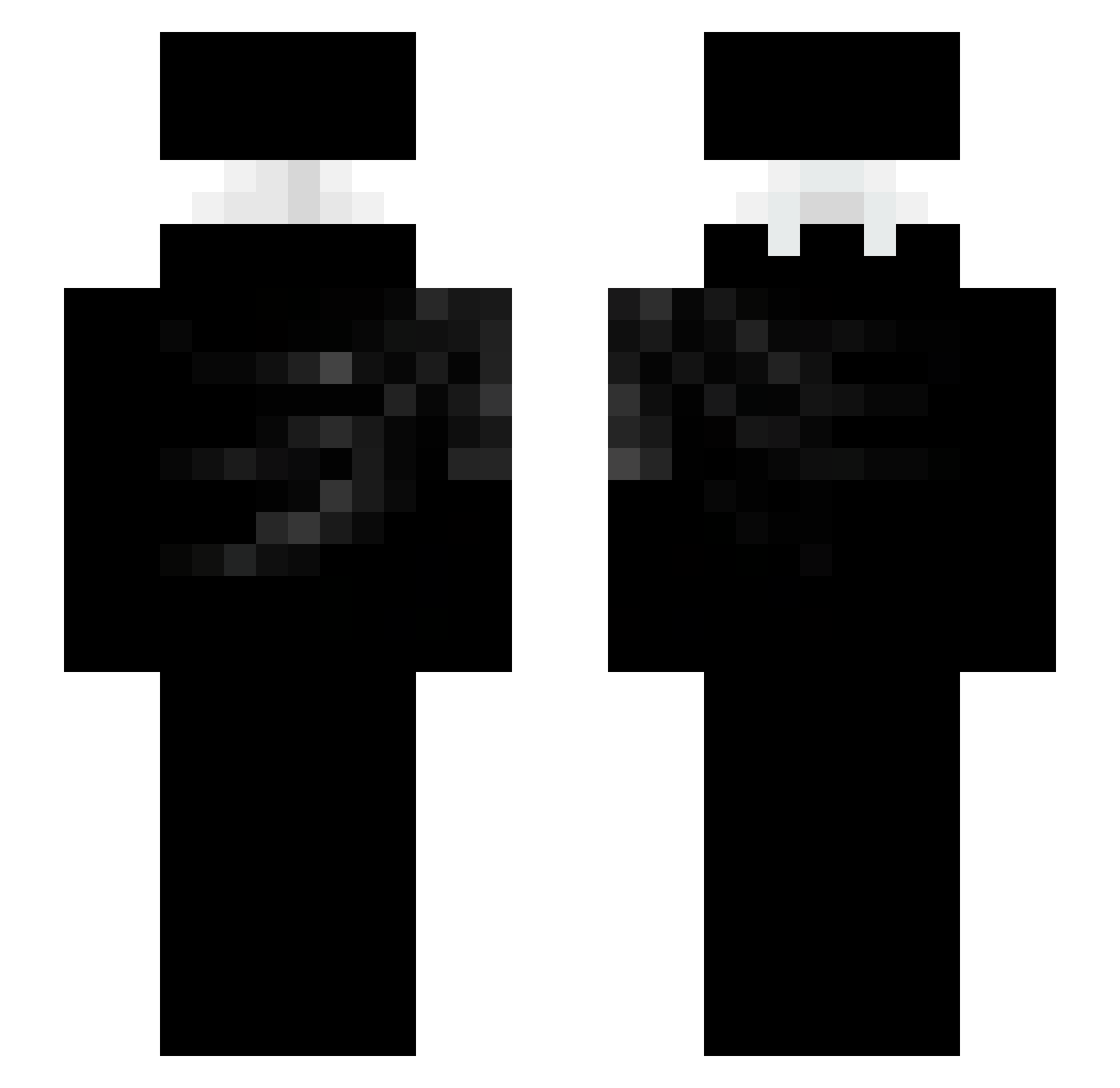
Current Minecraft skin of the player Wbms, loaded from the official Mojang API. Rotate the 3D model with your mouse or finger, then download the skin as a PNG file and use it in Minecraft: Bedrock Edition or Java Edition for free. When Wbms changes their skin, this page updates automatically and the old skin stays in the history below.
Other players with this skin (93)
Wbms was the 69th player we have seen with this skin, first spotted on 05.10.2026. The same skin was seen on these players. Open a nickname to see their current skin and skin history.
 FireChickenBlade TwiezyPLS SULTANKWT23 jr_7077 K1ng_inYellow MureFold LEONARDO291020 jojitoackerman iseromvp glix__01 Antixnity KsaweryPLpro jph888 starcheese7336 randihsenzu Ksawci0_2610 MxlyOz DawnBringer1 v4k4 Lian011 paul2418 cronixxxx zDrakken iTzFloow DIBBLYDOOM5227 Yusr8249 ydnd kaetzchen_187 Lipezx76 Biit_D cclcl7 KxnanAbi NullSyntaxx St4rv liyes87 Entrosando neurolynx TURZINDOPAO999 0COBRAAX0 MainGear2 MVP127
 xd_boxingmaster Itzdanee zSWEYz Jaeb_Chalom solitary666 certainqd eorud66 reconquistaram SpaceKru adnp Akseli_Leevi shrimpk0 locopr1017
 Dr_Pleite xTomaszek1337 Tnz_easy ZoZeto sami_4297 ppupsies
More Ninja Minecraft skins
How to install the Wbms skin
- Press the Download button above to save the skin as a PNG file.
- Minecraft: Bedrock Edition (PE): open the Dressing Room from the main menu (or tap your character → Edit Character), go to Classic Skins → Owned, press the + (new skin) button, choose the downloaded PNG and pick the Slim (Alex) model. Works on PC and mobile; consoles cannot import custom skins.
- Minecraft: Java Edition: open the Minecraft Launcher, go to the Skins tab, click New Skin, load the PNG, pick the Slim (Alex) model and press Save & Use. You can also upload it at minecraft.net → Profile → Change Skin.
The skin does not show up after import - what should I do?
Restart Minecraft and open the Dressing Room again - imported skins sometimes appear only after a restart. Also make sure you selected the imported skin and picked the Slim (Alex) model.
Which model should I choose, Classic or Slim?
This skin is designed for the Slim (Alex) model. If you pick the wrong model, the arms of the skin will look stretched or squeezed.
Is the skin of Wbms free to download?
Yes. Press Download, save the PNG file and use it in Minecraft: Bedrock Edition or Java Edition - no payment or registration needed. The skin also works on multiplayer servers and Realms.
More skins
Looking for more? Go back to all Minecraft skins and check the top skins of the week, month and all time, or find any player's skin by nickname.