
WasdTheory - Minecraft Skins & Skin History
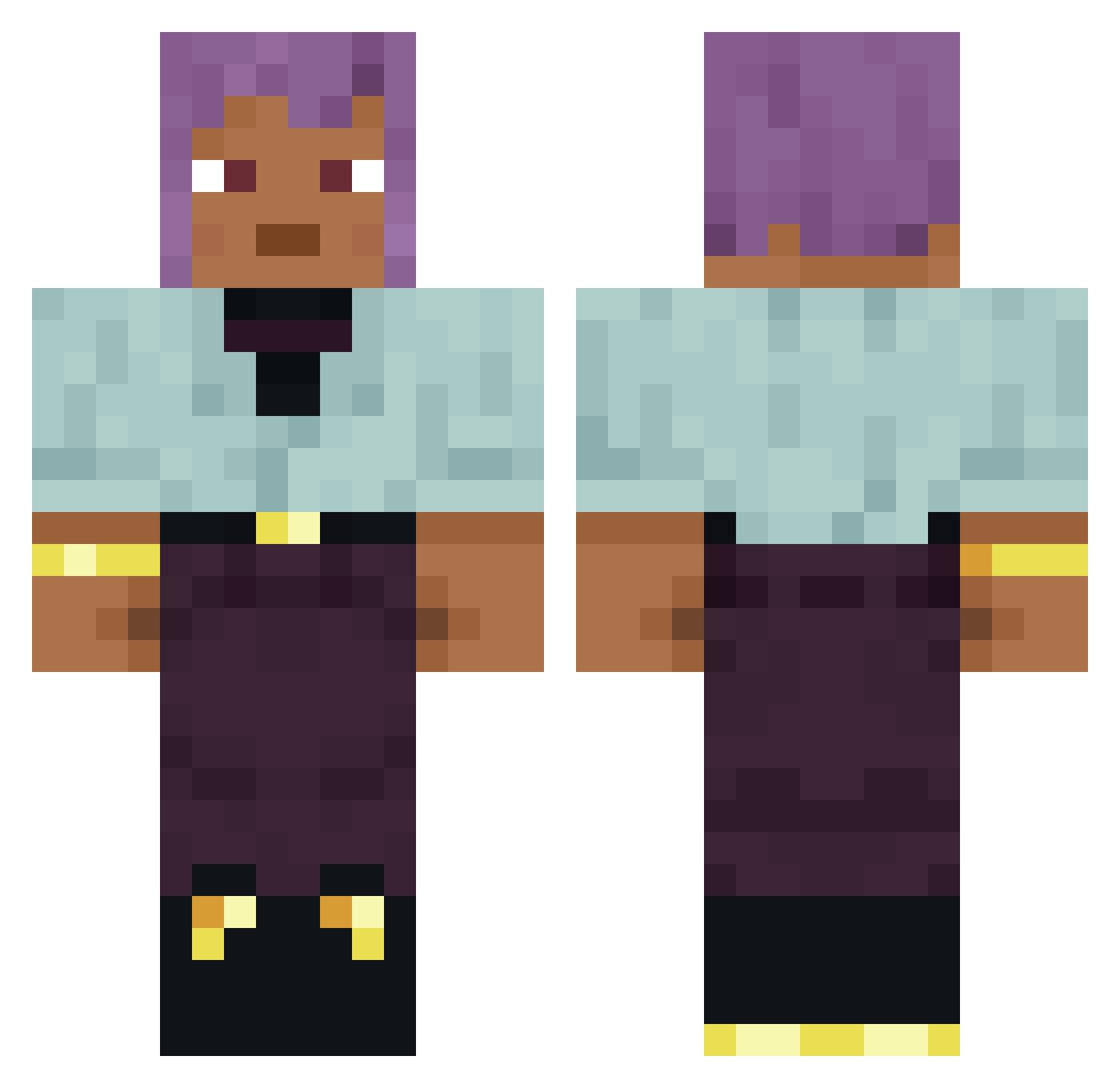
Current Minecraft skin of the player WasdTheory, loaded from the official Mojang API. Rotate the 3D model with your mouse or finger, then download the skin as a PNG file and use it in Minecraft: Bedrock Edition or Java Edition for free. When WasdTheory changes their skin, this page updates automatically and the old skin stays in the history below.
Other players with this skin (879)
WasdTheory was the 497th player we have seen with this skin, first spotted on 26.09.2026. The same skin was seen on these players. Open a nickname to see their current skin and skin history.
 Raylet Ambach Celloist funerary evity Xyleee SaltShaker trudey hoary kahu EasyFarmer333 youngwhitedevill outfigure spessartine Tiered Borana JackO oyfgj3ekgob Moncolus769 Refinish lwop Tswift88 corbet Farrier aurnaurdood _Zoka sylfas Guland Mesmerian bedders Embroiled Tangye_v3 tomstash Magnus_staff austindehalt hitl3r2137 illu001 Chazyh RozeInSky bawsi Fruiter Minae frontrunner Mirza_Kibar rwnz puckfist Shorttail ballgame Kawpos13 PanzerS kmco quotidian Teety Mr_Uri Liberator dataset daveyfles Bromite Cautiones ToxicScot
How to install the WasdTheory skin
- Press the Download button above to save the skin as a PNG file.
- Minecraft: Bedrock Edition (PE): open the Dressing Room from the main menu (or tap your character → Edit Character), go to Classic Skins → Owned, press the + (new skin) button, choose the downloaded PNG and pick the Classic (Steve) model. Works on PC and mobile; consoles cannot import custom skins.
- Minecraft: Java Edition: open the Minecraft Launcher, go to the Skins tab, click New Skin, load the PNG, pick the Classic (Steve) model and press Save & Use. You can also upload it at minecraft.net → Profile → Change Skin.
The skin does not show up after import - what should I do?
Restart Minecraft and open the Dressing Room again - imported skins sometimes appear only after a restart. Also make sure you selected the imported skin and picked the Classic (Steve) model.
Which model should I choose, Classic or Slim?
This skin is designed for the Classic (Steve) model. If you pick the wrong model, the arms of the skin will look stretched or squeezed.
Is the skin of WasdTheory free to download?
Yes. Press Download, save the PNG file and use it in Minecraft: Bedrock Edition or Java Edition - no payment or registration needed. The skin also works on multiplayer servers and Realms.
More skins
Looking for more? Go back to all Minecraft skins and check the top skins of the week, month and all time, or find any player's skin by nickname.