
Waassuu - Minecraft Skins & Skin History
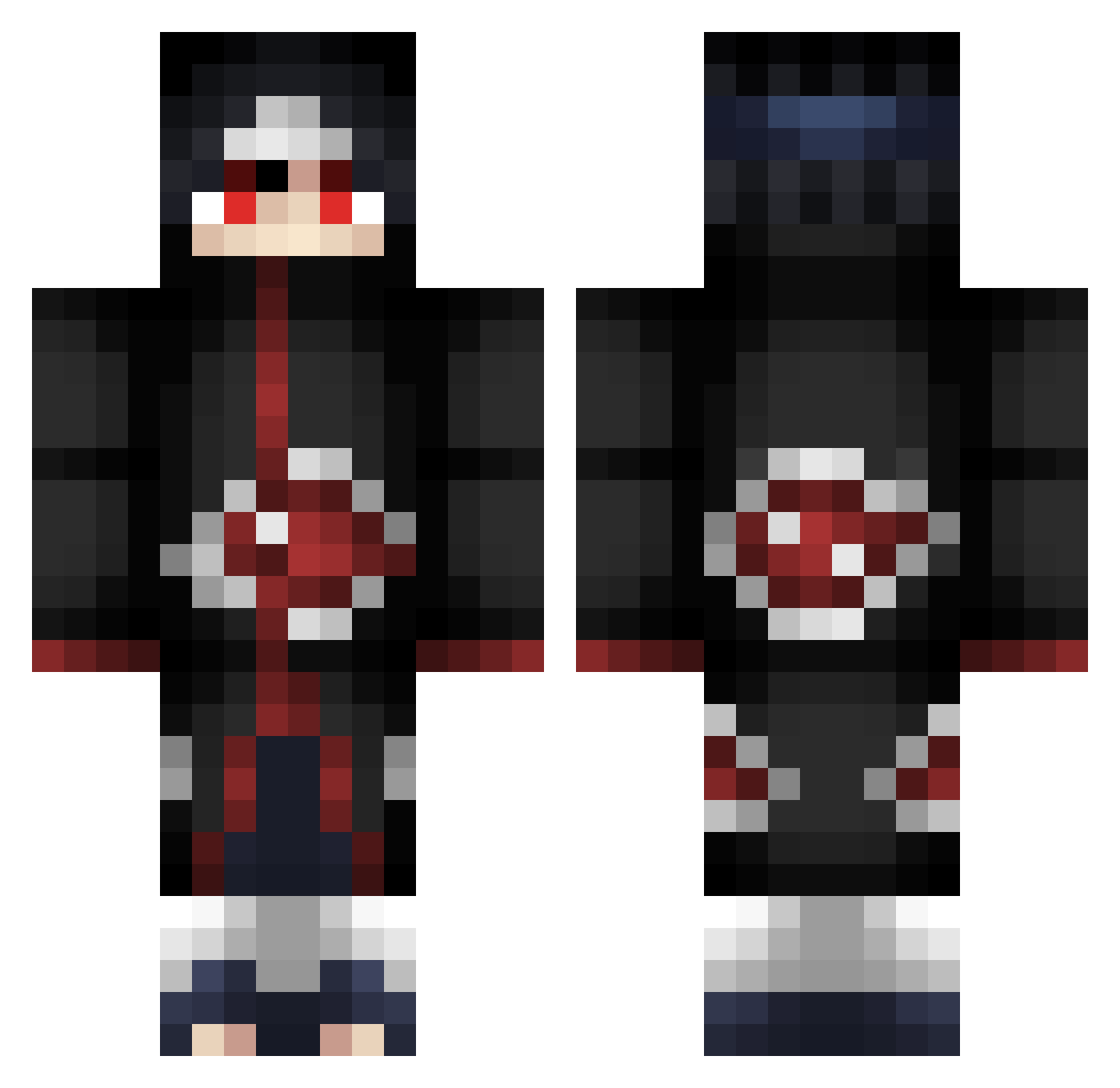
Current Minecraft skin of the player Waassuu, loaded from the official Mojang API. Rotate the 3D model with your mouse or finger, then download the skin as a PNG file and use it in Minecraft: Bedrock Edition or Java Edition for free. When Waassuu changes their skin, this page updates automatically and the old skin stays in the history below.
Other players with this skin (253)
Waassuu was the 114th player we have seen with this skin, first spotted on 03.09.2026. The same skin was seen on these players. Open a nickname to see their current skin and skin history.
 Kohyed Yannik_DM Vodkarl uhHIIQO xMunegu LilBoPeep666 Breadding chang878 WyattIsAGamer servvanK Maesterxzed DartenBR The_Silentium pure_rex AshtonMMo6 itachi59150 EnvyReapers Sosandrochka Keyziano TBoneAPH Dunkun_cwfd X1kedxx Thicc_Bill YocfPc vaporofthewave dodolin StephaaNN_ DexterFm CodioFess EastSidee laVarenik Wasami69 dab1ron ASTCN003 Fakka123 JulzHyper Rummy159 SneaIKz Killerjacha L_Oksiris_L noahbeast01 Yosinn Sameel_ Lapoire923 K2TheGoat Kocytean Tenjei ILikeChildren123 EnotAkaSobaka tawfi11 Numekami Crxnoz VictorCST neen21 DetlefDeeSooS Gindl_ Rezeam Serixx_ Hacksz KikoUchiha_25
More Itachi Uchiha Minecraft skins
See all 318 Itachi Uchiha skins
How to install the Waassuu skin
- Press the Download button above to save the skin as a PNG file.
- Minecraft: Bedrock Edition (PE): open the Dressing Room from the main menu (or tap your character → Edit Character), go to Classic Skins → Owned, press the + (new skin) button, choose the downloaded PNG and pick the Classic (Steve) model. Works on PC and mobile; consoles cannot import custom skins.
- Minecraft: Java Edition: open the Minecraft Launcher, go to the Skins tab, click New Skin, load the PNG, pick the Classic (Steve) model and press Save & Use. You can also upload it at minecraft.net → Profile → Change Skin.
The skin does not show up after import - what should I do?
Restart Minecraft and open the Dressing Room again - imported skins sometimes appear only after a restart. Also make sure you selected the imported skin and picked the Classic (Steve) model.
Which model should I choose, Classic or Slim?
This skin is designed for the Classic (Steve) model. If you pick the wrong model, the arms of the skin will look stretched or squeezed.
Is the skin of Waassuu free to download?
Yes. Press Download, save the PNG file and use it in Minecraft: Bedrock Edition or Java Edition - no payment or registration needed. The skin also works on multiplayer servers and Realms.
More skins
Looking for more? Go back to all Minecraft skins and check the top skins of the week, month and all time, or find any player's skin by nickname.