
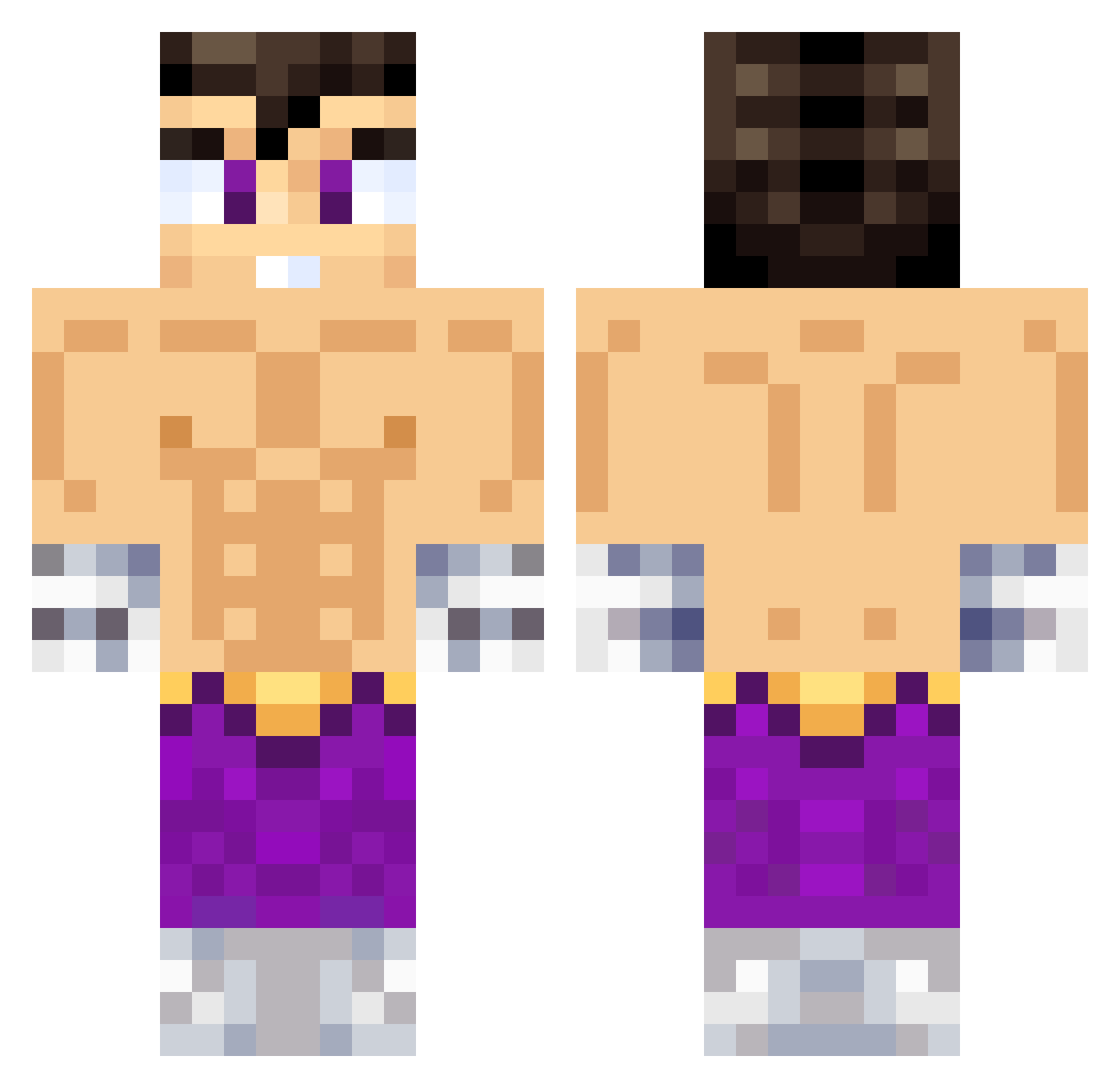
Current Minecraft skin of the player W3VOzZ, loaded from the official Mojang API. Rotate the 3D model with your mouse or finger, then download the skin as a PNG file and use it in Minecraft: Bedrock Edition or Java Edition for free. When W3VOzZ changes their skin, this page updates automatically and the old skin stays in the history below.
Other players with this skin (495)
W3VOzZ was the 416th player we have seen with this skin, first spotted on 04.10.2026. The same skin was seen on these players. Open a nickname to see their current skin and skin history.
 SaulNA pauliho05 FUERAVENEKOS CableCrossover Marquini3 uanito100 Almgvr Parosan20 MrStar2909 Lupillas_OP Kepra17 MiniValen202 TOOLITOO PeterCL D136O_ Ojisan92 Artati97 hackmangaymer777 sebashron minickong AdrianoF16 JoaquinChuaa fankeyu Juanma2409 itvdani Pavi_09 Miguelef josepgomila Moristeenmadrid Manuccio Paalomino_ Xozt gena_10 JONYTTGAME kimitoDRC exclavadeoro julilopez Santi192 4nikko holaasoyteoo JLO6267 Shydrox Santiag01891 Tingasst BeakedPants2438 Tomillo2 Mago1228 Guillote777 Cristoxchifu aim_bry TibialSeeker SaturnitoCR hooni_7 elimacoga270 Fh4z ferni13 LautiLink seguplay4 KillerMap7 Zen135
More Jin Kazama Minecraft skins
How to install the W3VOzZ skin
- Press the Download button above to save the skin as a PNG file.
- Minecraft: Bedrock Edition (PE): open the Dressing Room from the main menu (or tap your character → Edit Character), go to Classic Skins → Owned, press the + (new skin) button, choose the downloaded PNG and pick the Classic (Steve) model. Works on PC and mobile; consoles cannot import custom skins.
- Minecraft: Java Edition: open the Minecraft Launcher, go to the Skins tab, click New Skin, load the PNG, pick the Classic (Steve) model and press Save & Use. You can also upload it at minecraft.net → Profile → Change Skin.
The skin does not show up after import - what should I do?
Restart Minecraft and open the Dressing Room again - imported skins sometimes appear only after a restart. Also make sure you selected the imported skin and picked the Classic (Steve) model.
Which model should I choose, Classic or Slim?
This skin is designed for the Classic (Steve) model. If you pick the wrong model, the arms of the skin will look stretched or squeezed.
Is the skin of W3VOzZ free to download?
Yes. Press Download, save the PNG file and use it in Minecraft: Bedrock Edition or Java Edition - no payment or registration needed. The skin also works on multiplayer servers and Realms.
More skins
Looking for more? Go back to all Minecraft skins and check the top skins of the week, month and all time, or find any player's skin by nickname.