
Vynlazer - Minecraft Skins & Skin History
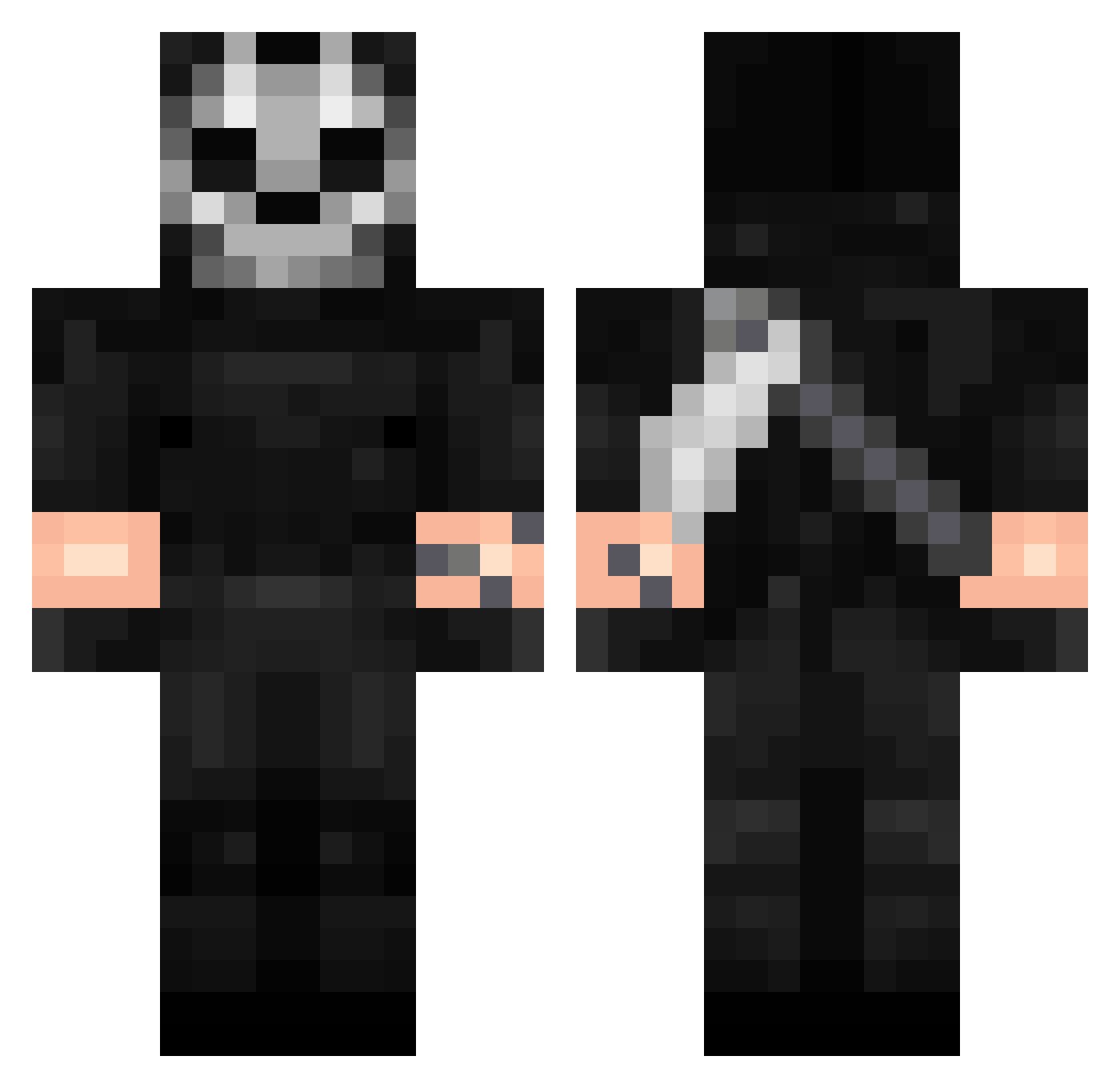
Current Minecraft skin of the player Vynlazer, loaded from the official Mojang API. Rotate the 3D model with your mouse or finger, then download the skin as a PNG file and use it in Minecraft: Bedrock Edition or Java Edition for free. When Vynlazer changes their skin, this page updates automatically and the old skin stays in the history below.
Other players with this skin (342)
Vynlazer was the 227th player we have seen with this skin, first spotted on 05.10.2026. The same skin was seen on these players. Open a nickname to see their current skin and skin history.
 bermudajeans troler1 gimbit69 MaskofOni StormyNightSkyes wojtas0207 kew_07 ipyjum L4t1 GhostWalks With0ut_ Aras2507 _DemonLucky_ koshiro75 MENINBLACK20 Sok1l mrpickleroll AlexDJ FDG_Ghost Christian7833 Ne1l953 Joade04 FoxProductions20 WYDRA3 adancristian raegra Limortalee Thomasasas MKMR43 SpiderRoses22 JudasZ96 Tahov68 Mingodd NakamuraStraxzZ SorgenloserFalke Chialy Its_Nismo HITPLAYER1 ElBigGordoo Gooberbit EHQZZ burpat01 Trico_1013 JEYSINHO Gerokor Eagle730 Kokushiibouu Puuuuiiiiink monster_miso ObsessedSpinZ beanercheater420 4zerz_ Sestiane jambo300 Rhyskad GustasMorgs Ghost_MK1 Eriksant_ Yzzo_ Le_PONG
More Call Of Duty Minecraft skins
See all 164 Call Of Duty skins
How to install the Vynlazer skin
- Press the Download button above to save the skin as a PNG file.
- Minecraft: Bedrock Edition (PE): open the Dressing Room from the main menu (or tap your character → Edit Character), go to Classic Skins → Owned, press the + (new skin) button, choose the downloaded PNG and pick the Classic (Steve) model. Works on PC and mobile; consoles cannot import custom skins.
- Minecraft: Java Edition: open the Minecraft Launcher, go to the Skins tab, click New Skin, load the PNG, pick the Classic (Steve) model and press Save & Use. You can also upload it at minecraft.net → Profile → Change Skin.
The skin does not show up after import - what should I do?
Restart Minecraft and open the Dressing Room again - imported skins sometimes appear only after a restart. Also make sure you selected the imported skin and picked the Classic (Steve) model.
Which model should I choose, Classic or Slim?
This skin is designed for the Classic (Steve) model. If you pick the wrong model, the arms of the skin will look stretched or squeezed.
Is the skin of Vynlazer free to download?
Yes. Press Download, save the PNG file and use it in Minecraft: Bedrock Edition or Java Edition - no payment or registration needed. The skin also works on multiplayer servers and Realms.
More skins
Looking for more? Go back to all Minecraft skins and check the top skins of the week, month and all time, or find any player's skin by nickname.