
Vivayo365 - Minecraft Skins & Skin History
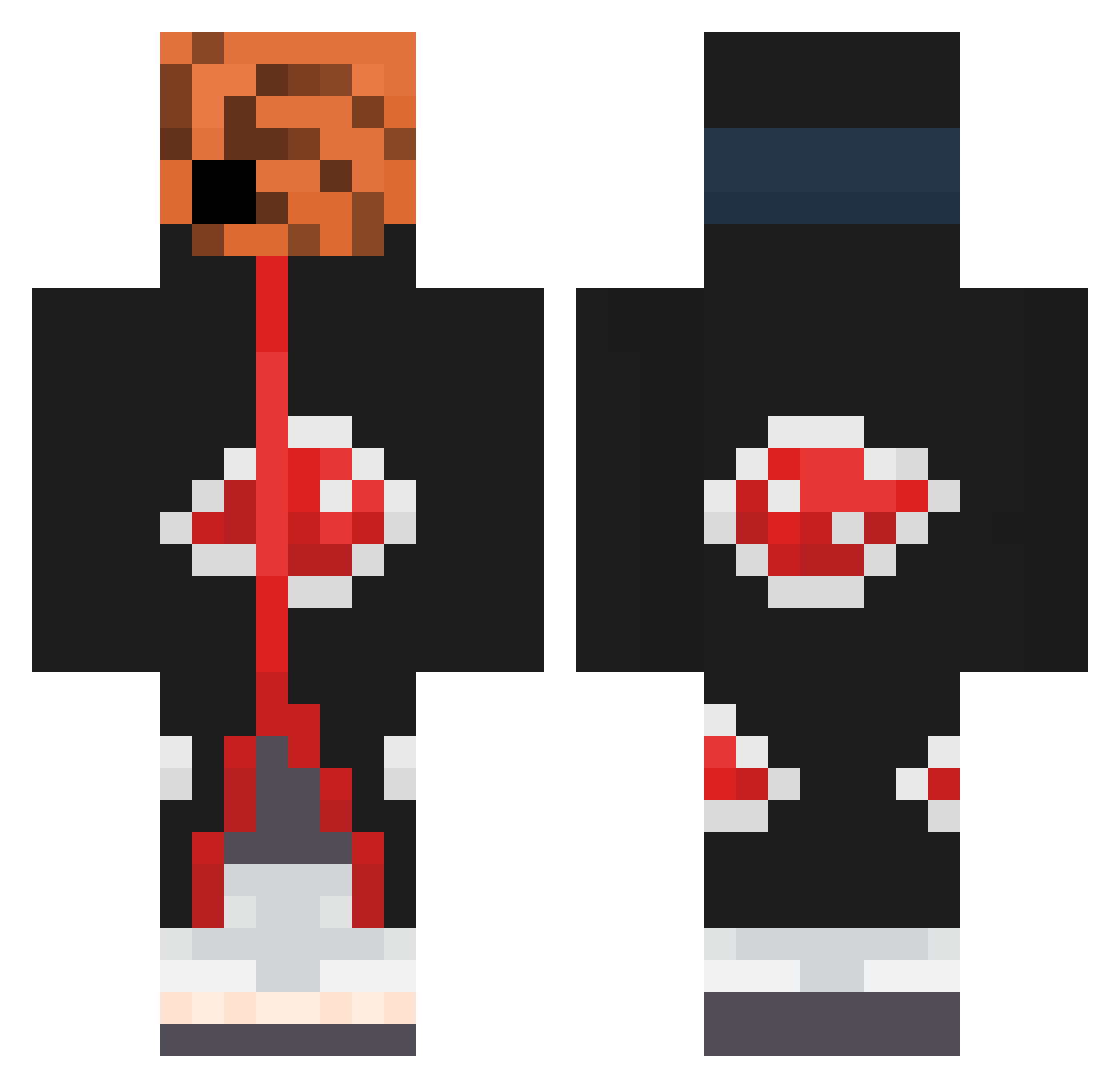
Current Minecraft skin of the player Vivayo365, loaded from the official Mojang API. Rotate the 3D model with your mouse or finger, then download the skin as a PNG file and use it in Minecraft: Bedrock Edition or Java Edition for free. When Vivayo365 changes their skin, this page updates automatically and the old skin stays in the history below.
Other players with this skin (385)
Vivayo365 was the 206th player we have seen with this skin, first spotted on 23.09.2026. The same skin was seen on these players. Open a nickname to see their current skin and skin history.
 gaoz1213q thebubblegum06 Maimywaifu ROROLucifer M0nk3yMaId danilka7 Torment963 Shurik2704 reesespeices30 Joe_mama30 Neygas_Bonair Arnaud2cz SierraFr Chrisjoseph69 JohnnyMisty Simboii NoNicoNi draco2013 trxgix Toniak2115 LaiOxO NLECHOPPAX1 Vivayo1 cHocapik97 mikedelano 0z00m0 Andrevv_Tate Romeo_z Mvrchizera pigslippers ShoneRRXXX Itzsharx davipenz Taya95 tutnadpis KillerzombiesAMC splitsss k18593 Kahuika12 bogo319 ObitoUchihaa Derumowsky Terkan_ waaje97 jeff214721 goomba15643 Trillix47 CogeHuLz Darling0216 YaKuuuZZa Palito12 Spi3ke wilLqvv Enzoo4949 21ll0 Noma_n Yao_Mo big_boy_trainer2 Emryc Fraurora
More Obito Uchiha Minecraft skins
See all 156 Obito Uchiha skins
How to install the Vivayo365 skin
- Press the Download button above to save the skin as a PNG file.
- Minecraft: Bedrock Edition (PE): open the Dressing Room from the main menu (or tap your character → Edit Character), go to Classic Skins → Owned, press the + (new skin) button, choose the downloaded PNG and pick the Classic (Steve) model. Works on PC and mobile; consoles cannot import custom skins.
- Minecraft: Java Edition: open the Minecraft Launcher, go to the Skins tab, click New Skin, load the PNG, pick the Classic (Steve) model and press Save & Use. You can also upload it at minecraft.net → Profile → Change Skin.
The skin does not show up after import - what should I do?
Restart Minecraft and open the Dressing Room again - imported skins sometimes appear only after a restart. Also make sure you selected the imported skin and picked the Classic (Steve) model.
Which model should I choose, Classic or Slim?
This skin is designed for the Classic (Steve) model. If you pick the wrong model, the arms of the skin will look stretched or squeezed.
Is the skin of Vivayo365 free to download?
Yes. Press Download, save the PNG file and use it in Minecraft: Bedrock Edition or Java Edition - no payment or registration needed. The skin also works on multiplayer servers and Realms.
More skins
Looking for more? Go back to all Minecraft skins and check the top skins of the week, month and all time, or find any player's skin by nickname.