
VisedCarp132301 - Minecraft Skins & Skin History
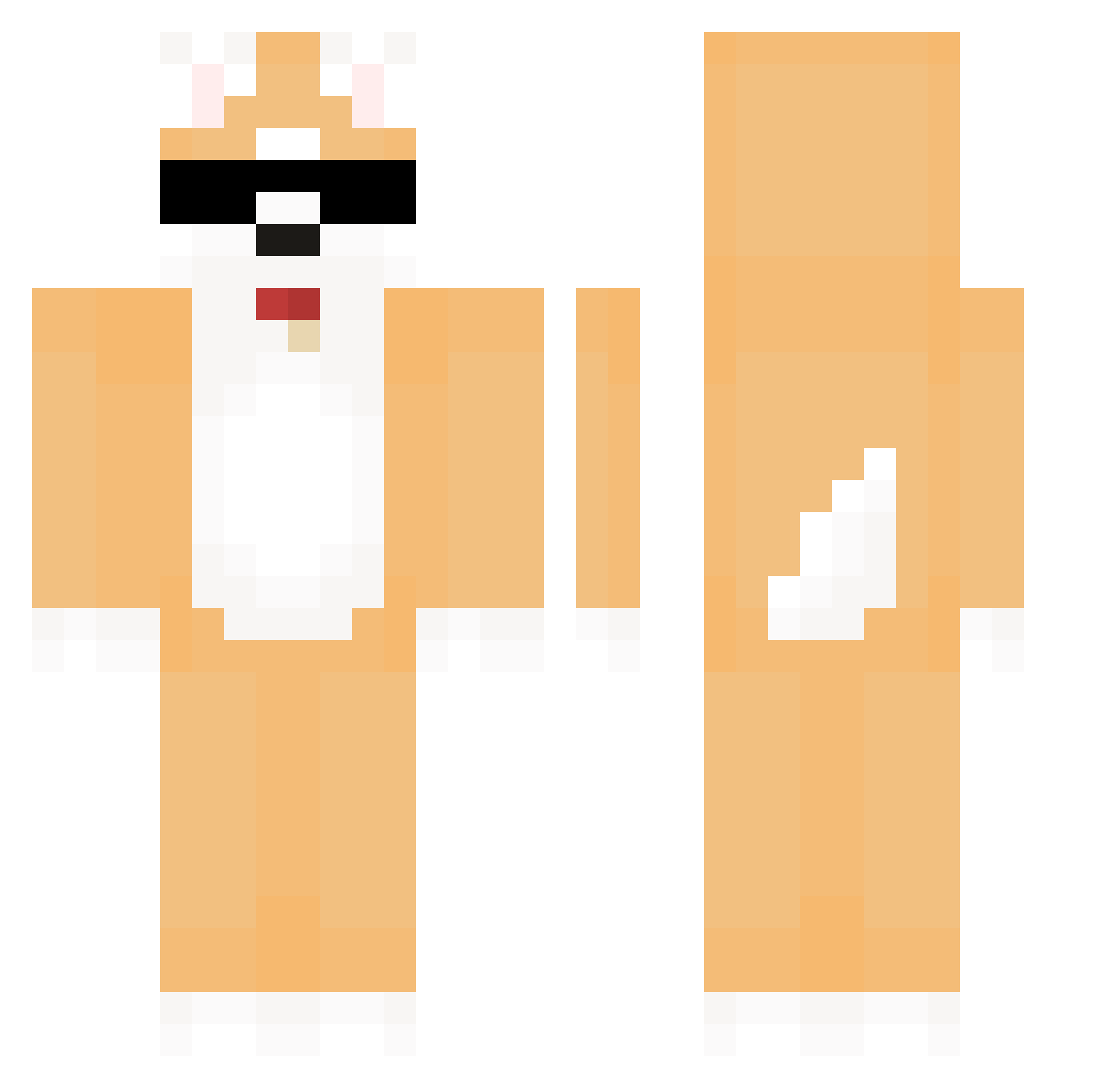
Current Minecraft skin of the player VisedCarp132301, loaded from the official Mojang API. Rotate the 3D model with your mouse or finger, then download the skin as a PNG file and use it in Minecraft: Bedrock Edition or Java Edition for free. When VisedCarp132301 changes their skin, this page updates automatically and the old skin stays in the history below.
Other players with this skin (581)
VisedCarp132301 was the 184th player we have seen with this skin, first spotted on 28.08.2026. The same skin was seen on these players. Open a nickname to see their current skin and skin history.
 mrcd7777777 taeyeong_ seungjunlee KimMumiNN changsikeee1014 LBBeom hajin8 Come_down NED69811 guiligeskee sghx_ GINALS hdy2125 IM_Yoon MCMS0815 eluson25 Ramer999 raspberrydog Fhqe yeondeoksu PaNhim 114514919 JI_HYUN_1231 kkangaji error_bast FatalCorgiii moon0519 teun2019 junsang0818 woo_0221 miloszeq75 corgi14 Soon2 hammergold02 patra_sue hyperpopper74 REKOS2 iLight44 michelemaro insertnamehere97 uh_huh_ hiro877 MOTSUNOSUKE Y1nbb YAYAYA_0225 Goranibori C0R0NA0 DOBBANG2 B1mb1 Momuly only__you JeonJun_61 Yusunim MikiWilko jikura3523 TheBigTibo Shadow233 blabidu seunggi66 erasenot
More Shiba Inu Minecraft skins
How to install the VisedCarp132301 skin
- Press the Download button above to save the skin as a PNG file.
- Minecraft: Bedrock Edition (PE): open the Dressing Room from the main menu (or tap your character → Edit Character), go to Classic Skins → Owned, press the + (new skin) button, choose the downloaded PNG and pick the Classic (Steve) model. Works on PC and mobile; consoles cannot import custom skins.
- Minecraft: Java Edition: open the Minecraft Launcher, go to the Skins tab, click New Skin, load the PNG, pick the Classic (Steve) model and press Save & Use. You can also upload it at minecraft.net → Profile → Change Skin.
The skin does not show up after import - what should I do?
Restart Minecraft and open the Dressing Room again - imported skins sometimes appear only after a restart. Also make sure you selected the imported skin and picked the Classic (Steve) model.
Which model should I choose, Classic or Slim?
This skin is designed for the Classic (Steve) model. If you pick the wrong model, the arms of the skin will look stretched or squeezed.
Is the skin of VisedCarp132301 free to download?
Yes. Press Download, save the PNG file and use it in Minecraft: Bedrock Edition or Java Edition - no payment or registration needed. The skin also works on multiplayer servers and Realms.
More skins
Looking for more? Go back to all Minecraft skins and check the top skins of the week, month and all time, or find any player's skin by nickname.