
VinnyCash14 - Minecraft Skins & Skin History
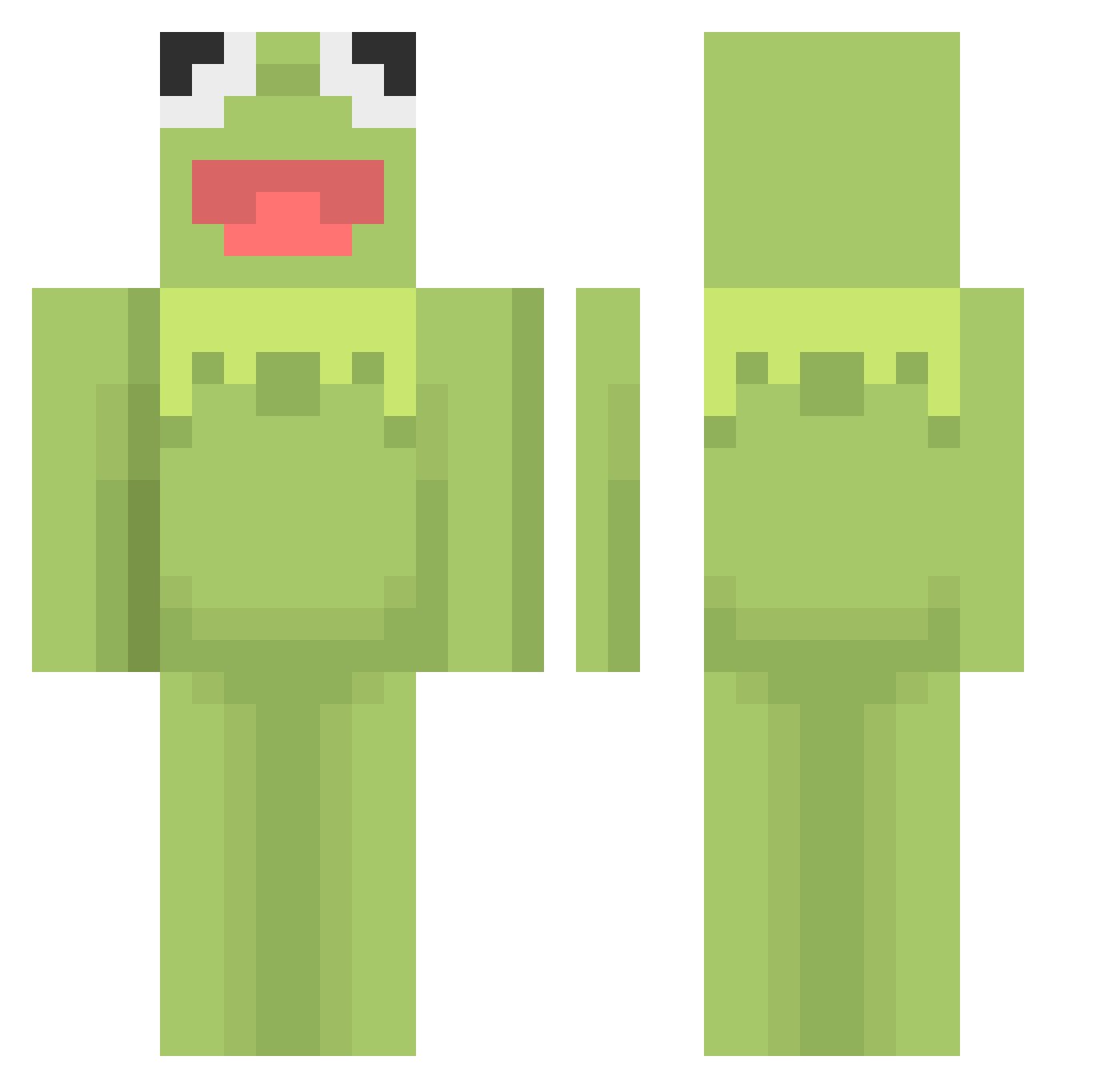
Current Minecraft skin of the player VinnyCash14, loaded from the official Mojang API. Rotate the 3D model with your mouse or finger, then download the skin as a PNG file and use it in Minecraft: Bedrock Edition or Java Edition for free. When VinnyCash14 changes their skin, this page updates automatically and the old skin stays in the history below.
Other players with this skin (460)
VinnyCash14 was the 83rd player we have seen with this skin, first spotted on 13.08.2026. The same skin was seen on these players. Open a nickname to see their current skin and skin history.
 henkdecitroen lesterszh THERatyboi NotValkyrie Jayscosta dwarf0317 xXNooaXx Tragoree Hearted9 Pet__Frog imzizon CRozey03 candyeclipse prijs S7icks elenolchen 0IEH bile29 BAMOW britteaa hanul4048 HyeonwooKim_ Kingdavid3210 drakon279 LoneBread21 FeraGamezYT11 GiacomoRossi doop_snogg PhoenixIsHere BIGBOSSgg Illuminaughtio JuuuicyG chewbhakta __Sicario__ _greggity Amazed_JR jori1203 ANYEETER Mactoots Chrlei_ Kermit1082 duckjpg fdzz4444 zoeebug chelyabinsk FrederikMeincke cheetodustman min_413 DAT_BOI_108 ArtyTheTorch NotWillByers Pololaricot HamSammy92 Quinslayer leechower Ashhy28 46548764576 jbphilo Jojoeo Shoob619
More Kermit The Frog Minecraft skins
See all 395 Kermit The Frog skins
How to install the VinnyCash14 skin
- Press the Download button above to save the skin as a PNG file.
- Minecraft: Bedrock Edition (PE): open the Dressing Room from the main menu (or tap your character → Edit Character), go to Classic Skins → Owned, press the + (new skin) button, choose the downloaded PNG and pick the Classic (Steve) model. Works on PC and mobile; consoles cannot import custom skins.
- Minecraft: Java Edition: open the Minecraft Launcher, go to the Skins tab, click New Skin, load the PNG, pick the Classic (Steve) model and press Save & Use. You can also upload it at minecraft.net → Profile → Change Skin.
The skin does not show up after import - what should I do?
Restart Minecraft and open the Dressing Room again - imported skins sometimes appear only after a restart. Also make sure you selected the imported skin and picked the Classic (Steve) model.
Which model should I choose, Classic or Slim?
This skin is designed for the Classic (Steve) model. If you pick the wrong model, the arms of the skin will look stretched or squeezed.
Is the skin of VinnyCash14 free to download?
Yes. Press Download, save the PNG file and use it in Minecraft: Bedrock Edition or Java Edition - no payment or registration needed. The skin also works on multiplayer servers and Realms.
More skins
Looking for more? Go back to all Minecraft skins and check the top skins of the week, month and all time, or find any player's skin by nickname.