
VileLyr1c - Minecraft Skins & Skin History
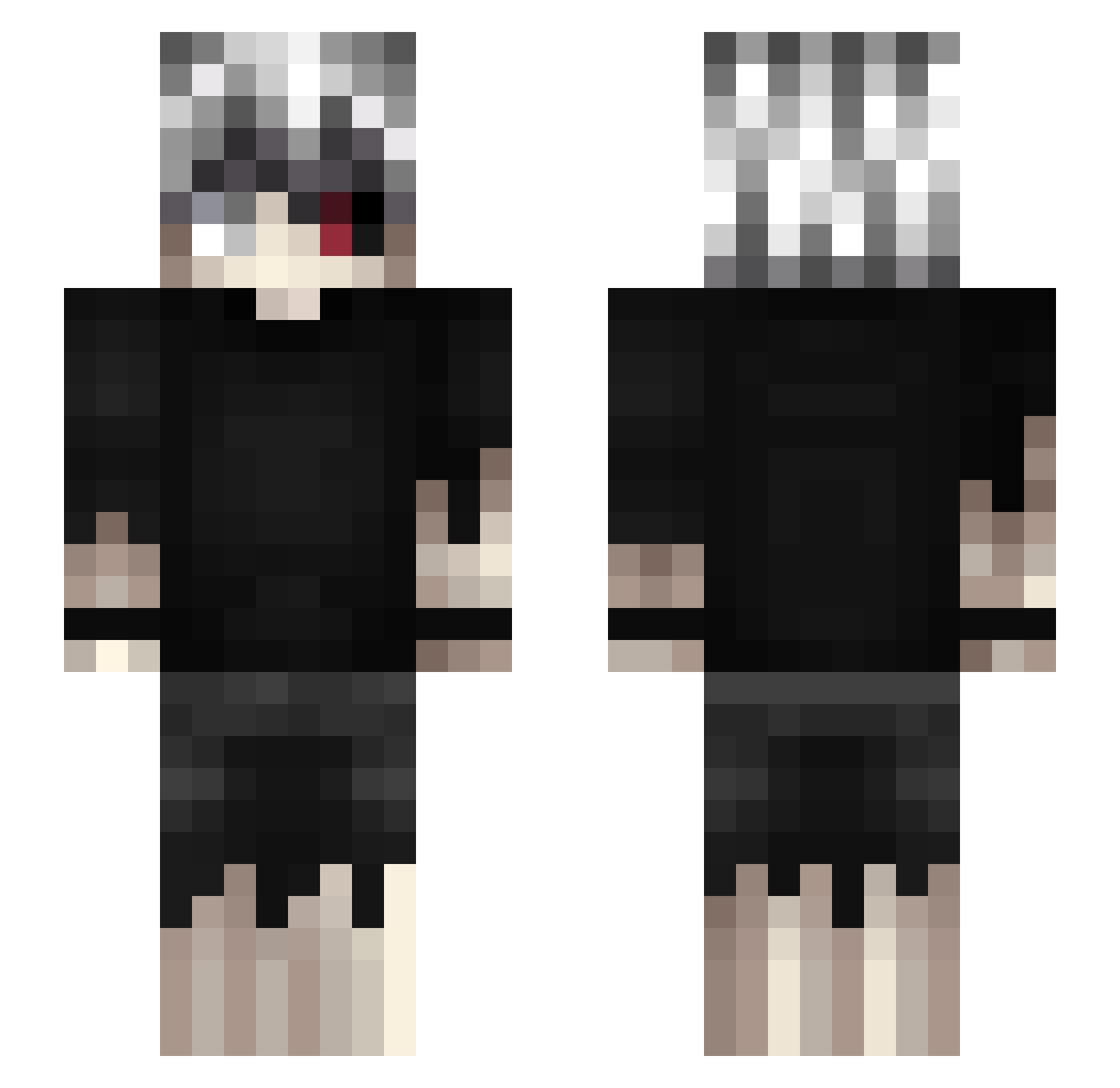
Current Minecraft skin of the player VileLyr1c, loaded from the official Mojang API. Rotate the 3D model with your mouse or finger, then download the skin as a PNG file and use it in Minecraft: Bedrock Edition or Java Edition for free. When VileLyr1c changes their skin, this page updates automatically and the old skin stays in the history below.
Other players with this skin (462)
VileLyr1c was the 118th player we have seen with this skin, first spotted on 20.08.2026. The same skin was seen on these players. Open a nickname to see their current skin and skin history.
 SadHaru
 downthunder135 JohnnySinss_ kappachin LaZy_OtaKu Hannah_01 RudyKot43 fevics ASHB_7846 That__Chris matt64191993 NunkinMaster TheNeuryX Bossandio lsez __Yujiro__ a0lhn CSamudiO20 MrGoudies Albator61 tyler1214 MaciejPucilo m0mC1 Lisiasty999 DarkFire0708 a097067782559 YAKIWWI YoungMulti SoGer___0807___ basssilio kkk11kkk pa1izi Spawn_Killer420x KALE113 ZanBot01 Never_Enough2011 Pletran MiniVido KAMYYYYYYYYYYYYY isfhd scar_12 Noblenuts1 yuankai48 Dabbe06 Dentzo pickleChinA55Boi kunoichi__ fferum ChidoriSss raramsesjp AngelLG TwojstaryDRIP grapoo_ Gfifou Fxdrs v8km_ Benzoes KMMarcel akahotaru07 Hakstorq
More Kaneki Ken Minecraft skins
How to install the VileLyr1c skin
- Press the Download button above to save the skin as a PNG file.
- Minecraft: Bedrock Edition (PE): open the Dressing Room from the main menu (or tap your character → Edit Character), go to Classic Skins → Owned, press the + (new skin) button, choose the downloaded PNG and pick the Slim (Alex) model. Works on PC and mobile; consoles cannot import custom skins.
- Minecraft: Java Edition: open the Minecraft Launcher, go to the Skins tab, click New Skin, load the PNG, pick the Slim (Alex) model and press Save & Use. You can also upload it at minecraft.net → Profile → Change Skin.
The skin does not show up after import - what should I do?
Restart Minecraft and open the Dressing Room again - imported skins sometimes appear only after a restart. Also make sure you selected the imported skin and picked the Slim (Alex) model.
Which model should I choose, Classic or Slim?
This skin is designed for the Slim (Alex) model. If you pick the wrong model, the arms of the skin will look stretched or squeezed.
Is the skin of VileLyr1c free to download?
Yes. Press Download, save the PNG file and use it in Minecraft: Bedrock Edition or Java Edition - no payment or registration needed. The skin also works on multiplayer servers and Realms.
More skins
Looking for more? Go back to all Minecraft skins and check the top skins of the week, month and all time, or find any player's skin by nickname.