
Veyronus - Minecraft Skins & Skin History
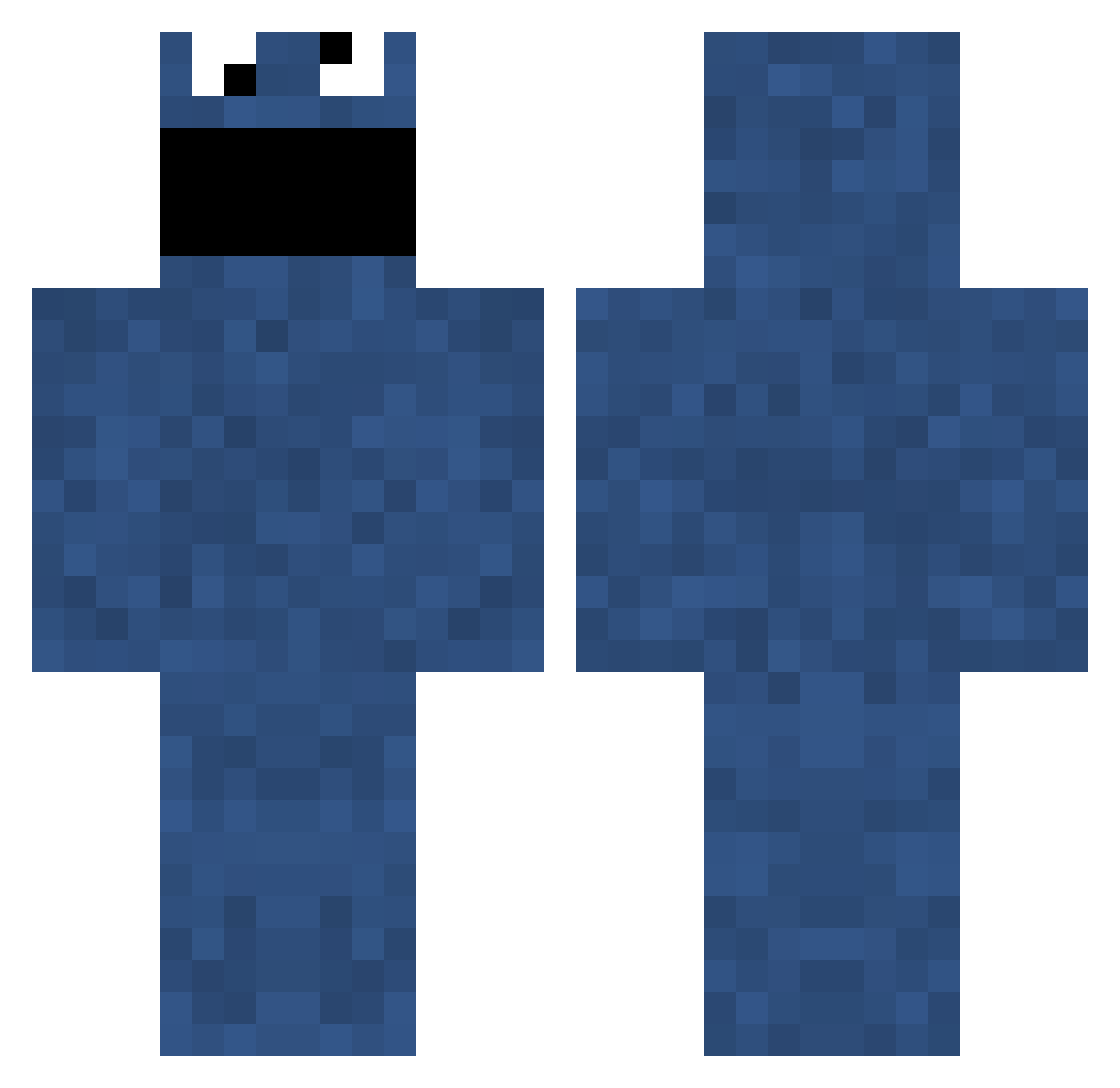
Current Minecraft skin of the player Veyronus, loaded from the official Mojang API. Rotate the 3D model with your mouse or finger, then download the skin as a PNG file and use it in Minecraft: Bedrock Edition or Java Edition for free. When Veyronus changes their skin, this page updates automatically and the old skin stays in the history below.
Other players with this skin (703)
Veyronus was the 289th player we have seen with this skin, first spotted on 02.09.2026. The same skin was seen on these players. Open a nickname to see their current skin and skin history.
 doomcookie223 BDD1098 DinoNarshe dookiesteve DaZeke elassad MarvCon_ Jacobk123 Ayyiike aZzawI wooklan14 Sean_Malte keo222 brodyzimms Blackgoofguy Sindaria Nimaaa Brock_h ccpg23 louisrstevens Griffin78 madcl EdvardGrieg69 PanthersStorm happy_buddy12 Eunicee Glowwing alexhassler SalariedOrange5 AlexDTate jrudden DrSexy55 felixo99 Roons StevenBasler iPeVo TerminalAddict LewisArmitstead sholk NUTricious DONTACOS JockeGy ekyaats Jinks87 RELEASHtheBEASH SmicksPB MAG1CS Reecetheminer Lokykun Thaddeus97 donnamb Sunlitsnake LIFE_GOES_ON_98 Mr_Grumpy_ RevoCraft Tehdiabetus PAUL_HURT MinecrafterWE MaBuSc Kalena91
More Cookie Monster Minecraft skins
See all 241 Cookie Monster skins
How to install the Veyronus skin
- Press the Download button above to save the skin as a PNG file.
- Minecraft: Bedrock Edition (PE): open the Dressing Room from the main menu (or tap your character → Edit Character), go to Classic Skins → Owned, press the + (new skin) button, choose the downloaded PNG and pick the Classic (Steve) model. Works on PC and mobile; consoles cannot import custom skins.
- Minecraft: Java Edition: open the Minecraft Launcher, go to the Skins tab, click New Skin, load the PNG, pick the Classic (Steve) model and press Save & Use. You can also upload it at minecraft.net → Profile → Change Skin.
The skin does not show up after import - what should I do?
Restart Minecraft and open the Dressing Room again - imported skins sometimes appear only after a restart. Also make sure you selected the imported skin and picked the Classic (Steve) model.
Which model should I choose, Classic or Slim?
This skin is designed for the Classic (Steve) model. If you pick the wrong model, the arms of the skin will look stretched or squeezed.
Is the skin of Veyronus free to download?
Yes. Press Download, save the PNG file and use it in Minecraft: Bedrock Edition or Java Edition - no payment or registration needed. The skin also works on multiplayer servers and Realms.
More skins
Looking for more? Go back to all Minecraft skins and check the top skins of the week, month and all time, or find any player's skin by nickname.