
VaterSohn - Minecraft Skins & Skin History
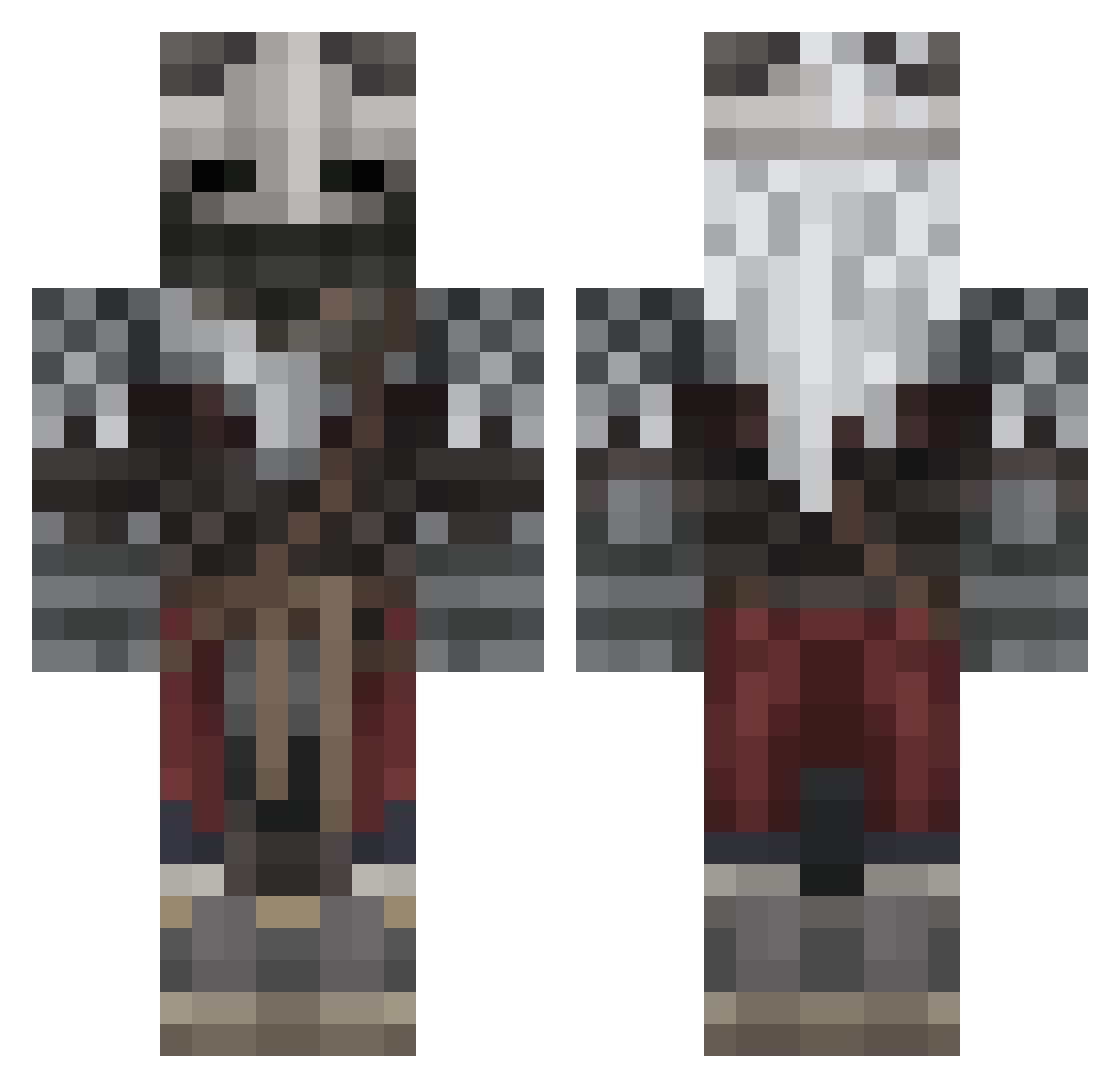
Current Minecraft skin of the player VaterSohn, loaded from the official Mojang API. Rotate the 3D model with your mouse or finger, then download the skin as a PNG file and use it in Minecraft: Bedrock Edition or Java Edition for free. When VaterSohn changes their skin, this page updates automatically and the old skin stays in the history below.
Other players with this skin (719)
VaterSohn was the 683rd player we have seen with this skin, first spotted on 14.11.2026. The same skin was seen on these players. Open a nickname to see their current skin and skin history.
 fwwll ToxicPlayer7897 ertaniste Le_Gaulois13 BrunoBeraldo TheBeubeul Touch657 Chunk_AD Goldifie GarnetFist Sir_Delf zliox1 DragonFire34397 Bubba___ Saucy_boi_ ShutInStar southworth TrashKanMan Bushboi_420 Buckwheat_Joe KingKuenzi ASVW Steeliewheelie demonicNiko Noel_Swb Amaterasu_Aisuru SkrrrrtSteak shlanx Samiloopz KeiGCM Jammy_one lethor87 Martymerr Extorned08 bjernn ShinkuShihai Blu2thYT CatSocks1 Scycotic ScoringCrib Kboog123 PowerMinotaur RaZeR2o5 Picosu ADM205 RilesPlaysMC IyakDaFidleStik LShopper Vlad12334 quadrilateral4D Jazzpanese BallisticChillz IsotropQT LehBoom AlexHasHabits Sylkerr _Rifey xIndyx blade43211 aguerolivo214
More Warrior Minecraft skins
How to install the VaterSohn skin
- Press the Download button above to save the skin as a PNG file.
- Minecraft: Bedrock Edition (PE): open the Dressing Room from the main menu (or tap your character → Edit Character), go to Classic Skins → Owned, press the + (new skin) button, choose the downloaded PNG and pick the Classic (Steve) model. Works on PC and mobile; consoles cannot import custom skins.
- Minecraft: Java Edition: open the Minecraft Launcher, go to the Skins tab, click New Skin, load the PNG, pick the Classic (Steve) model and press Save & Use. You can also upload it at minecraft.net → Profile → Change Skin.
The skin does not show up after import - what should I do?
Restart Minecraft and open the Dressing Room again - imported skins sometimes appear only after a restart. Also make sure you selected the imported skin and picked the Classic (Steve) model.
Which model should I choose, Classic or Slim?
This skin is designed for the Classic (Steve) model. If you pick the wrong model, the arms of the skin will look stretched or squeezed.
Is the skin of VaterSohn free to download?
Yes. Press Download, save the PNG file and use it in Minecraft: Bedrock Edition or Java Edition - no payment or registration needed. The skin also works on multiplayer servers and Realms.
More skins
Looking for more? Go back to all Minecraft skins and check the top skins of the week, month and all time, or find any player's skin by nickname.