
Vasaaten - Minecraft Skins & Skin History
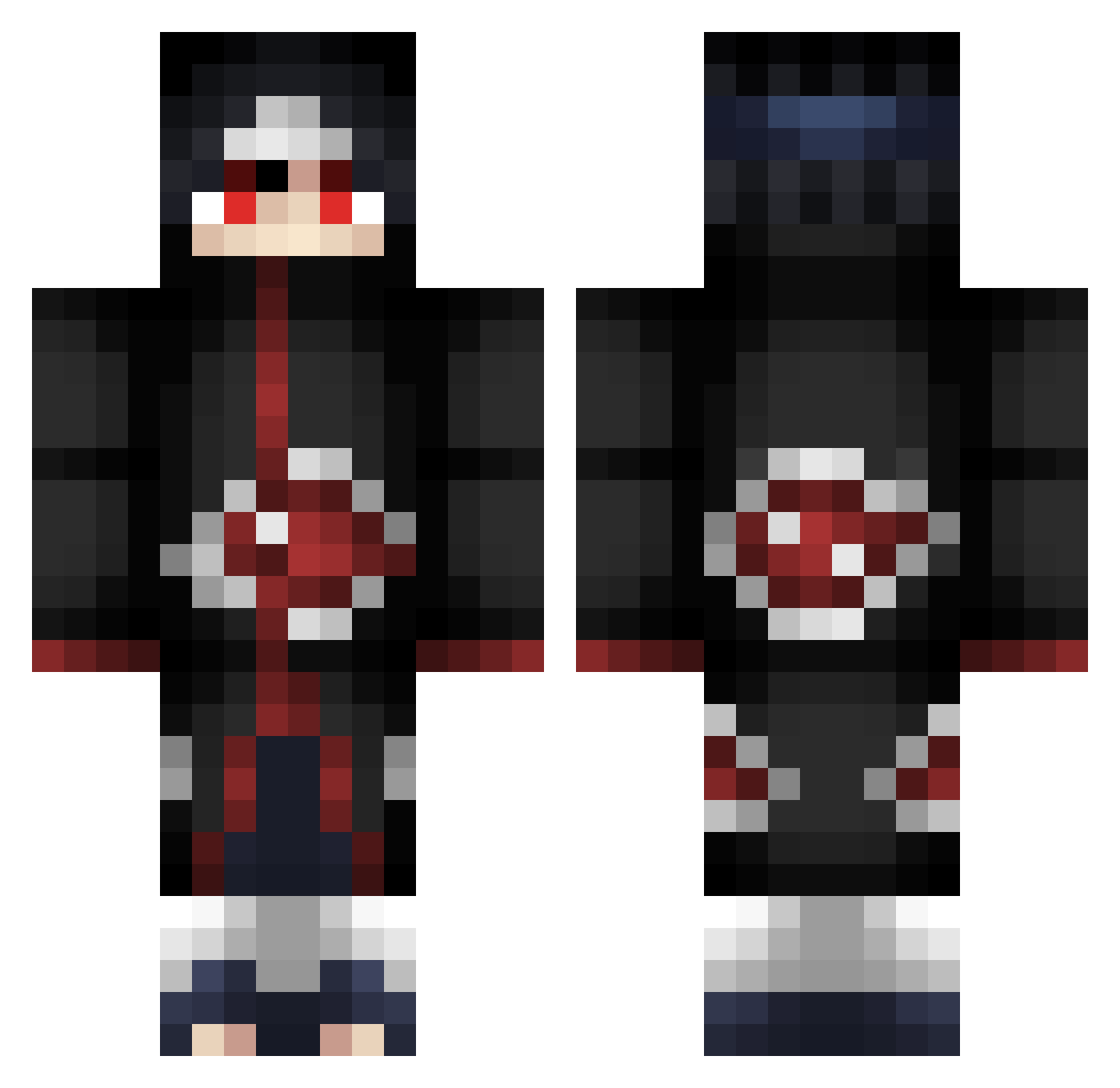
Current Minecraft skin of the player Vasaaten, loaded from the official Mojang API. Rotate the 3D model with your mouse or finger, then download the skin as a PNG file and use it in Minecraft: Bedrock Edition or Java Edition for free. When Vasaaten changes their skin, this page updates automatically and the old skin stays in the history below.
Other players with this skin (253)
Vasaaten was the 182nd player we have seen with this skin, first spotted on 30.09.2026. The same skin was seen on these players. Open a nickname to see their current skin and skin history.
 Itachii_Uchiiwa Dorianmyr Pvolases Akatsuki_202 Mr_Doughnat Demean21 DogmaAn hoggings ItachisRaven Andre5628 ChinaLL FoxyPrime hu4ns0hn1210 NuclearBulldog HiPNO_xCraZy Cluong94 Infinite_Cz N03L_S SantiagoM33 xXHimuraXx weihan_0213 SaintsHQ xupetoon Stone_zz codycantdress DikTator95 Itachi_L _Harmonic_ takugame infinityplay99 mugenz RishiUchiha veldora12 xzonorate Clementos Kisshan XMS_13 Divers0 MR_MGRM K1KR _Gaara_Kazekage_ litmit35 Airakazz Dominik_777 ItzAimSkillz Undead_Itachi MAXACHKALA2012 _Voxy_ Alex_Mouse bzq Spon13 PopeyesEater Hoodlumsuperman Onaii Zyhrox JasonKo1012 _prexo Ultimateftw11 DannyVinh PharrSyde
More Itachi Uchiha Minecraft skins
See all 318 Itachi Uchiha skins
How to install the Vasaaten skin
- Press the Download button above to save the skin as a PNG file.
- Minecraft: Bedrock Edition (PE): open the Dressing Room from the main menu (or tap your character → Edit Character), go to Classic Skins → Owned, press the + (new skin) button, choose the downloaded PNG and pick the Classic (Steve) model. Works on PC and mobile; consoles cannot import custom skins.
- Minecraft: Java Edition: open the Minecraft Launcher, go to the Skins tab, click New Skin, load the PNG, pick the Classic (Steve) model and press Save & Use. You can also upload it at minecraft.net → Profile → Change Skin.
The skin does not show up after import - what should I do?
Restart Minecraft and open the Dressing Room again - imported skins sometimes appear only after a restart. Also make sure you selected the imported skin and picked the Classic (Steve) model.
Which model should I choose, Classic or Slim?
This skin is designed for the Classic (Steve) model. If you pick the wrong model, the arms of the skin will look stretched or squeezed.
Is the skin of Vasaaten free to download?
Yes. Press Download, save the PNG file and use it in Minecraft: Bedrock Edition or Java Edition - no payment or registration needed. The skin also works on multiplayer servers and Realms.
More skins
Looking for more? Go back to all Minecraft skins and check the top skins of the week, month and all time, or find any player's skin by nickname.