
Vanvan_ - Minecraft Skins & Skin History
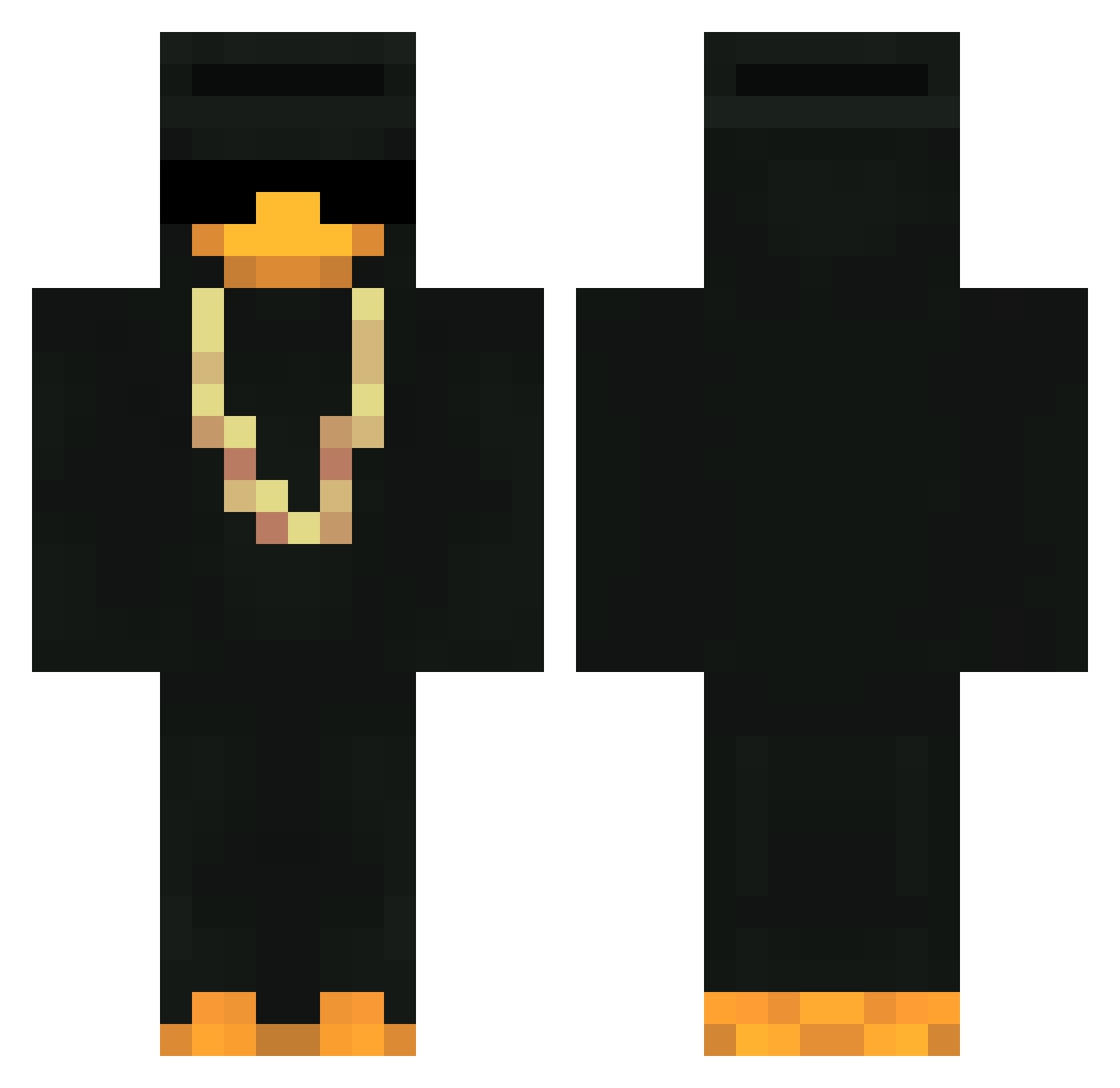
Current Minecraft skin of the player Vanvan_, loaded from the official Mojang API. Rotate the 3D model with your mouse or finger, then download the skin as a PNG file and use it in Minecraft: Bedrock Edition or Java Edition for free. When Vanvan_ changes their skin, this page updates automatically and the old skin stays in the history below.
Other players with this skin (499)
Vanvan_ was the 461st player we have seen with this skin, first spotted on 10.11.2026. The same skin was seen on these players. Open a nickname to see their current skin and skin history.
 KING1452 Bochestile n0racat pmiguel12 Dext3rM0rgan _CHAT_GPT Duckyy21 Nibbler247 tgf10293xd autoklicky JustScimmia anton22297 macskamedve Western1212 MARCASURUS Invisible_Mexica __lp linkkz 0xWARP Theo_Am_Kochen Lorin_zl TOPOLINO3077 D3_KK MonsoonAlt38 Radmilo GetShytonByRavan Chavowies JeuxTR Buurtvader033 proplayer6911 Papanash1909 REHEHEHEHE578345 NarKo80 Mrsuperpeto Guiga_Gg JCrews_Son kauannn water_yz Kychu hayro3 Softegg233 Skidoooosh 002Oskar andresfelipe2004 SuperDuck027 Nokyoi3310 kaeli079 ELIEN50 Jamo_TV ekelfanta Fresh_Raindrops spagety_123 insets Yz_Boyz_11 iloveScathaPet papi_Lucifer AndrejTheGamer cerzo69 Ksaii1312 Oliwi3r3k
More Gold Chain Minecraft skins
How to install the Vanvan_ skin
- Press the Download button above to save the skin as a PNG file.
- Minecraft: Bedrock Edition (PE): open the Dressing Room from the main menu (or tap your character → Edit Character), go to Classic Skins → Owned, press the + (new skin) button, choose the downloaded PNG and pick the Classic (Steve) model. Works on PC and mobile; consoles cannot import custom skins.
- Minecraft: Java Edition: open the Minecraft Launcher, go to the Skins tab, click New Skin, load the PNG, pick the Classic (Steve) model and press Save & Use. You can also upload it at minecraft.net → Profile → Change Skin.
The skin does not show up after import - what should I do?
Restart Minecraft and open the Dressing Room again - imported skins sometimes appear only after a restart. Also make sure you selected the imported skin and picked the Classic (Steve) model.
Which model should I choose, Classic or Slim?
This skin is designed for the Classic (Steve) model. If you pick the wrong model, the arms of the skin will look stretched or squeezed.
Is the skin of Vanvan_ free to download?
Yes. Press Download, save the PNG file and use it in Minecraft: Bedrock Edition or Java Edition - no payment or registration needed. The skin also works on multiplayer servers and Realms.
More skins
Looking for more? Go back to all Minecraft skins and check the top skins of the week, month and all time, or find any player's skin by nickname.