
VALENTIN010 - Minecraft Skins & Skin History
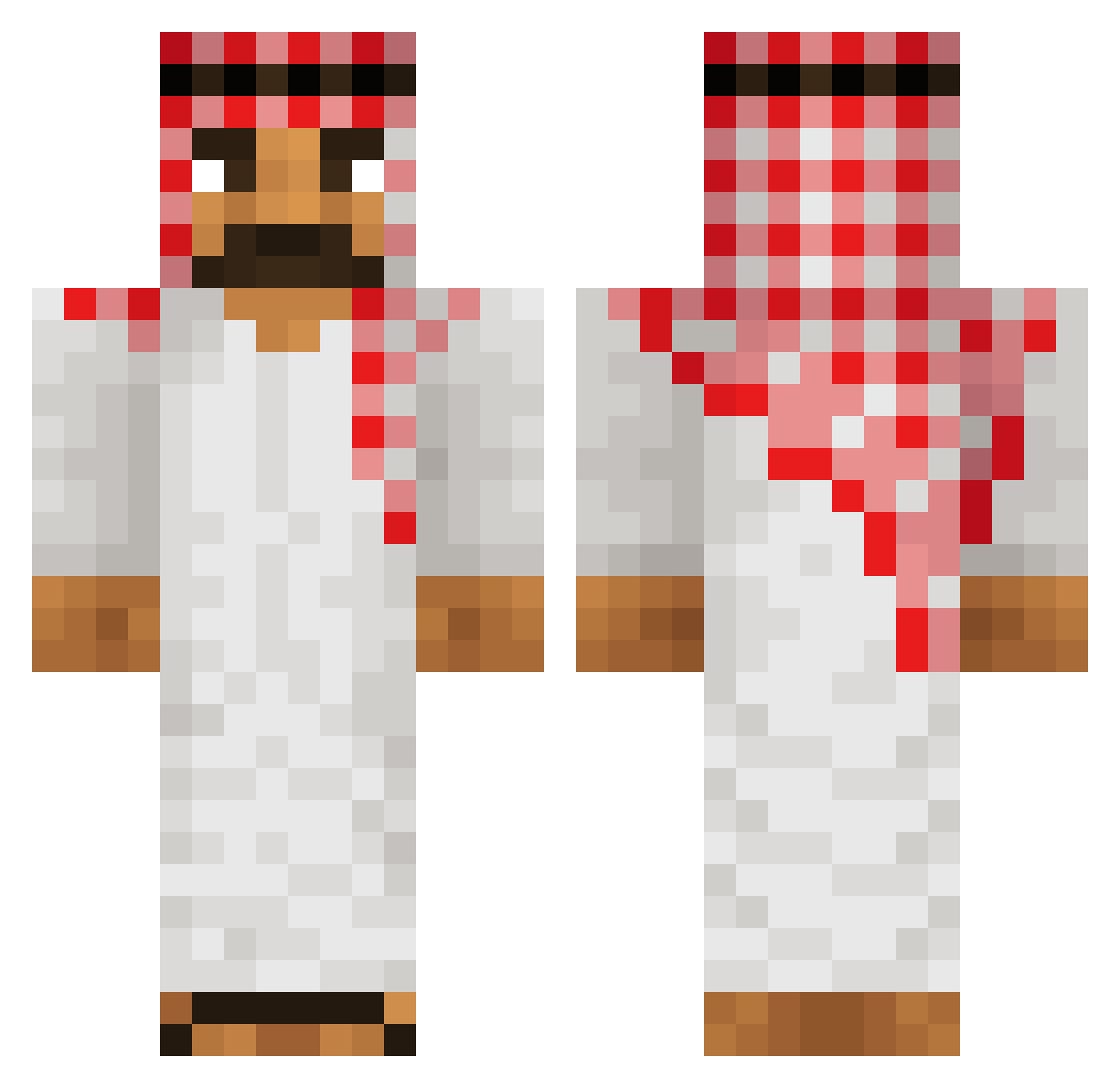
Current Minecraft skin of the player VALENTIN010, loaded from the official Mojang API. Rotate the 3D model with your mouse or finger, then download the skin as a PNG file and use it in Minecraft: Bedrock Edition or Java Edition for free. When VALENTIN010 changes their skin, this page updates automatically and the old skin stays in the history below.
Other players with this skin (60)
VALENTIN010 was the 35th player we have seen with this skin, first spotted on 25.09.2026. The same skin was seen on these players. Open a nickname to see their current skin and skin history.
 Pokeball357 Katoryx VENOME77 faiyam yOURcRUSHaNTON mrFanda vafle54 Mikeracuja ArtexGaming12 7oyz wildcard584 Venq27 kanqxe dinazor54 FSO_polonezcaro AAAwenwen hejmamma
 Dimi0758 07_freeze_ Mototaupa_23 owculski THECA21 Relaxo2012 Styler1204 TigarPro3926 LarrenNS1 roches36 Filipjandawidow EronW
 mchado abu3obaida unq4hma tqorl EdyNinja Manu159357 Tekrito 0_Rewind_0 ChielvanDijk 24k_Kudo RaffHub xdagu Ifw_Vulcan juhshh Klappstuhl1928 valerionew padraigoc11 Machupichuuu JLotako Verfxhren Hector230909 Pladwig
 wojaniker eliten1337 khnapa
 UPOBG RAKSO_B Martec13 Sudergaard12 Brayette_04 kredkaMC
More Sheikh Minecraft skins
How to install the VALENTIN010 skin
- Press the Download button above to save the skin as a PNG file.
- Minecraft: Bedrock Edition (PE): open the Dressing Room from the main menu (or tap your character → Edit Character), go to Classic Skins → Owned, press the + (new skin) button, choose the downloaded PNG and pick the Classic (Steve) model. Works on PC and mobile; consoles cannot import custom skins.
- Minecraft: Java Edition: open the Minecraft Launcher, go to the Skins tab, click New Skin, load the PNG, pick the Classic (Steve) model and press Save & Use. You can also upload it at minecraft.net → Profile → Change Skin.
The skin does not show up after import - what should I do?
Restart Minecraft and open the Dressing Room again - imported skins sometimes appear only after a restart. Also make sure you selected the imported skin and picked the Classic (Steve) model.
Which model should I choose, Classic or Slim?
This skin is designed for the Classic (Steve) model. If you pick the wrong model, the arms of the skin will look stretched or squeezed.
Is the skin of VALENTIN010 free to download?
Yes. Press Download, save the PNG file and use it in Minecraft: Bedrock Edition or Java Edition - no payment or registration needed. The skin also works on multiplayer servers and Realms.
More skins
Looking for more? Go back to all Minecraft skins and check the top skins of the week, month and all time, or find any player's skin by nickname.