
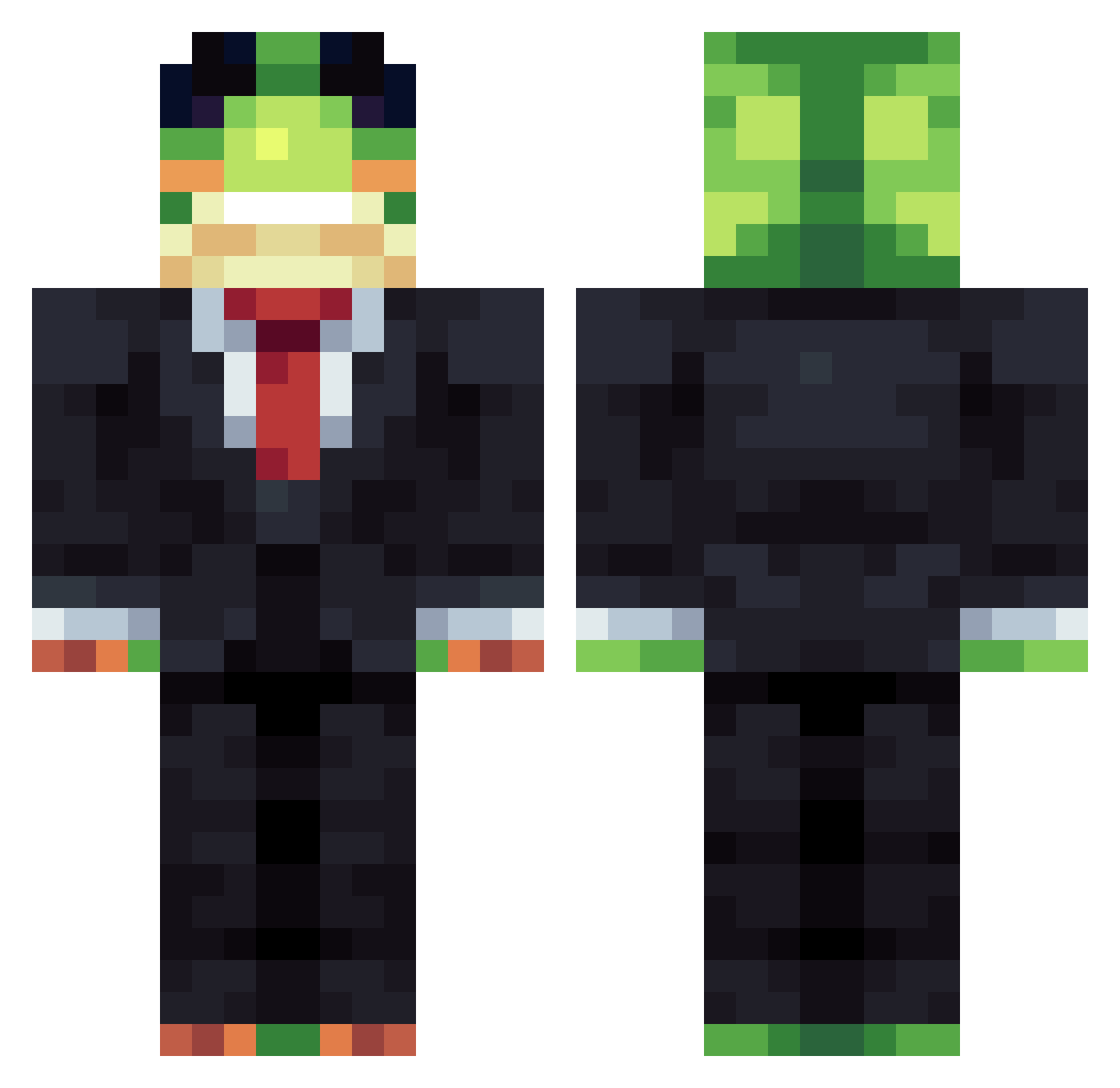
Current Minecraft skin of the player Urgent_Coleslaw0, loaded from the official Mojang API. Rotate the 3D model with your mouse or finger, then download the skin as a PNG file and use it in Minecraft: Bedrock Edition or Java Edition for free. When Urgent_Coleslaw0 changes their skin, this page updates automatically and the old skin stays in the history below.
Other players with this skin (1086)
Urgent_Coleslaw0 was the 135th player we have seen with this skin, first spotted on 07.08.2026. The same skin was seen on these players. Open a nickname to see their current skin and skin history.
 DankestOsprey49 ElusiveTree kar2rol turonur41 handsoappls Husher1247 Skrzacisko13 Hippie_dreamzzz JeffRat8801 Qunesay
 noob212121 Baggawanth WallyDawhale pickcpy xander_is_himmmm IMCRAZYY22 light_bringer202 Flahfurtado Weter_ Fefofleg yakupmete uuTTemg
 MyYesslie_ immanuel_2000 Tyr_PvP 5__xp
 ELCRAFT0305 HoHofrog_0
 LakshuUu_ jorik1995 vinicoelho Calzion13 PI3GUSS_ kiki200516 Ditop87 CYBYE123 nescaft17 LinhCvGnU0606 Reeqm Theorgb Villssyy zhuchenglin DoctorRayo Kolewala Phuocasissa
 steamyeggs Alexisthegoat69 kbaybay221 Salaaas15 Raterfy sirinss Zekeoo
 Piksel417 bjunes123
 Nickname136 WussPuss420 DaMysterio69
 SkyBlue_Vek Warrgun dyc1k
More Frog Minecraft skins
How to install the Urgent_Coleslaw0 skin
- Press the Download button above to save the skin as a PNG file.
- Minecraft: Bedrock Edition (PE): open the Dressing Room from the main menu (or tap your character → Edit Character), go to Classic Skins → Owned, press the + (new skin) button, choose the downloaded PNG and pick the Classic (Steve) model. Works on PC and mobile; consoles cannot import custom skins.
- Minecraft: Java Edition: open the Minecraft Launcher, go to the Skins tab, click New Skin, load the PNG, pick the Classic (Steve) model and press Save & Use. You can also upload it at minecraft.net → Profile → Change Skin.
The skin does not show up after import - what should I do?
Restart Minecraft and open the Dressing Room again - imported skins sometimes appear only after a restart. Also make sure you selected the imported skin and picked the Classic (Steve) model.
Which model should I choose, Classic or Slim?
This skin is designed for the Classic (Steve) model. If you pick the wrong model, the arms of the skin will look stretched or squeezed.
Is the skin of Urgent_Coleslaw0 free to download?
Yes. Press Download, save the PNG file and use it in Minecraft: Bedrock Edition or Java Edition - no payment or registration needed. The skin also works on multiplayer servers and Realms.
More skins
Looking for more? Go back to all Minecraft skins and check the top skins of the week, month and all time, or find any player's skin by nickname.