
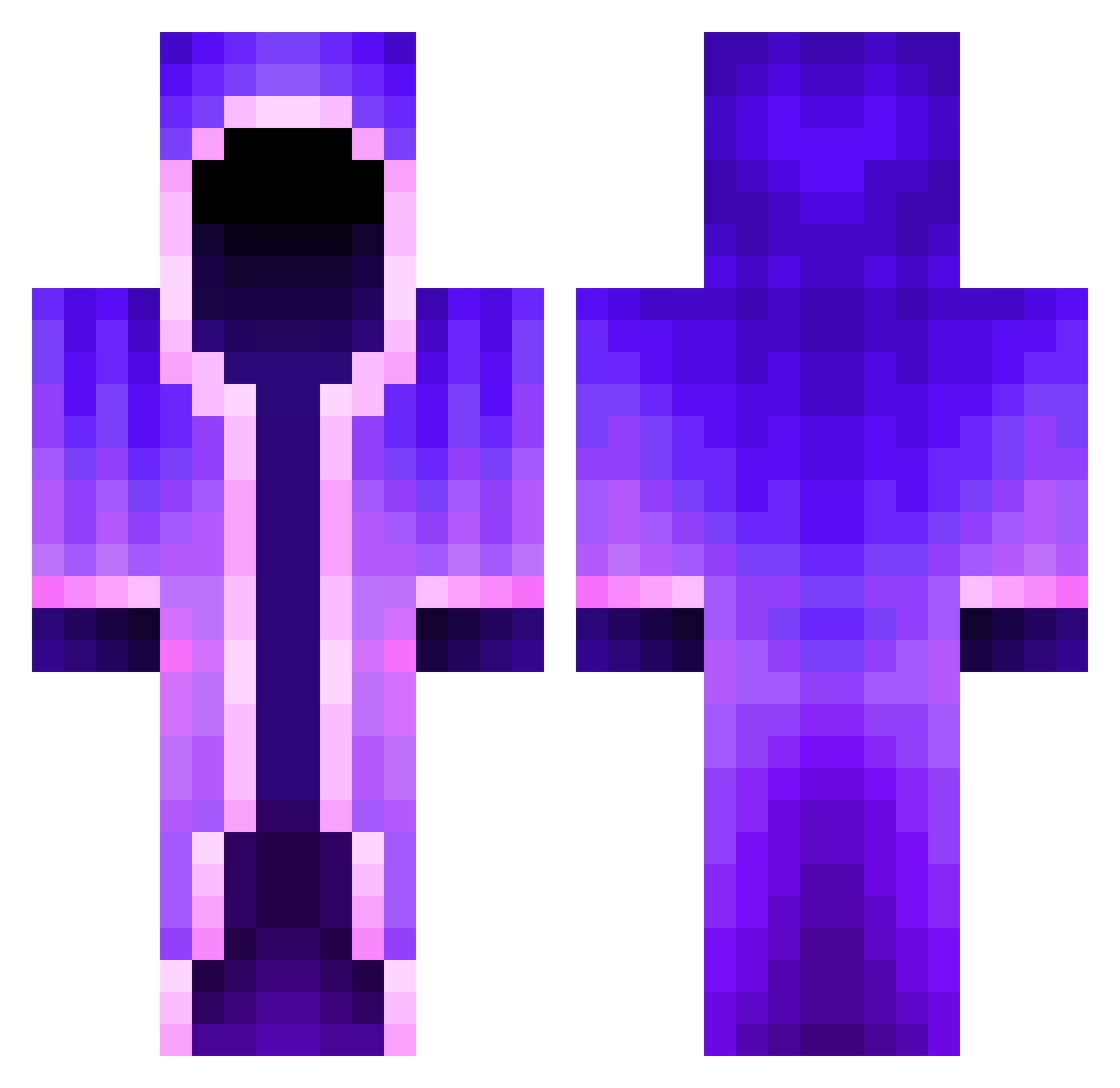
Current Minecraft skin of the player Unistrike0603, loaded from the official Mojang API. Rotate the 3D model with your mouse or finger, then download the skin as a PNG file and use it in Minecraft: Bedrock Edition or Java Edition for free. When Unistrike0603 changes their skin, this page updates automatically and the old skin stays in the history below.
Other players with this skin (379)
Unistrike0603 was the 348th player we have seen with this skin, first spotted on 12.10.2026. The same skin was seen on these players. Open a nickname to see their current skin and skin history.
 xXBasinggaXx XleidergeilX xlovelysoft Verli_ Hinug Cacique011 mu_m_u TheCraftyWizard Remdino7890 ClearlyFarmer soggis NipTwister420 Xendrid markgadilie123 Gabrirtz Mrozek458 davidlzhey Silent_Feva Cookieexdd MetaUnit48 CallumDontCare Captaincaveman5 Obesemode25 Astrotastic RZM_Lix fetifflay zzyprezz Dyed306 Paul_08 Excetro Johan8377 LilSpoon2327 dudaboss2 MinecraftMan965 Franckis666 AncientWolfie Framar1178 Bernini420 cathsnipes Zajki Doomo10 ShadowATG Iam_Ace__ ___Excelsior___ pablopidi D3NZ3NITH Visesheron MrPresident7575 Davidkucera223 OcramPurple12 Fluffyson Maoi16 PetiCool RealEliteDragon VanishedLotus65 Haanistar naterdood saskeo Demotred MikiBry
More Mage Minecraft skins
How to install the Unistrike0603 skin
- Press the Download button above to save the skin as a PNG file.
- Minecraft: Bedrock Edition (PE): open the Dressing Room from the main menu (or tap your character → Edit Character), go to Classic Skins → Owned, press the + (new skin) button, choose the downloaded PNG and pick the Classic (Steve) model. Works on PC and mobile; consoles cannot import custom skins.
- Minecraft: Java Edition: open the Minecraft Launcher, go to the Skins tab, click New Skin, load the PNG, pick the Classic (Steve) model and press Save & Use. You can also upload it at minecraft.net → Profile → Change Skin.
The skin does not show up after import - what should I do?
Restart Minecraft and open the Dressing Room again - imported skins sometimes appear only after a restart. Also make sure you selected the imported skin and picked the Classic (Steve) model.
Which model should I choose, Classic or Slim?
This skin is designed for the Classic (Steve) model. If you pick the wrong model, the arms of the skin will look stretched or squeezed.
Is the skin of Unistrike0603 free to download?
Yes. Press Download, save the PNG file and use it in Minecraft: Bedrock Edition or Java Edition - no payment or registration needed. The skin also works on multiplayer servers and Realms.
More skins
Looking for more? Go back to all Minecraft skins and check the top skins of the week, month and all time, or find any player's skin by nickname.