
UhhHalo - Minecraft Skins & Skin History
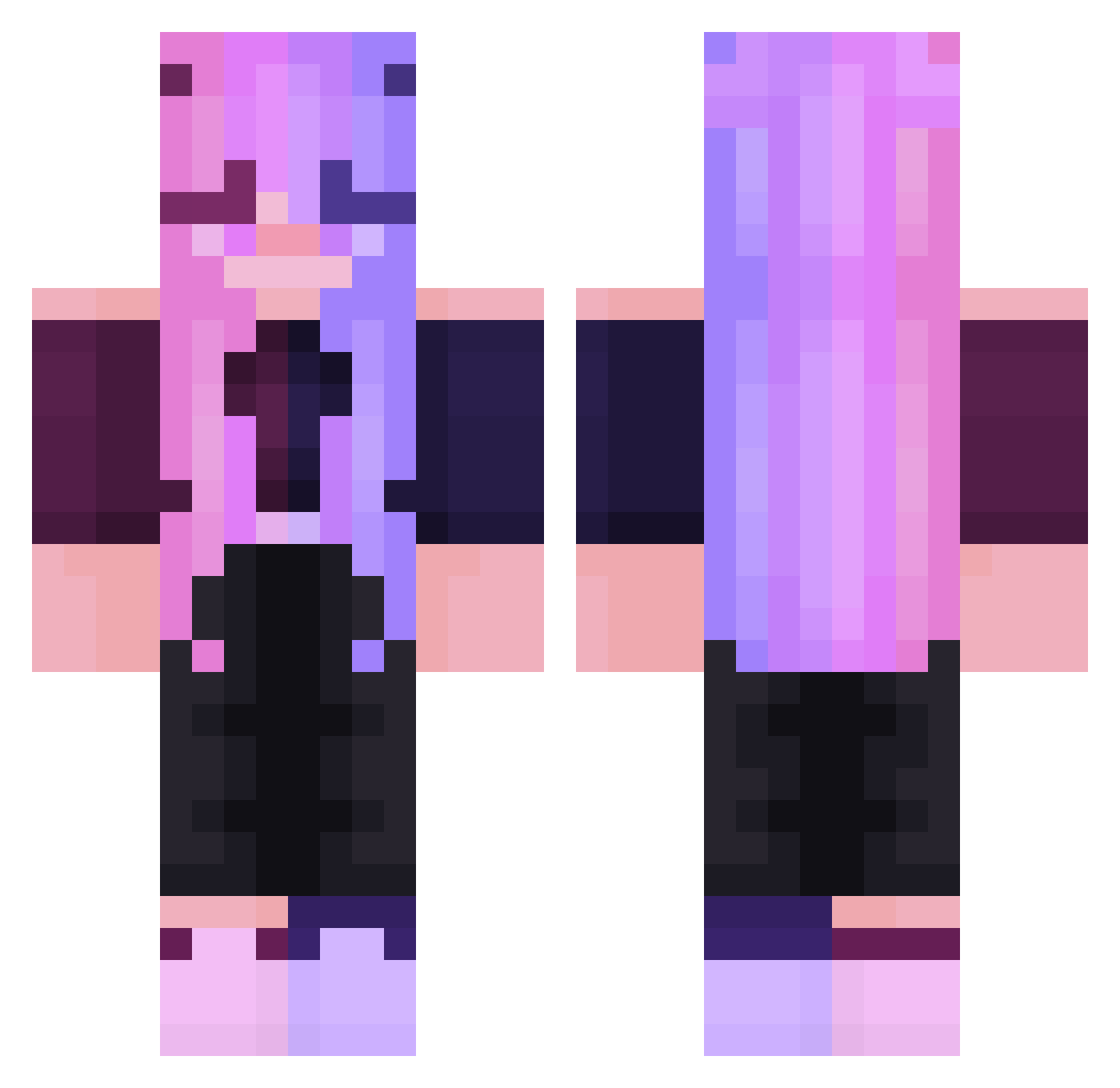
Current Minecraft skin of the player UhhHalo, loaded from the official Mojang API. Rotate the 3D model with your mouse or finger, then download the skin as a PNG file and use it in Minecraft: Bedrock Edition or Java Edition for free. When UhhHalo changes their skin, this page updates automatically and the old skin stays in the history below.
Other players with this skin (247)
UhhHalo was the 79th player we have seen with this skin, first spotted on 31.08.2026. The same skin was seen on these players. Open a nickname to see their current skin and skin history.
 Ilargiana lycithea ShortStack2k24 abbyeinstein MegM123 Gionsy xiaoyu258
 OsniiChan AFRCrafter Zheng_XiaoDi nEvylution Bibikkk Vanil_ka nounoursdu38 KitkuTHC Stonks_Sl4yZ Rixxia rihga_royal Lariqwp moomuggyX6 alexaGEO nvhx NYKOMI light_choco N00bieee Alaine57 Nymfix Ablates WhiteFAST MaKe404 Chihuahua878 _ElenaNito preditor3261YT Sinetraum TaeSita Storityme CorruptCherry Fox_Hound_ Inferiouscash KiIls WAIFU4D rebmin NOVAshoter666 Trisjuhh AvokadoLoveYou bestmonkey Dusia2 youpai_1379 Leaa_nnaa SWAGGER_SAMMER hannah5176 kquerl Fleurieeeee KianErfan_YT LariihGames Be_fu RitaInAMug Dagzz Nin_me Laurak1
More Off Shoulder Minecraft skins
See all 443 Off Shoulder skins
How to install the UhhHalo skin
- Press the Download button above to save the skin as a PNG file.
- Minecraft: Bedrock Edition (PE): open the Dressing Room from the main menu (or tap your character → Edit Character), go to Classic Skins → Owned, press the + (new skin) button, choose the downloaded PNG and pick the Classic (Steve) model. Works on PC and mobile; consoles cannot import custom skins.
- Minecraft: Java Edition: open the Minecraft Launcher, go to the Skins tab, click New Skin, load the PNG, pick the Classic (Steve) model and press Save & Use. You can also upload it at minecraft.net → Profile → Change Skin.
The skin does not show up after import - what should I do?
Restart Minecraft and open the Dressing Room again - imported skins sometimes appear only after a restart. Also make sure you selected the imported skin and picked the Classic (Steve) model.
Which model should I choose, Classic or Slim?
This skin is designed for the Classic (Steve) model. If you pick the wrong model, the arms of the skin will look stretched or squeezed.
Is the skin of UhhHalo free to download?
Yes. Press Download, save the PNG file and use it in Minecraft: Bedrock Edition or Java Edition - no payment or registration needed. The skin also works on multiplayer servers and Realms.
More skins
Looking for more? Go back to all Minecraft skins and check the top skins of the week, month and all time, or find any player's skin by nickname.