
UT_Duck - Minecraft Skins & Skin History
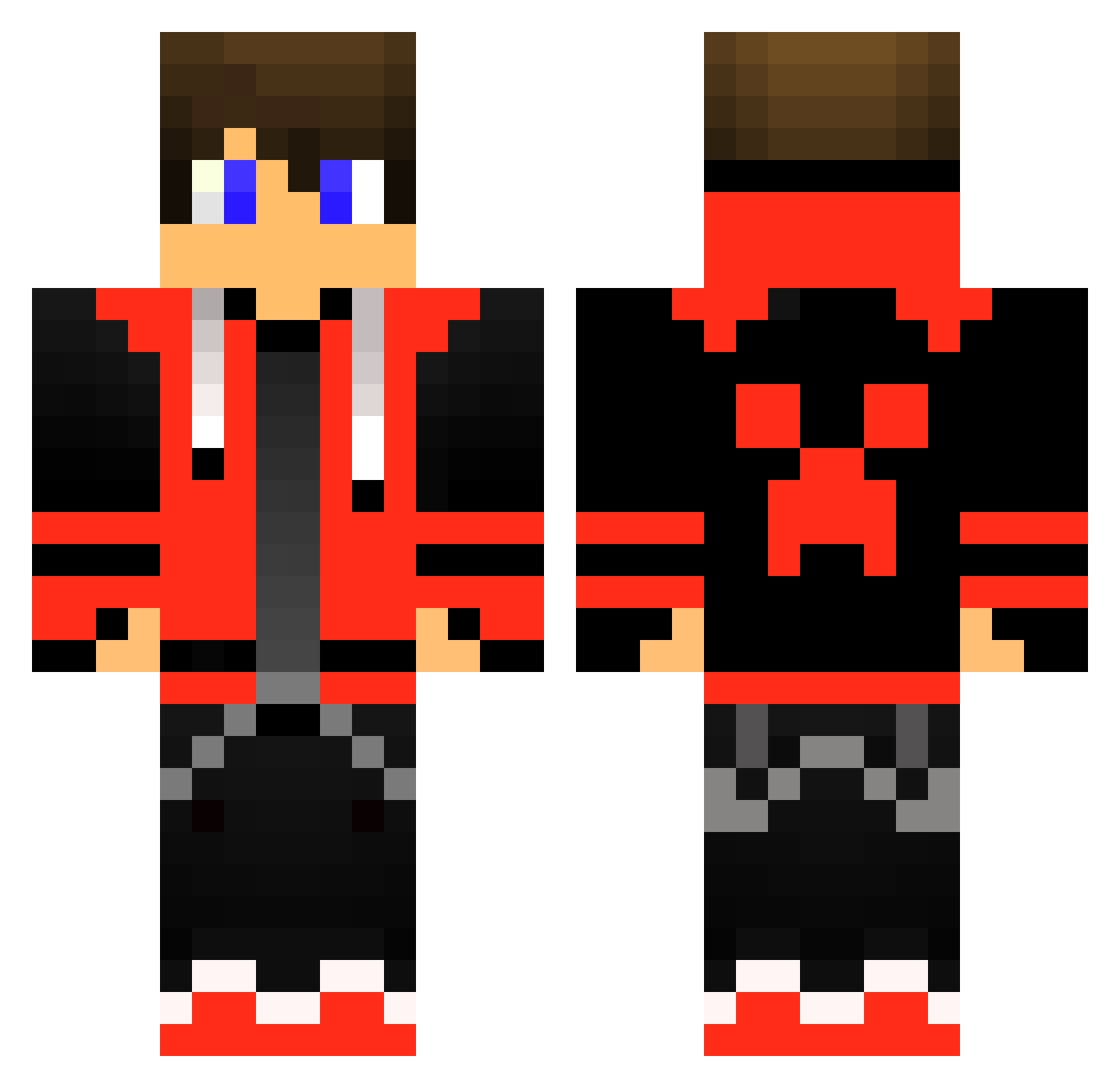
Current Minecraft skin of the player UT_Duck, loaded from the official Mojang API. Rotate the 3D model with your mouse or finger, then download the skin as a PNG file and use it in Minecraft: Bedrock Edition or Java Edition for free. When UT_Duck changes their skin, this page updates automatically and the old skin stays in the history below.
Other players with this skin (415)
UT_Duck was the 246th player we have seen with this skin, first spotted on 20.09.2026. The same skin was seen on these players. Open a nickname to see their current skin and skin history.
 Mesterlovesz74 chilipepper456 Teutel_Bier Maxixixixi12345 rArauj0 notjustin1 GerygamerCrrGod battruss Sercia GauntCarrot36 Ohgee_dk MEMORYGb ARNAVSINGAL Marcro199 Derek_Plays2003 Egre2 Noxous RaijinZ0527 ReZzii_ KiY9 stranak Enanogaming113 helloppl9998 ComradeCarson01 I3rah Emil_Rinfeldt S3N0XX crunch0310 Aksu_2004 DraQ_Amphyy minecraftvp DippyDraws lordbrutus69 SWDEN KoolGuyManDude Connors__ Chunky_Boy1205 sciabolanew TheVoyagePc shiahe MigraineBoy Bigkahuna443 MASONTHEPRO1 Djlokko Bedsaid Mad_Ranger thoughtwax Selatian Gokids333 xenodor Owsan42 Th0rHH happy9981 max_go_game leethm0503 RianKwad Nico11205 tsugt5 0Mautje0 Enigma013
More Gamer Minecraft skins
How to install the UT_Duck skin
- Press the Download button above to save the skin as a PNG file.
- Minecraft: Bedrock Edition (PE): open the Dressing Room from the main menu (or tap your character → Edit Character), go to Classic Skins → Owned, press the + (new skin) button, choose the downloaded PNG and pick the Classic (Steve) model. Works on PC and mobile; consoles cannot import custom skins.
- Minecraft: Java Edition: open the Minecraft Launcher, go to the Skins tab, click New Skin, load the PNG, pick the Classic (Steve) model and press Save & Use. You can also upload it at minecraft.net → Profile → Change Skin.
The skin does not show up after import - what should I do?
Restart Minecraft and open the Dressing Room again - imported skins sometimes appear only after a restart. Also make sure you selected the imported skin and picked the Classic (Steve) model.
Which model should I choose, Classic or Slim?
This skin is designed for the Classic (Steve) model. If you pick the wrong model, the arms of the skin will look stretched or squeezed.
Is the skin of UT_Duck free to download?
Yes. Press Download, save the PNG file and use it in Minecraft: Bedrock Edition or Java Edition - no payment or registration needed. The skin also works on multiplayer servers and Realms.
More skins
Looking for more? Go back to all Minecraft skins and check the top skins of the week, month and all time, or find any player's skin by nickname.