
USSR - Minecraft Skins & Skin History
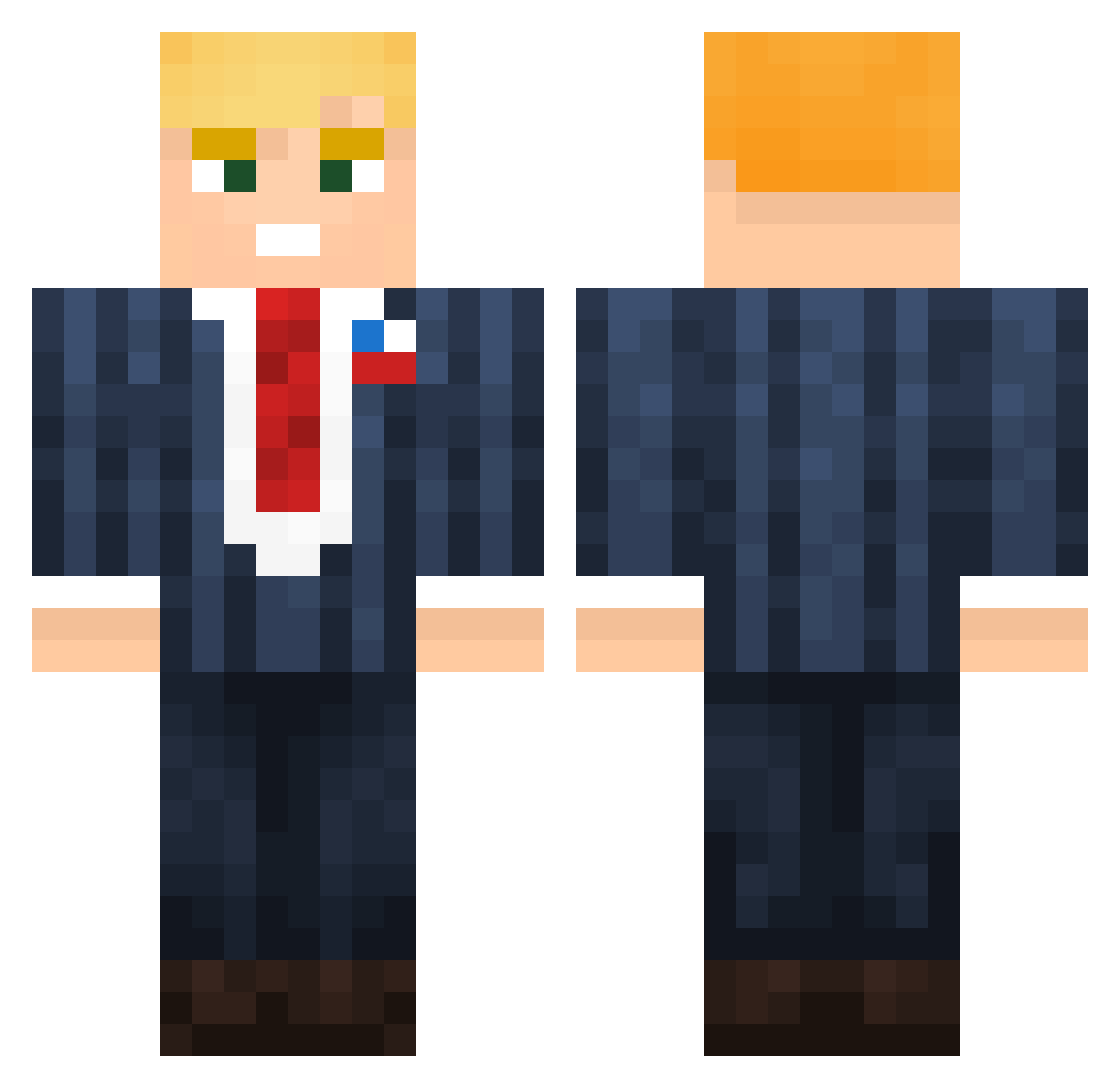
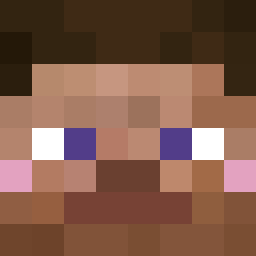
Current Minecraft skin of the player USSR, loaded from the official Mojang API. Rotate the 3D model with your mouse or finger, then download the skin as a PNG file and use it in Minecraft: Bedrock Edition or Java Edition for free. When USSR changes their skin, this page updates automatically and the old skin stays in the history below.
Other players with this skin (131)
USSR was the 29th player we have seen with this skin, first spotted on 21.08.2026. The same skin was seen on these players. Open a nickname to see their current skin and skin history.
 pvpmurderkill09 kasimiiiir Tibbeke
 garlatha_ uklocoss BrickMaker ScimmiaLeo schobbeschorler SyndicateAW legoshooter2
 copperbuster HellsNah zMigl Luminitai Toobiias senarathna_trump Magcraftor Xinaaaa chaceee Clippit Yohan_O0O EntireMantis CetricSpace Alone4Life ilikespiderman1 DaWeekDays Jonte30 LankyLorenzo BNXFN0426 _clotol_0312 alpha_primus44 TMC_Serq Perichiquito A4BThibaut Hirizy Juicer_J DopplerXD TomLeo hotwheeeeeels GO_G1_PAN
 Hoschi_14 ARMINSTILLHARD Freebuffet Freshbakedtots oLoud
 ignaproter SLR722 zer0day Scuylo Xx5tempyxX YUU_OvO Gruthk FeetSniffer3100 TheTrump cartman97 saspunas BombowyArturito Laceh Jeremeuh Zelph___
More Donald Trump Minecraft skins
See all 325 Donald Trump skins
How to install the USSR skin
- Press the Download button above to save the skin as a PNG file.
- Minecraft: Bedrock Edition (PE): open the Dressing Room from the main menu (or tap your character → Edit Character), go to Classic Skins → Owned, press the + (new skin) button, choose the downloaded PNG and pick the Classic (Steve) model. Works on PC and mobile; consoles cannot import custom skins.
- Minecraft: Java Edition: open the Minecraft Launcher, go to the Skins tab, click New Skin, load the PNG, pick the Classic (Steve) model and press Save & Use. You can also upload it at minecraft.net → Profile → Change Skin.
The skin does not show up after import - what should I do?
Restart Minecraft and open the Dressing Room again - imported skins sometimes appear only after a restart. Also make sure you selected the imported skin and picked the Classic (Steve) model.
Which model should I choose, Classic or Slim?
This skin is designed for the Classic (Steve) model. If you pick the wrong model, the arms of the skin will look stretched or squeezed.
Is the skin of USSR free to download?
Yes. Press Download, save the PNG file and use it in Minecraft: Bedrock Edition or Java Edition - no payment or registration needed. The skin also works on multiplayer servers and Realms.
More skins
Looking for more? Go back to all Minecraft skins and check the top skins of the week, month and all time, or find any player's skin by nickname.